
Mogius1 - Minecraft Skins & Skin History
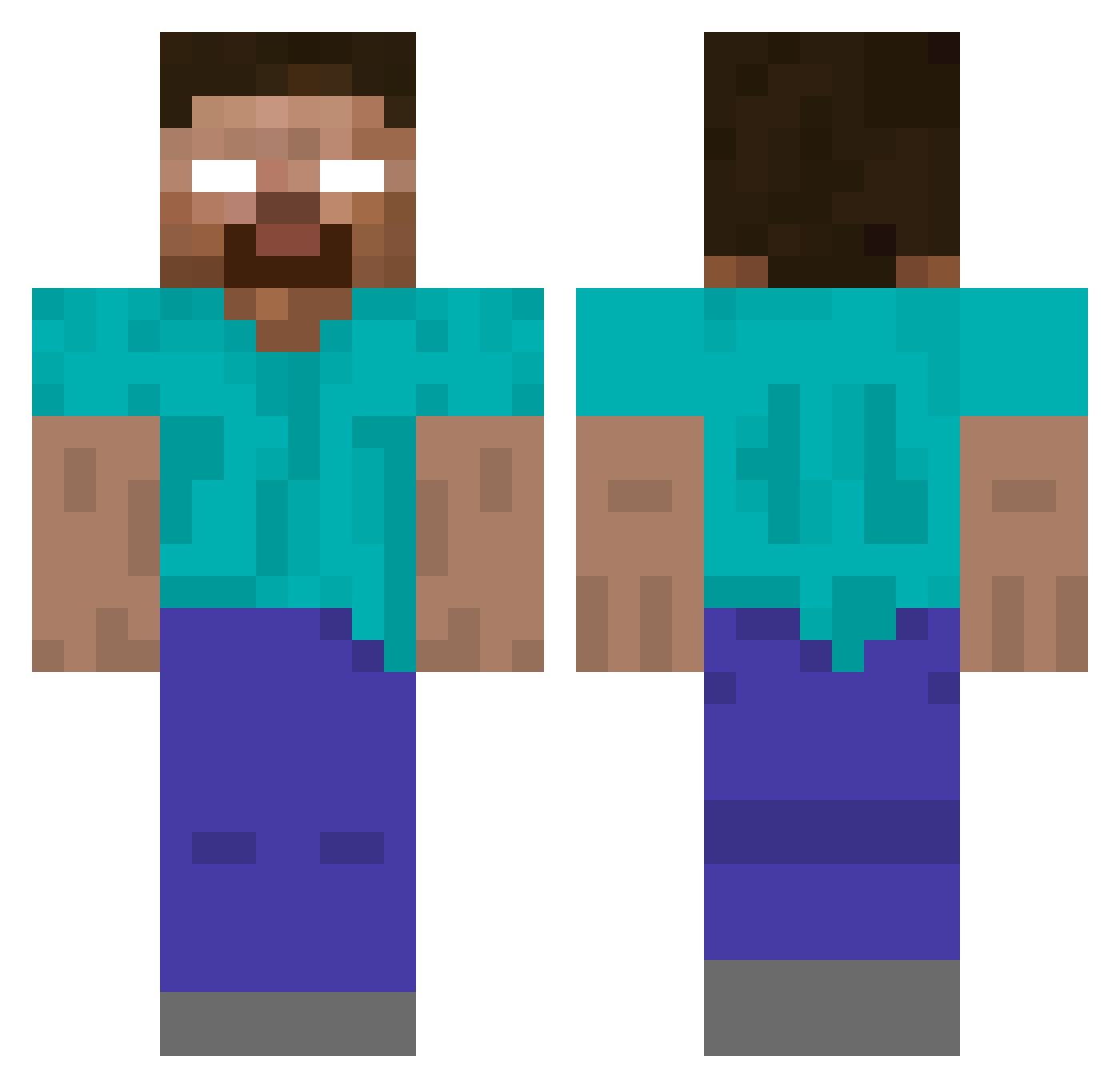
Current Minecraft skin of the player Mogius1, loaded from the official Mojang API. Rotate the 3D model with your mouse or finger, then download the skin as a PNG file and use it in Minecraft: Bedrock Edition or Java Edition for free. When Mogius1 changes their skin, this page updates automatically and the old skin stays in the history below.
Other players with this skin (217)
Mogius1 was the 83rd player we have seen with this skin, first spotted on 05.09.2026. The same skin was seen on these players. Open a nickname to see their current skin and skin history.
 GRACECRUSHTH schloobe ethanuno_ fqzwqknq noir4ik BladeZira
 CrazyCookie8888 brentfaiyaz7 usually11 d3eer MilkCheese11 Seliush Maximus1405 bersom aleksardi0 gorila11 USEM0RE tomohiro2190 Rubno3978 Henry9115 SrFeikt Mojang_Herobrine s6000 Nolandp bliiiiiink jeffthekiller33 HypeRLemonKing peppapigmama
 boboidino empanaditas_0 Compakt07 mentaliste Stevefanumber1 lucrox caeniel2112 Mortini1 MarkFromYahoo ALNAJAR IntestineBaalism Shiino94i Herberone eleso654321 herobrine10003 timjklllllllllll hairytoenails591 Steamtrain228 Vlv6
 applefritter186 Ksandebri OVH7 daepon13 sssantonic JoshuaJudgement Gasueih14 Lawsonator2018 MaggusRuehl__ SoySvapo Magrur MaroSon1 g13xz
More Herobrine Minecraft skins
How to install the Mogius1 skin
- Press the Download button above to save the skin as a PNG file.
- Minecraft: Bedrock Edition (PE): open the Dressing Room from the main menu (or tap your character → Edit Character), go to Classic Skins → Owned, press the + (new skin) button, choose the downloaded PNG and pick the Classic (Steve) model. Works on PC and mobile; consoles cannot import custom skins.
- Minecraft: Java Edition: open the Minecraft Launcher, go to the Skins tab, click New Skin, load the PNG, pick the Classic (Steve) model and press Save & Use. You can also upload it at minecraft.net → Profile → Change Skin.
The skin does not show up after import - what should I do?
Restart Minecraft and open the Dressing Room again - imported skins sometimes appear only after a restart. Also make sure you selected the imported skin and picked the Classic (Steve) model.
Which model should I choose, Classic or Slim?
This skin is designed for the Classic (Steve) model. If you pick the wrong model, the arms of the skin will look stretched or squeezed.
Is the skin of Mogius1 free to download?
Yes. Press Download, save the PNG file and use it in Minecraft: Bedrock Edition or Java Edition - no payment or registration needed. The skin also works on multiplayer servers and Realms.
More skins
Looking for more? Go back to all Minecraft skins and check the top skins of the week, month and all time, or find any player's skin by nickname.