
Mimiman245 - Minecraft Skins & Skin History
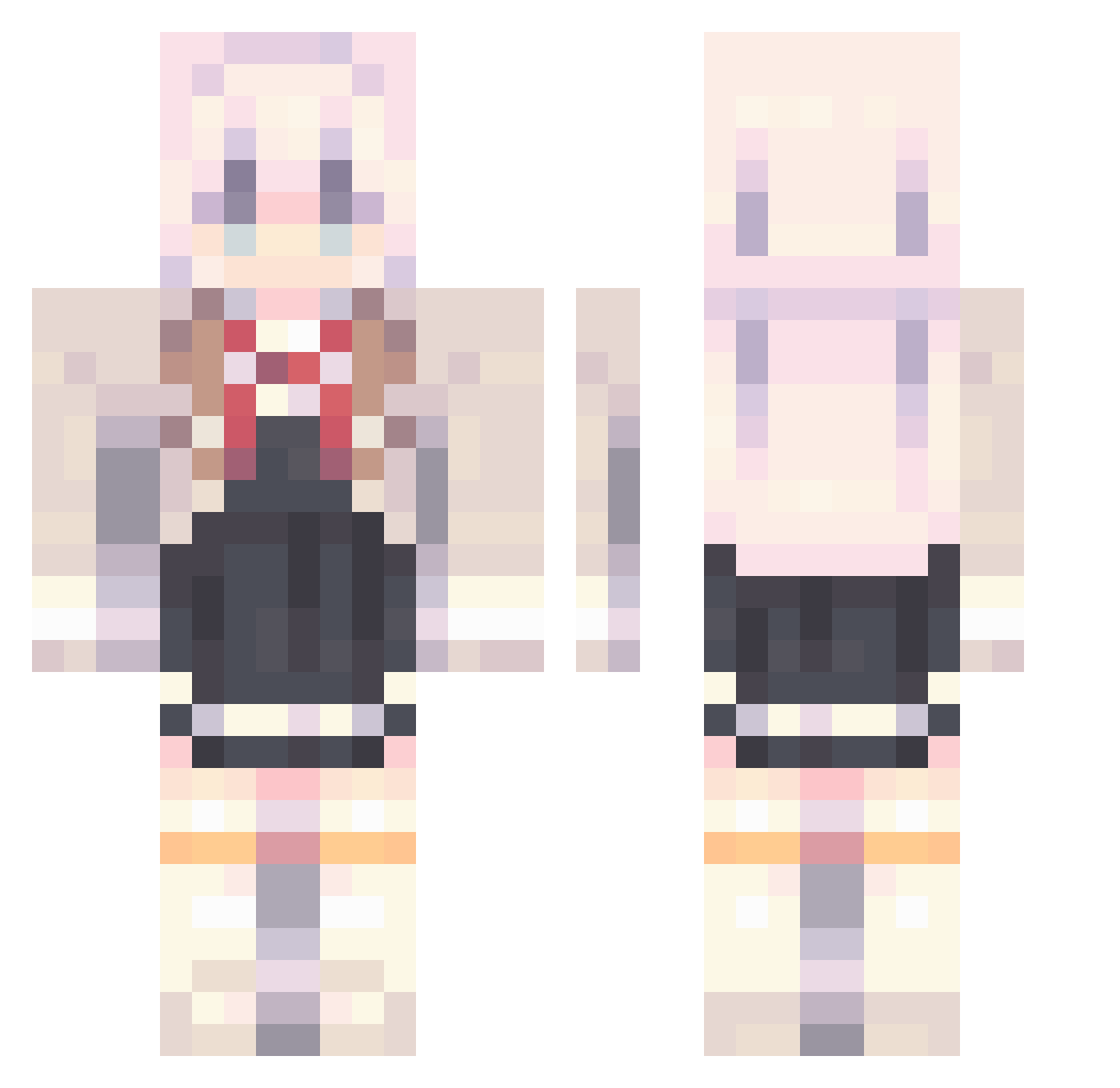
Current Minecraft skin of the player Mimiman245, loaded from the official Mojang API. Rotate the 3D model with your mouse or finger, then download the skin as a PNG file and use it in Minecraft: Bedrock Edition or Java Edition for free. When Mimiman245 changes their skin, this page updates automatically and the old skin stays in the history below.
Other players with this skin (909)
Mimiman245 was the 695th player we have seen with this skin, first spotted on 10.10.2026. The same skin was seen on these players. Open a nickname to see their current skin and skin history.
 sasuke677 wawa152 Make_banane AElimelec760 The_Liang Fiveone_520 watergod0213 Strekz pinhsun gazelle1972 xNeets 7HerobrineBeast MayumiChang chww_ buryakoff Bea_g_a XreapZzz MoYao_ 3SAB hjyu20 ZNEBROSE ODENNNNNN Whiskey0621 TeigenPlayz_ GalaxyStarsDream WorldEdge IASLIA caimo520 aeri00 Gustaw_Franek JerimiahJones xiaogai_ veteranmoye Pippopad shidao06 73PTQFGBro arogef atababa1214 Delirioo _1939 Ba1chy ARONG_7 Kujou_Alya OAOb12345 alexisgarmen1 huasx uyyyyy Crazymiss cdogl33 CHA_SIWON kunIkuzushl aoippi GrandSwatterDog WeiWeiChiang Ethan1020411 EXQIU Manh228_VN PIGEON_FISH AnHH09 im_rainisunnie_Y
More School Uniform Minecraft skins
See all 6654 School Uniform skins
How to install the Mimiman245 skin
- Press the Download button above to save the skin as a PNG file.
- Minecraft: Bedrock Edition (PE): open the Dressing Room from the main menu (or tap your character → Edit Character), go to Classic Skins → Owned, press the + (new skin) button, choose the downloaded PNG and pick the Classic (Steve) model. Works on PC and mobile; consoles cannot import custom skins.
- Minecraft: Java Edition: open the Minecraft Launcher, go to the Skins tab, click New Skin, load the PNG, pick the Classic (Steve) model and press Save & Use. You can also upload it at minecraft.net → Profile → Change Skin.
The skin does not show up after import - what should I do?
Restart Minecraft and open the Dressing Room again - imported skins sometimes appear only after a restart. Also make sure you selected the imported skin and picked the Classic (Steve) model.
Which model should I choose, Classic or Slim?
This skin is designed for the Classic (Steve) model. If you pick the wrong model, the arms of the skin will look stretched or squeezed.
Is the skin of Mimiman245 free to download?
Yes. Press Download, save the PNG file and use it in Minecraft: Bedrock Edition or Java Edition - no payment or registration needed. The skin also works on multiplayer servers and Realms.
More skins
Looking for more? Go back to all Minecraft skins and check the top skins of the week, month and all time, or find any player's skin by nickname.