
 Qi_yuer Visiastib Ku2vH kubgv ufyfuy cola005 MeramiCat lalalbaga Shadiao223 infinity__moon MaahiRo AnthonyPY BriskChair Disuk1 royyy__ BLUE_RAIN78 aoligei1234 Aorarara BaseNickelss moyuewu YYYz0925 NarcissuSetsumi zzh19919 Serein002 HuTaodexgou lingyi_ly Black_CATMoon Fang_xy GBhuahua0 RealTreption chougaba zhenmeng00 MumuXi1 chen12223 Narwhal9 WriestBell yehan_123 GrimJaguar zhzhui ZorvixVN btRobin Apolr Lceland77 Leng_You yangguang1029 Zya95 AmuJyh Hayasaka_Akane Tuffy__ Baby_mu Riavel1883 zhuiii0 Yanami66 LBlankets Luo_qingx TerminsuXY moqingyu666 qianshu__ Annicatttt viper0925
Minecraft skin of Lim_233. Rotate the 3D model with your mouse or finger to view the skin from every angle, then download it as a PNG file and use it in Minecraft: Bedrock Edition or Java Edition for free. Rate the skin with stars to help other players find the best skins in our collection.
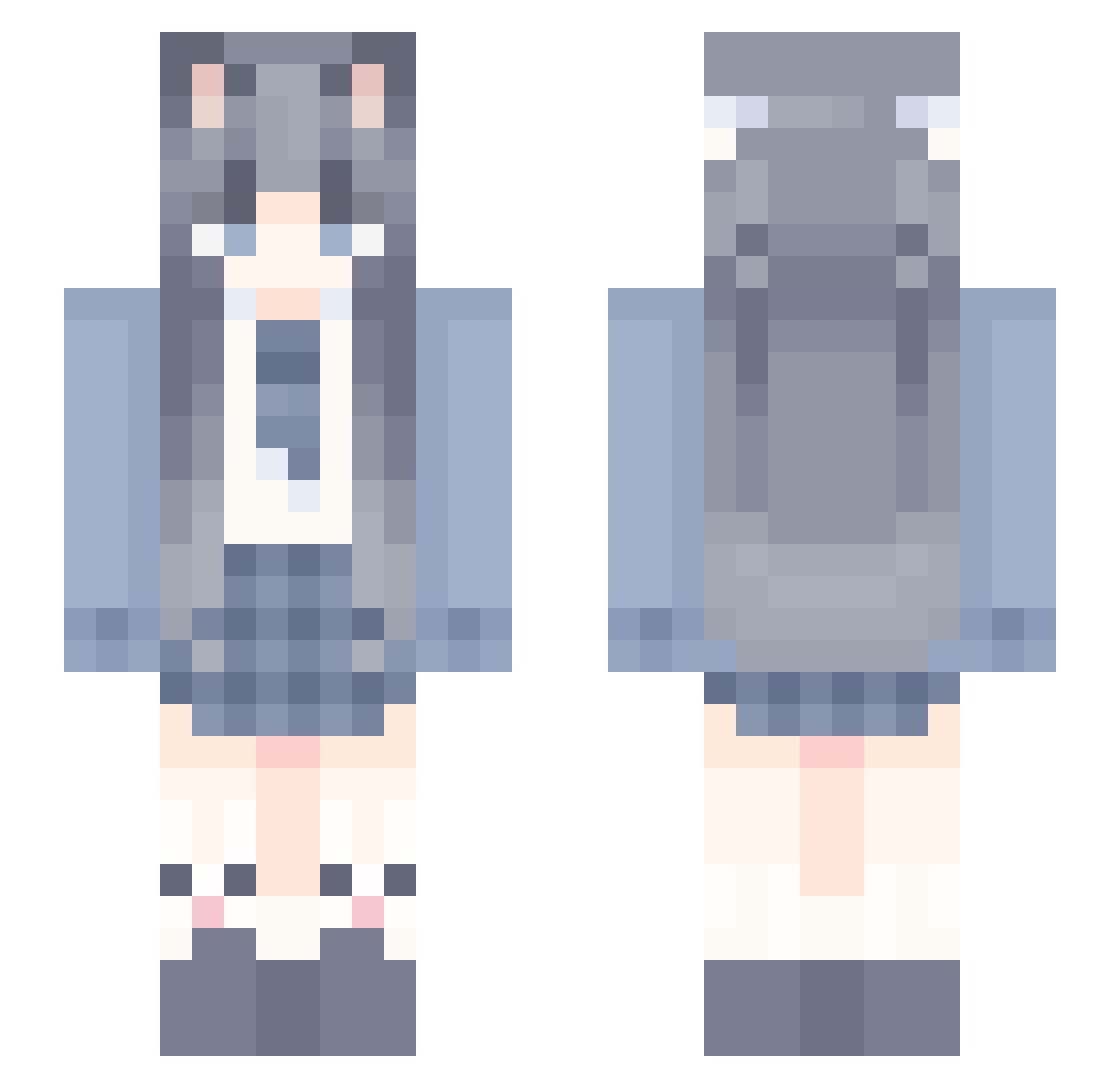
How to install the Lim_233 skin
- Press the Download button above to save the skin as a PNG file.
- Minecraft: Bedrock Edition (PE): open the Dressing Room from the main menu (or tap your character → Edit Character), go to Classic Skins → Owned, press the + (new skin) button, choose the downloaded PNG and pick the Slim (Alex) model. Works on PC and mobile; consoles cannot import custom skins.
- Minecraft: Java Edition: open the Minecraft Launcher, go to the Skins tab, click New Skin, load the PNG, pick the Slim (Alex) model and press Save & Use. You can also upload it at minecraft.net → Profile → Change Skin.
The skin does not show up after import - what should I do?
Restart Minecraft and open the Dressing Room again - imported skins sometimes appear only after a restart. Also make sure you selected the imported skin and picked the Slim (Alex) model.
Which model should I choose, Classic or Slim?
This skin is designed for the Slim (Alex) model. If you pick the wrong model, the arms of the skin will look stretched or squeezed.
Is this skin free to use?
Yes. Press Download, save the PNG file and use it in Minecraft: Bedrock Edition or Java Edition - no payment or registration needed. The skin also works on multiplayer servers and Realms.
More School Uniform Minecraft skins
See all 6062 School Uniform skins
More skins
Looking for more? Go back to all Minecraft skins and check the top skins of the week, month and all time, or find any player's skin by nickname.