
huasx - Minecraft Skins & Skin History
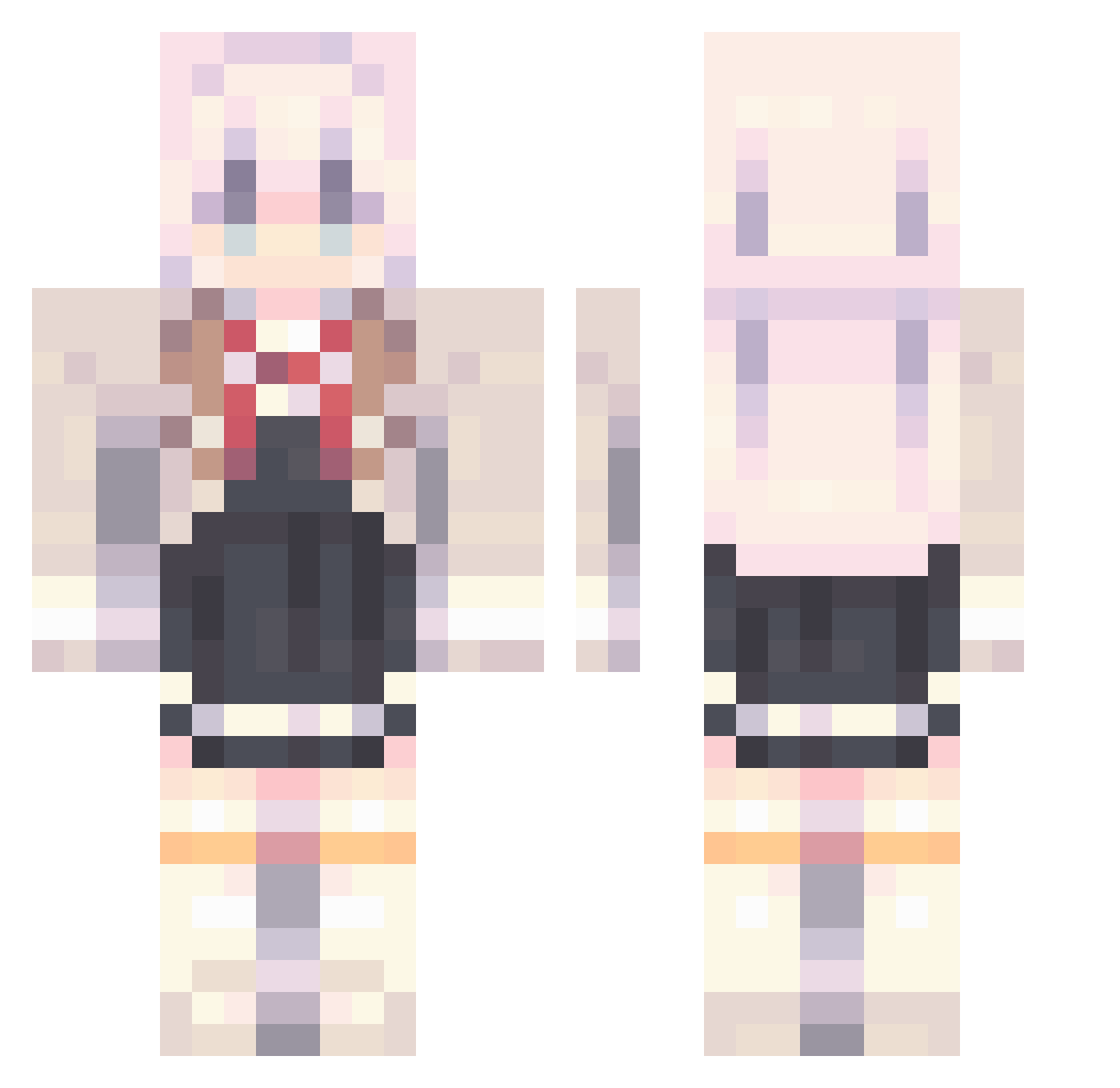
Current Minecraft skin of the player huasx, loaded from the official Mojang API. Rotate the 3D model with your mouse or finger, then download the skin as a PNG file and use it in Minecraft: Bedrock Edition or Java Edition for free. When huasx changes their skin, this page updates automatically and the old skin stays in the history below.
Other players with this skin (909)
huasx was the 669th player we have seen with this skin, first spotted on 08.10.2026. The same skin was seen on these players. Open a nickname to see their current skin and skin history.
 alexisgarmen1 Crazymiss Kujou_Alya Ba1chy _1939 CHA_SIWON kunIkuzushl aoippi atababa1214 GrandSwatterDog arogef 73PTQFGBro Ethan1020411 Manh228_VN PIGEON_FISH AnHH09 Pippopad im_rainisunnie_Y veteranmoye AJD625 aeri00 caimo520 IASLIA OneOfOurs GalaxyStarsDream VOTOSH TeigenPlayz_ LinLin1217 MoYao_ love0424 XreapZzz voice1999 buryakoff chww_ Jason_529 xNeets FLEX0001 Allantor10 pinhsun Strekz gnwuH DAMKG The_Liang AElimelec760 TuiTuizZ Paper_cut_ moxicate emo9978 Tomori_2020 w1nnnnn_d wawa152 SinGyu_ S1mplifi3d Hhhhhc2 sasuke677 GATTOPARDI2 Mimiman245 Carbromal jolin920 Make_banane
More School Uniform Minecraft skins
See all 6654 School Uniform skins
How to install the huasx skin
- Press the Download button above to save the skin as a PNG file.
- Minecraft: Bedrock Edition (PE): open the Dressing Room from the main menu (or tap your character → Edit Character), go to Classic Skins → Owned, press the + (new skin) button, choose the downloaded PNG and pick the Classic (Steve) model. Works on PC and mobile; consoles cannot import custom skins.
- Minecraft: Java Edition: open the Minecraft Launcher, go to the Skins tab, click New Skin, load the PNG, pick the Classic (Steve) model and press Save & Use. You can also upload it at minecraft.net → Profile → Change Skin.
The skin does not show up after import - what should I do?
Restart Minecraft and open the Dressing Room again - imported skins sometimes appear only after a restart. Also make sure you selected the imported skin and picked the Classic (Steve) model.
Which model should I choose, Classic or Slim?
This skin is designed for the Classic (Steve) model. If you pick the wrong model, the arms of the skin will look stretched or squeezed.
Is the skin of huasx free to download?
Yes. Press Download, save the PNG file and use it in Minecraft: Bedrock Edition or Java Edition - no payment or registration needed. The skin also works on multiplayer servers and Realms.
More skins
Looking for more? Go back to all Minecraft skins and check the top skins of the week, month and all time, or find any player's skin by nickname.