
Mimib_b74 - Minecraft Skins & Skin History
Current Minecraft skin of the player Mimib_b74, loaded from the official Mojang API. Rotate the 3D model with your mouse or finger, then download the skin as a PNG file and use it in Minecraft: Bedrock Edition or Java Edition for free. When Mimib_b74 changes their skin, this page updates automatically and the old skin stays in the history below.
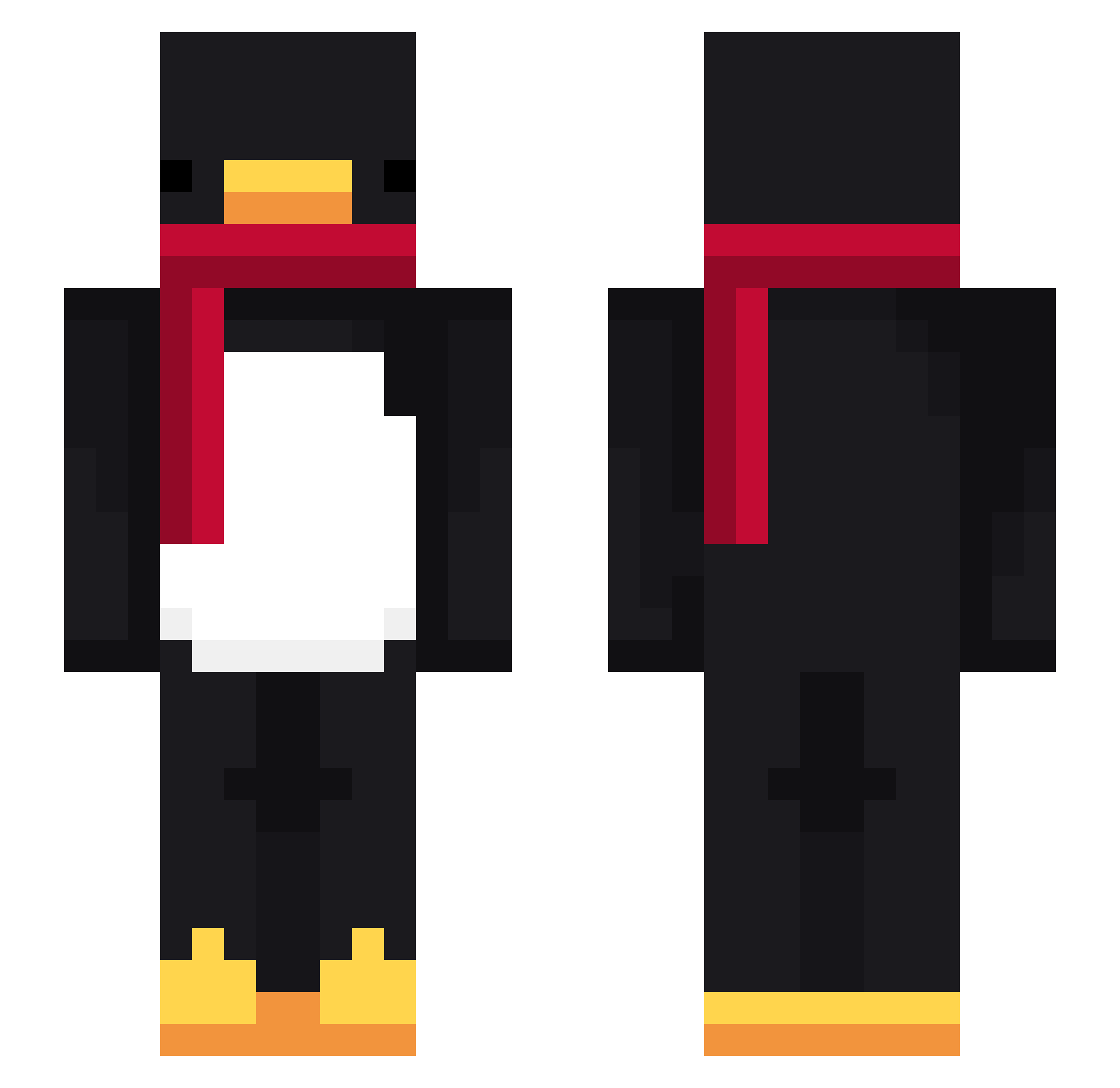
Other players with this skin (716)
Mimib_b74 was the 323rd player we have seen with this skin, first spotted on 09.09.2026. The same skin was seen on these players. Open a nickname to see their current skin and skin history.
 Nanin83 Tomato_DJ 2ghoul4you B4bar1an LinhBoltwuaUwU calamaro77 soccerplayar radCFyBEMmF Hevyars ZHaoXiC Toz1k solS2 Gr3me pepinooooo NH6R
 DesmoTheGames Dang__Ma baby_toof nicknaecks xchucho_ jinys0527 LaidK IchEsseDeineEX ProfessorDiablo6 LinhShademtoUwU Signor_LollY husam5 Maul250 Vividhues ISLR Nyar_w minpie0409 pamelaperson jirasak12 VeRITas5072 k88ja Daunte67 HexFury_ Fabrizz1212 Vamp4Fng christolfo Halfidi Davidilandia igor159753 meganut99 _Pindo_ TheOldestDream51 yay2274 Loiyuuu damm15 small__E NonTrex ratajakvrata LinhcMssd0226 DDmird GGojanG_259 taish3030 AlexMoritzKart Sv2P463SWb4RYSv2 Naujas
More Penguin Minecraft skins
How to install the Mimib_b74 skin
- Press the Download button above to save the skin as a PNG file.
- Minecraft: Bedrock Edition (PE): open the Dressing Room from the main menu (or tap your character → Edit Character), go to Classic Skins → Owned, press the + (new skin) button, choose the downloaded PNG and pick the Slim (Alex) model. Works on PC and mobile; consoles cannot import custom skins.
- Minecraft: Java Edition: open the Minecraft Launcher, go to the Skins tab, click New Skin, load the PNG, pick the Slim (Alex) model and press Save & Use. You can also upload it at minecraft.net → Profile → Change Skin.
The skin does not show up after import - what should I do?
Restart Minecraft and open the Dressing Room again - imported skins sometimes appear only after a restart. Also make sure you selected the imported skin and picked the Slim (Alex) model.
Which model should I choose, Classic or Slim?
This skin is designed for the Slim (Alex) model. If you pick the wrong model, the arms of the skin will look stretched or squeezed.
Is the skin of Mimib_b74 free to download?
Yes. Press Download, save the PNG file and use it in Minecraft: Bedrock Edition or Java Edition - no payment or registration needed. The skin also works on multiplayer servers and Realms.
More skins
Looking for more? Go back to all Minecraft skins and check the top skins of the week, month and all time, or find any player's skin by nickname.