
Mesko_PvP - Minecraft Skins & Skin History
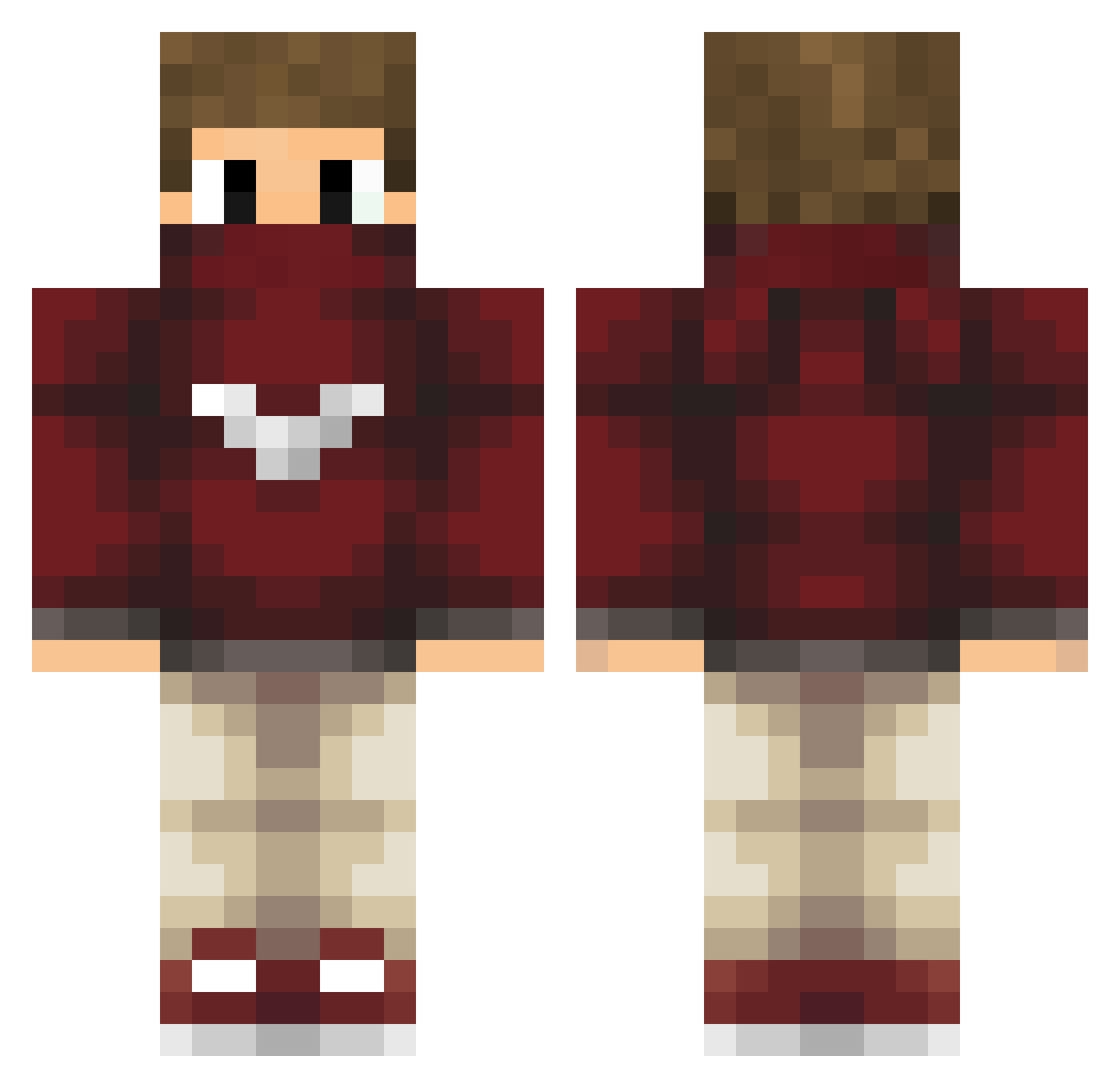
Current Minecraft skin of the player Mesko_PvP, loaded from the official Mojang API. Rotate the 3D model with your mouse or finger, then download the skin as a PNG file and use it in Minecraft: Bedrock Edition or Java Edition for free. When Mesko_PvP changes their skin, this page updates automatically and the old skin stays in the history below.
Other players with this skin (208)
Mesko_PvP was the 36th player we have seen with this skin, first spotted on 10.08.2026. The same skin was seen on these players. Open a nickname to see their current skin and skin history.
 matsk HappyElias Belzec Zanthoxie Razor9903 primax_03 QuijanoGamer99 Sean_4D THCFxCoby DerEmaLP CuzImHunter PolishNiKo PalutenFan1 Buulgame FastyCZ DogoPlay PirateFirefox Etorkie izoki24 L3M0n3_ BrankoPGK Gatizei Jackjow FressyHD _Razor BreakFick Slightly_Slanted StreamerzTV mechgaming FAWKA Kunjuktiv Joosha byDetoX Ygnvi17 Lolanton98 juan_gamerpt Welmo VincentS89 BoBossGames IFNA_ThePro lelethesun Vogueurs _ZyRox ArtemProYT FuzzerYT DustyMill Enzofrai jpsbatata Unique0rn Madison28 kaanexus SplezzyCrafterYT iBerkqn_TR DindonXV UnleqitRanqe Frankling007 MaxiorFR Chezyc ImNotEnigmaCOMBO MrTeeBow
More Mask Minecraft skins
How to install the Mesko_PvP skin
- Press the Download button above to save the skin as a PNG file.
- Minecraft: Bedrock Edition (PE): open the Dressing Room from the main menu (or tap your character → Edit Character), go to Classic Skins → Owned, press the + (new skin) button, choose the downloaded PNG and pick the Classic (Steve) model. Works on PC and mobile; consoles cannot import custom skins.
- Minecraft: Java Edition: open the Minecraft Launcher, go to the Skins tab, click New Skin, load the PNG, pick the Classic (Steve) model and press Save & Use. You can also upload it at minecraft.net → Profile → Change Skin.
The skin does not show up after import - what should I do?
Restart Minecraft and open the Dressing Room again - imported skins sometimes appear only after a restart. Also make sure you selected the imported skin and picked the Classic (Steve) model.
Which model should I choose, Classic or Slim?
This skin is designed for the Classic (Steve) model. If you pick the wrong model, the arms of the skin will look stretched or squeezed.
Is the skin of Mesko_PvP free to download?
Yes. Press Download, save the PNG file and use it in Minecraft: Bedrock Edition or Java Edition - no payment or registration needed. The skin also works on multiplayer servers and Realms.
More skins
Looking for more? Go back to all Minecraft skins and check the top skins of the week, month and all time, or find any player's skin by nickname.