
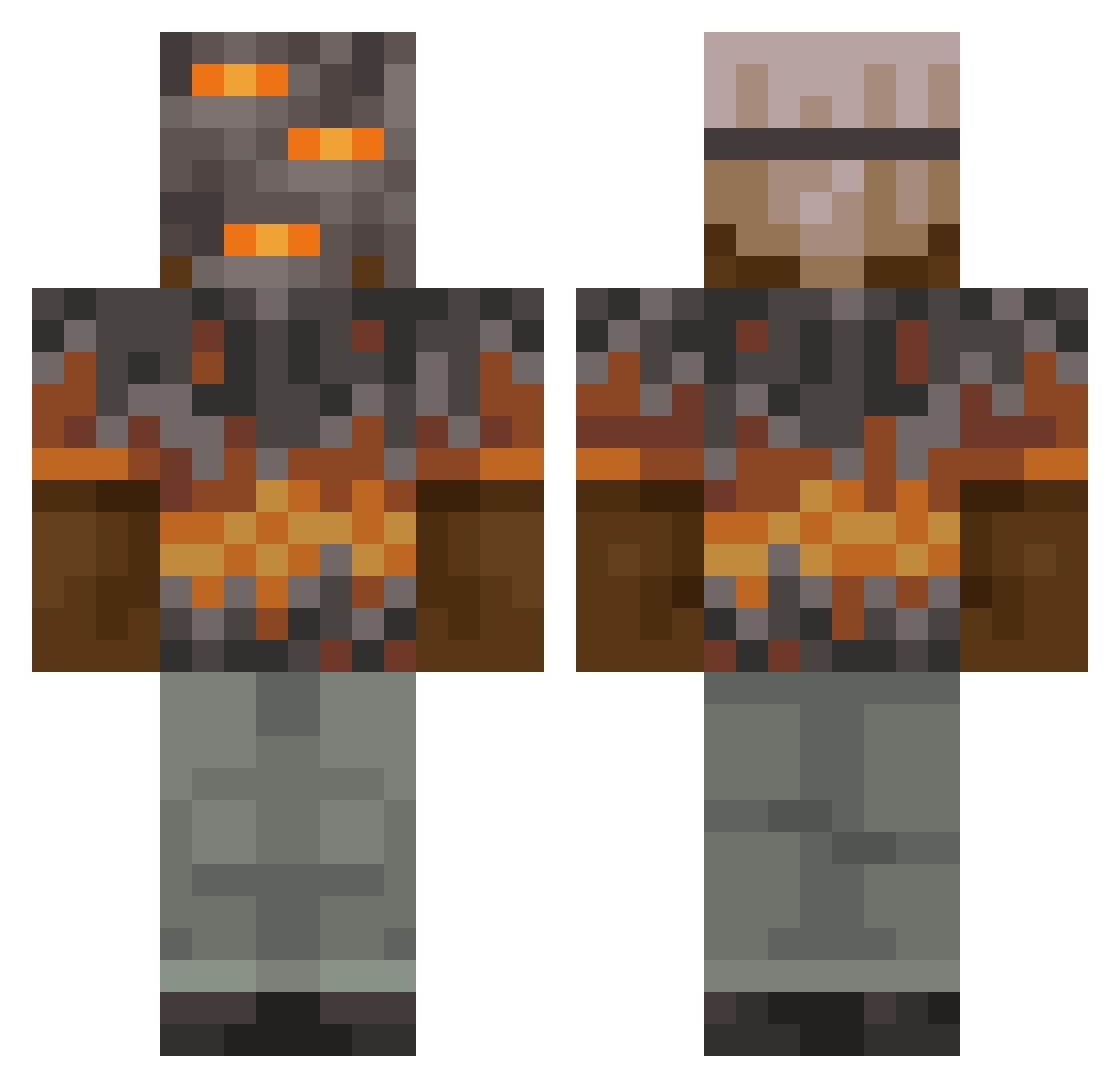
Current Minecraft skin of the player MeowMaster67, loaded from the official Mojang API. Rotate the 3D model with your mouse or finger, then download the skin as a PNG file and use it in Minecraft: Bedrock Edition or Java Edition for free. When MeowMaster67 changes their skin, this page updates automatically and the old skin stays in the history below.
Other players with this skin (788)
MeowMaster67 was the 672nd player we have seen with this skin, first spotted on 05.10.2026. The same skin was seen on these players. Open a nickname to see their current skin and skin history.
 cigarooo BikashistGEIL paco879 Valenb3244 sigmalfie 91ie edinlol1 ParcourMeister AltVerse0oeAV BraZZers2 Kyuriz bwettzel witherfighter123 Ben95c OwenMorrison gorlocktd Ruben060410 Maquita232 PUPSIKLEO gumball0914 sslushy blader0512 KRAL1432 16SCHNITZEL12 alex3434343434 Hoot227 Maximortel Jluis78 shxdow_soul xXLARSXx2734 vvikip olkix H1kkari DragonRiderLFB TheScout_FromTF2 PizzaMathew Soan_08 AzzeriumL3Thug SOSblizzard szafri hollowknight0423 Dusty717 Gatikk MBroly BANANAB011 6AverageJoe7 Fire_Wave_ Gator775 Zatorii Ashesinks Xarra82 skylergriddygoat Steel4427 BeetleCactus175 Florian4Mine Qydscheff ANTHONYTHEPROGOD GraafGrootGleuf Cat80CZ ConorMaru
More Rock Minecraft skins
How to install the MeowMaster67 skin
- Press the Download button above to save the skin as a PNG file.
- Minecraft: Bedrock Edition (PE): open the Dressing Room from the main menu (or tap your character → Edit Character), go to Classic Skins → Owned, press the + (new skin) button, choose the downloaded PNG and pick the Classic (Steve) model. Works on PC and mobile; consoles cannot import custom skins.
- Minecraft: Java Edition: open the Minecraft Launcher, go to the Skins tab, click New Skin, load the PNG, pick the Classic (Steve) model and press Save & Use. You can also upload it at minecraft.net → Profile → Change Skin.
The skin does not show up after import - what should I do?
Restart Minecraft and open the Dressing Room again - imported skins sometimes appear only after a restart. Also make sure you selected the imported skin and picked the Classic (Steve) model.
Which model should I choose, Classic or Slim?
This skin is designed for the Classic (Steve) model. If you pick the wrong model, the arms of the skin will look stretched or squeezed.
Is the skin of MeowMaster67 free to download?
Yes. Press Download, save the PNG file and use it in Minecraft: Bedrock Edition or Java Edition - no payment or registration needed. The skin also works on multiplayer servers and Realms.
More skins
Looking for more? Go back to all Minecraft skins and check the top skins of the week, month and all time, or find any player's skin by nickname.