
Melonade001 - Minecraft Skins & Skin History
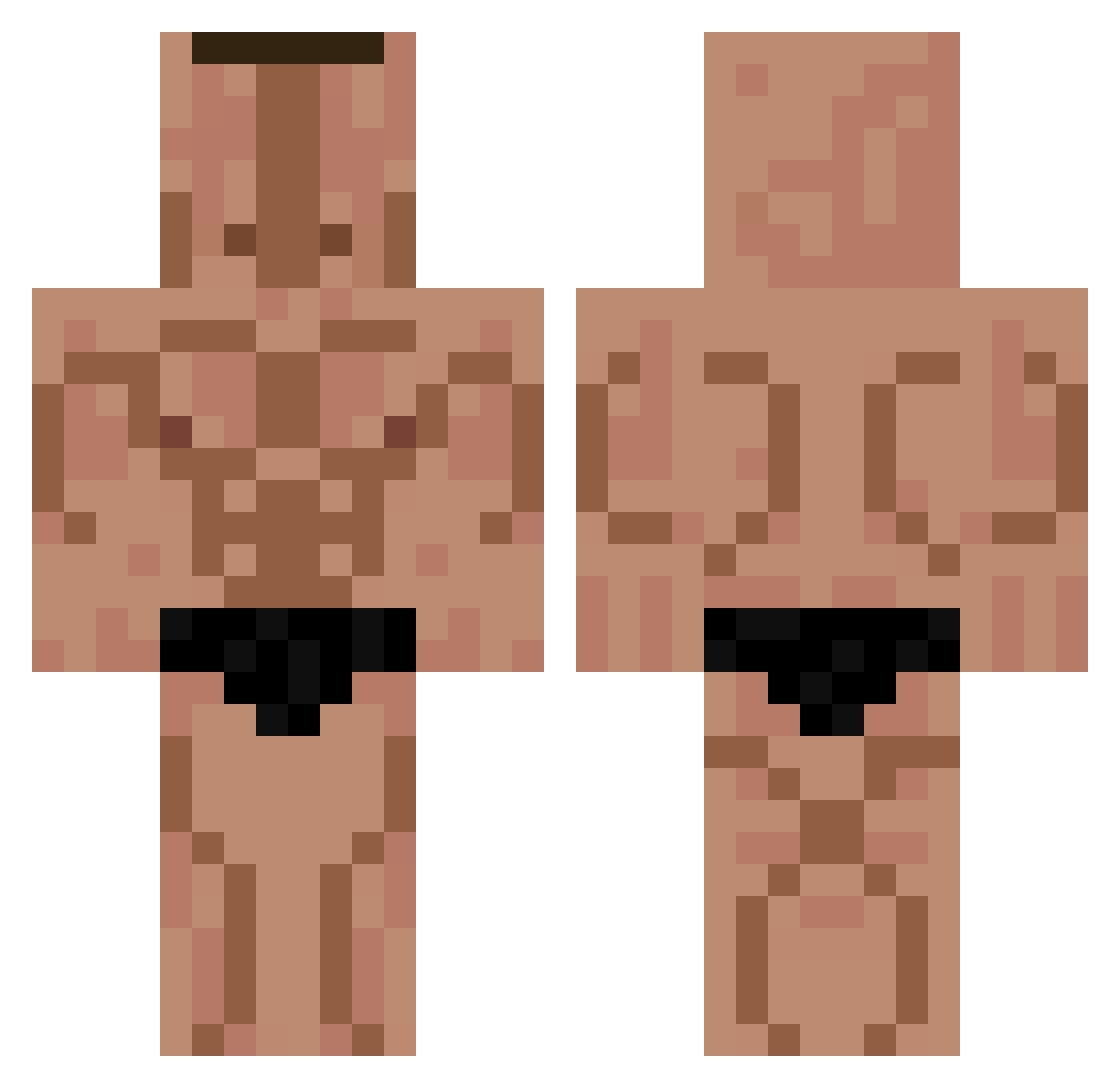
Current Minecraft skin of the player Melonade001, loaded from the official Mojang API. Rotate the 3D model with your mouse or finger, then download the skin as a PNG file and use it in Minecraft: Bedrock Edition or Java Edition for free. When Melonade001 changes their skin, this page updates automatically and the old skin stays in the history below.
Other players with this skin (264)
Melonade001 was the 182nd player we have seen with this skin, first spotted on 28.09.2026. The same skin was seen on these players. Open a nickname to see their current skin and skin history.
 hizinha Lumemina CreamPie24 Guerrinha bk9064 Trlistans jkdfhv siko050810 Augustomahamed zHenriqueGamerz Camme79 Taburetka0007 ggustavvoo22 rkdalsrb11 gravityuwu Sprintek Azergh ttensor PlayBoiPap Eniux Furious14 drpepper3453 ZeBalas08 Luchisano MATY052474 KyLebarbs69 WoofImACat Baldis_Basics Hauska negaSteve1 EDYFICIO1 ShewMustard Pngu8i bloinkus Frailie lordckam1 Ploru JackyBoi757 marios187 NRTXMN GOATMINAM k9g_fr LvcaLiber Enm43 Vietnamec04 arseneun lmbzh FapiF24 zonimakaroni Patatodrakos2 PapaJulian67 Haselnuss79 zac_r36 dood56 GenericWhiteGuys Wainy Policarpopvp ZootedSuited kaanzapkinus Arixona
More Buff Minecraft skins
How to install the Melonade001 skin
- Press the Download button above to save the skin as a PNG file.
- Minecraft: Bedrock Edition (PE): open the Dressing Room from the main menu (or tap your character → Edit Character), go to Classic Skins → Owned, press the + (new skin) button, choose the downloaded PNG and pick the Classic (Steve) model. Works on PC and mobile; consoles cannot import custom skins.
- Minecraft: Java Edition: open the Minecraft Launcher, go to the Skins tab, click New Skin, load the PNG, pick the Classic (Steve) model and press Save & Use. You can also upload it at minecraft.net → Profile → Change Skin.
The skin does not show up after import - what should I do?
Restart Minecraft and open the Dressing Room again - imported skins sometimes appear only after a restart. Also make sure you selected the imported skin and picked the Classic (Steve) model.
Which model should I choose, Classic or Slim?
This skin is designed for the Classic (Steve) model. If you pick the wrong model, the arms of the skin will look stretched or squeezed.
Is the skin of Melonade001 free to download?
Yes. Press Download, save the PNG file and use it in Minecraft: Bedrock Edition or Java Edition - no payment or registration needed. The skin also works on multiplayer servers and Realms.
More skins
Looking for more? Go back to all Minecraft skins and check the top skins of the week, month and all time, or find any player's skin by nickname.