
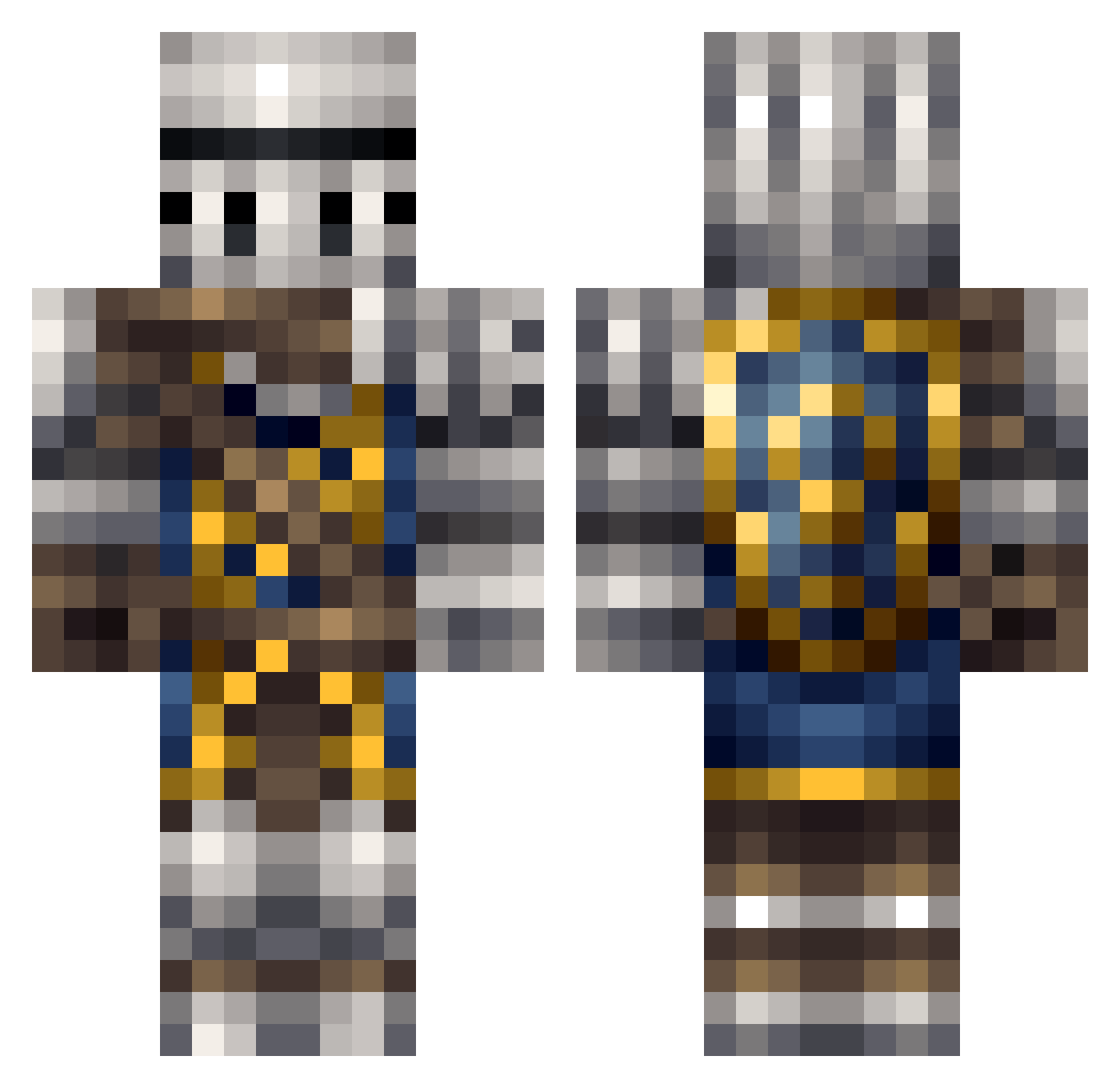
Current Minecraft skin of the player MeloT7, loaded from the official Mojang API. Rotate the 3D model with your mouse or finger, then download the skin as a PNG file and use it in Minecraft: Bedrock Edition or Java Edition for free. When MeloT7 changes their skin, this page updates automatically and the old skin stays in the history below.
Other players with this skin (196)
MeloT7 was the 33rd player we have seen with this skin, first spotted on 07.08.2026. The same skin was seen on these players. Open a nickname to see their current skin and skin history.
 Anonymousinc Flopperdonkey AndresOrSmthn Sevearith GarlicGamer12 Cruz_of_Astora04 KTqMD Tripprwt3 SaltySlinky LUKEMAA JoaoPedro512 Sqwudson SirNeedle Lazy42day Spindrift_5 wrkaaze mak_bous QueenNine Gausssian
 Five_seveN Russano732 Im_Joe_Biden Demoniac_Jester Sir_Jamarcus Waibibab Bigrayman97 YourHelpBot Rock_Agony Sir_Salami_ LeyiShen Hamburber44 Frostdrake117 TeakFoutain795 Vladekz Staky117 Mr_waffle_man26 Cruzbar1911 Tokino11037 _BL00DH0UND_ dobbr Lil_103 NoseJones Ghalza WaveringKAOS CZ_SNIPER Sir__Bird UncaragusTygo MEG_CEO FIA_Hanks unclesp00derman wartodeath JarryKing Lathori DrRobobrain1 ApleJ DeadbeamNetworks LimePerson CHESSSUS ChilledBones RaccoonMasta
More Shield Minecraft skins
How to install the MeloT7 skin
- Press the Download button above to save the skin as a PNG file.
- Minecraft: Bedrock Edition (PE): open the Dressing Room from the main menu (or tap your character → Edit Character), go to Classic Skins → Owned, press the + (new skin) button, choose the downloaded PNG and pick the Classic (Steve) model. Works on PC and mobile; consoles cannot import custom skins.
- Minecraft: Java Edition: open the Minecraft Launcher, go to the Skins tab, click New Skin, load the PNG, pick the Classic (Steve) model and press Save & Use. You can also upload it at minecraft.net → Profile → Change Skin.
The skin does not show up after import - what should I do?
Restart Minecraft and open the Dressing Room again - imported skins sometimes appear only after a restart. Also make sure you selected the imported skin and picked the Classic (Steve) model.
Which model should I choose, Classic or Slim?
This skin is designed for the Classic (Steve) model. If you pick the wrong model, the arms of the skin will look stretched or squeezed.
Is the skin of MeloT7 free to download?
Yes. Press Download, save the PNG file and use it in Minecraft: Bedrock Edition or Java Edition - no payment or registration needed. The skin also works on multiplayer servers and Realms.
More skins
Looking for more? Go back to all Minecraft skins and check the top skins of the week, month and all time, or find any player's skin by nickname.