
Maxfunkychicken - Minecraft Skins & Skin History
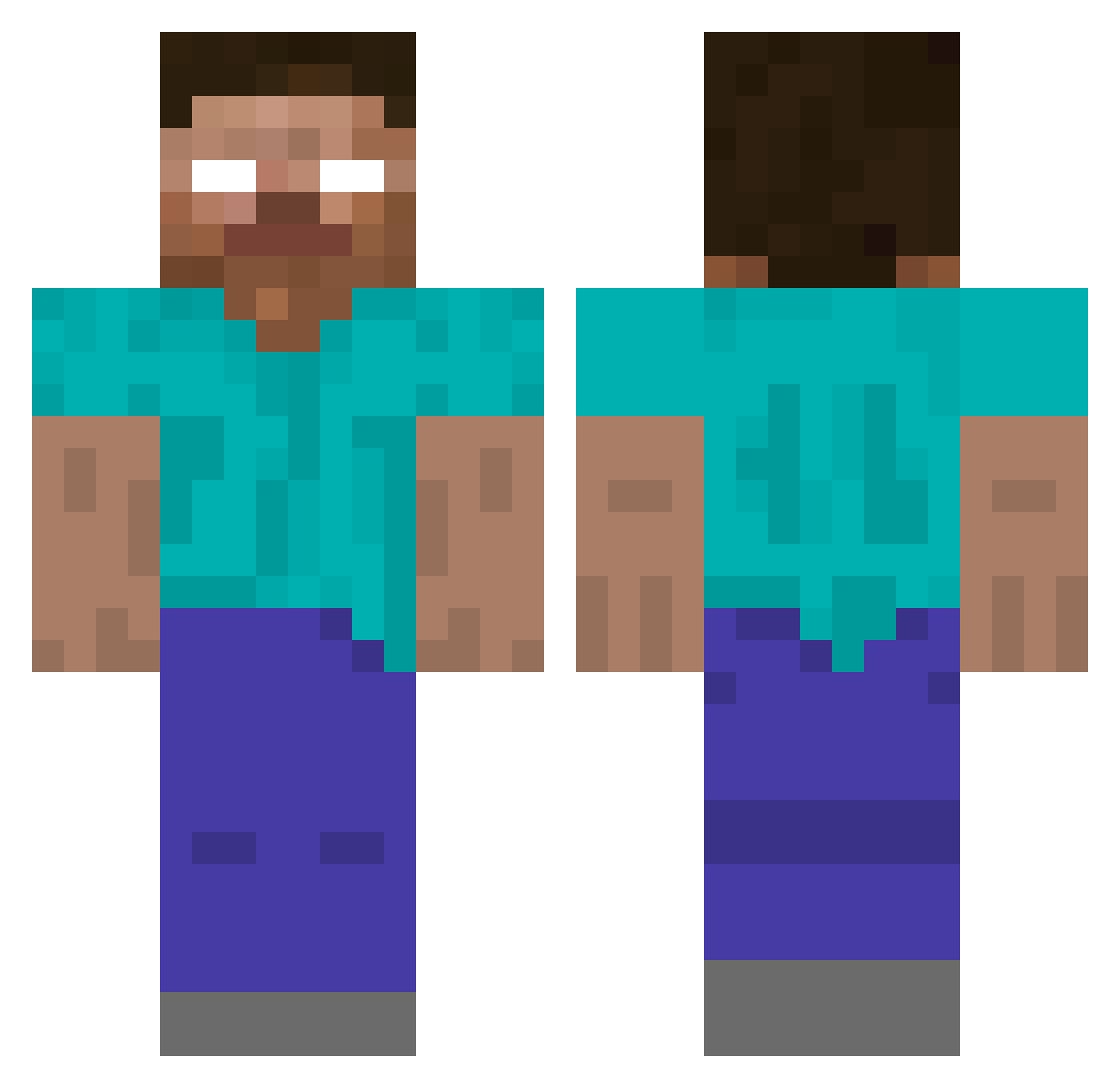
Current Minecraft skin of the player Maxfunkychicken, loaded from the official Mojang API. Rotate the 3D model with your mouse or finger, then download the skin as a PNG file and use it in Minecraft: Bedrock Edition or Java Edition for free. When Maxfunkychicken changes their skin, this page updates automatically and the old skin stays in the history below.
Other players with this skin (424)
Maxfunkychicken was the 258th player we have seen with this skin, first spotted on 03.10.2026. The same skin was seen on these players. Open a nickname to see their current skin and skin history.
 25512 Josef_666 Robby71303 ConnorBerg DrizleCrafts Milmare badkitty4444 trollhater04 sdfslz HJoliver fastguyjack McGovern101 CMGibson MrSquid852 greatmonica Epic_midget dangosk asev12 eshm MineSharks JHT3 jude2318 Arcadianites JJZ8 TM89Ruby VideoGamePro137 marley621 V0ids MCFamed Black_Night_Bear dreezzzyy Benher05 sethkarate d1zguy NATRM killdayr scottieben NunesSalles Estonator HotshotLewy thematthewpower CaptainRuslan Herobrine106035 andrewdcosta lekaren3 Lolbird_ skylandernoah f4talx ChrisBossMan37 clonewarsev schickhenry TheManInBudder Bladelores Maikirris XLcookie Stopselprinz Red3331 piranhaconda2002 UnicornSmash frankybean9
More Herobrine Minecraft skins
How to install the Maxfunkychicken skin
- Press the Download button above to save the skin as a PNG file.
- Minecraft: Bedrock Edition (PE): open the Dressing Room from the main menu (or tap your character → Edit Character), go to Classic Skins → Owned, press the + (new skin) button, choose the downloaded PNG and pick the Classic (Steve) model. Works on PC and mobile; consoles cannot import custom skins.
- Minecraft: Java Edition: open the Minecraft Launcher, go to the Skins tab, click New Skin, load the PNG, pick the Classic (Steve) model and press Save & Use. You can also upload it at minecraft.net → Profile → Change Skin.
The skin does not show up after import - what should I do?
Restart Minecraft and open the Dressing Room again - imported skins sometimes appear only after a restart. Also make sure you selected the imported skin and picked the Classic (Steve) model.
Which model should I choose, Classic or Slim?
This skin is designed for the Classic (Steve) model. If you pick the wrong model, the arms of the skin will look stretched or squeezed.
Is the skin of Maxfunkychicken free to download?
Yes. Press Download, save the PNG file and use it in Minecraft: Bedrock Edition or Java Edition - no payment or registration needed. The skin also works on multiplayer servers and Realms.
More skins
Looking for more? Go back to all Minecraft skins and check the top skins of the week, month and all time, or find any player's skin by nickname.