
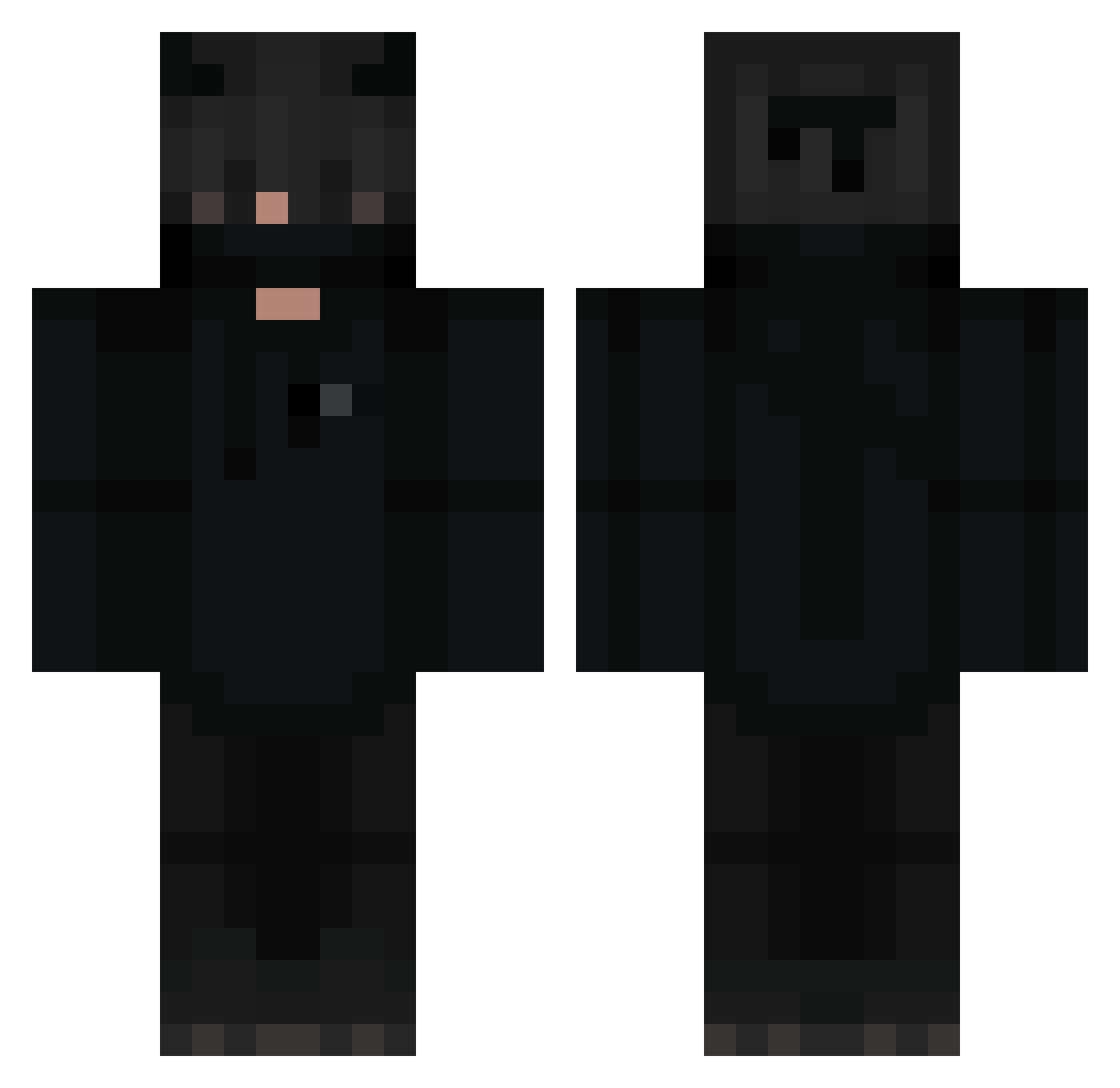
Current Minecraft skin of the player MattPat, loaded from the official Mojang API. Rotate the 3D model with your mouse or finger, then download the skin as a PNG file and use it in Minecraft: Bedrock Edition or Java Edition for free. When MattPat changes their skin, this page updates automatically and the old skin stays in the history below.
Other players with this skin (251)
MattPat was the 221st player we have seen with this skin, first spotted on 05.10.2026. The same skin was seen on these players. Open a nickname to see their current skin and skin history.
 Strahd67 LexaTaitov waylss dominus2098 Haliv4ik _TRemoTR_ ItLuxx Reaper1410 yunfan313 Hz_Lore agnellorosso Aokil2004 Kimhuhu M5TR12 elonmusk2006 Bartekx18 KacperKazmierski Zxlord wolfpvp25 1ASSASSINATION_ Snipxd WUTKAW Who_Elxzy x_zoof CookienatorXD o7x_ jacopo2424 __Potz__ xDanielGb OPMxynx zTheRed H0KX SnackShack08 ClassD_Aerxn 8mr_ksa5 WoodDraw Jafel xMarazmus Dacoly Seto11552 VasgaDeGama guiby_ fatalxs LuizDimensions JaeRage117 BunnyX18 Ory_Hara_8492 vixsty kioguh xZapp Micklasluca NightLord2005 Buster110107 Z4rfati BinxADHD _SovetSk1y_ FO800 4ebun_ dravenPoW xXviLzx
More Demon Minecraft skins
How to install the MattPat skin
- Press the Download button above to save the skin as a PNG file.
- Minecraft: Bedrock Edition (PE): open the Dressing Room from the main menu (or tap your character → Edit Character), go to Classic Skins → Owned, press the + (new skin) button, choose the downloaded PNG and pick the Classic (Steve) model. Works on PC and mobile; consoles cannot import custom skins.
- Minecraft: Java Edition: open the Minecraft Launcher, go to the Skins tab, click New Skin, load the PNG, pick the Classic (Steve) model and press Save & Use. You can also upload it at minecraft.net → Profile → Change Skin.
The skin does not show up after import - what should I do?
Restart Minecraft and open the Dressing Room again - imported skins sometimes appear only after a restart. Also make sure you selected the imported skin and picked the Classic (Steve) model.
Which model should I choose, Classic or Slim?
This skin is designed for the Classic (Steve) model. If you pick the wrong model, the arms of the skin will look stretched or squeezed.
Is the skin of MattPat free to download?
Yes. Press Download, save the PNG file and use it in Minecraft: Bedrock Edition or Java Edition - no payment or registration needed. The skin also works on multiplayer servers and Realms.
More skins
Looking for more? Go back to all Minecraft skins and check the top skins of the week, month and all time, or find any player's skin by nickname.