
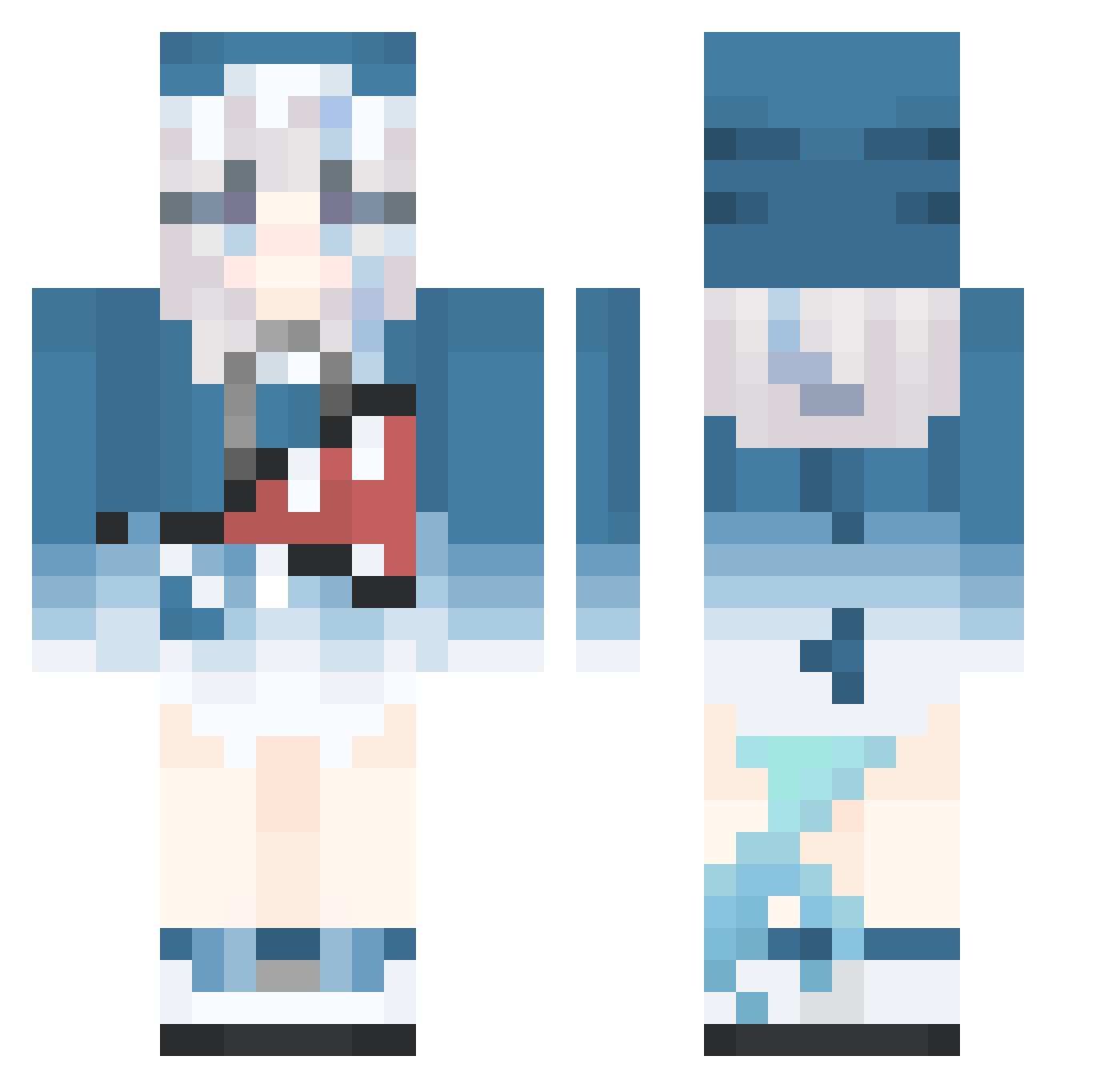
Current Minecraft skin of the player Malnourishd, loaded from the official Mojang API. Rotate the 3D model with your mouse or finger, then download the skin as a PNG file and use it in Minecraft: Bedrock Edition or Java Edition for free. When Malnourishd changes their skin, this page updates automatically and the old skin stays in the history below.
Other players with this skin (406)
Malnourishd was the 178th player we have seen with this skin, first spotted on 30.08.2026. The same skin was seen on these players. Open a nickname to see their current skin and skin history.
 autumn793 HateSkyblock mo_0m PhumphaH lyy_0730 654656565fghfghf Scammer_Apple shadixxgazu12 Echo225 lamami697 K94366 ocean__star redhawk1004 Pht200 Janzhynhuh MoliMoka GuanGuanXX1445 Adore15 olxouoxlo LapisLynn__ Minasakirin Ncc003 prime114 GeneRaja bunnyshot Kgorgwong Kotani91 Sylvanas_A aikun9527 LanWuwei CKON5678 t_xiaomi Aquasaru Icescavendish pxiansheng mechanikei yuanYiChong kaneki_uwu linyinyin MonasSweatyBra Rebmev RRR_PEST Haru__00 yysf Leozed pineapple0623 asrlit DirectorPoh Guuurh Maple_leaf1125 Kong_Yin_ Pick1ight Ness6669 Kindra7w7 EH07 Ayaka_Azure kmm0 shayuwanzi Bei_cake lwbc1227
More Gawr Gura Minecraft skins
How to install the Malnourishd skin
- Press the Download button above to save the skin as a PNG file.
- Minecraft: Bedrock Edition (PE): open the Dressing Room from the main menu (or tap your character → Edit Character), go to Classic Skins → Owned, press the + (new skin) button, choose the downloaded PNG and pick the Classic (Steve) model. Works on PC and mobile; consoles cannot import custom skins.
- Minecraft: Java Edition: open the Minecraft Launcher, go to the Skins tab, click New Skin, load the PNG, pick the Classic (Steve) model and press Save & Use. You can also upload it at minecraft.net → Profile → Change Skin.
The skin does not show up after import - what should I do?
Restart Minecraft and open the Dressing Room again - imported skins sometimes appear only after a restart. Also make sure you selected the imported skin and picked the Classic (Steve) model.
Which model should I choose, Classic or Slim?
This skin is designed for the Classic (Steve) model. If you pick the wrong model, the arms of the skin will look stretched or squeezed.
Is the skin of Malnourishd free to download?
Yes. Press Download, save the PNG file and use it in Minecraft: Bedrock Edition or Java Edition - no payment or registration needed. The skin also works on multiplayer servers and Realms.
More skins
Looking for more? Go back to all Minecraft skins and check the top skins of the week, month and all time, or find any player's skin by nickname.