
Lorkiwi - Minecraft Skins & Skin History
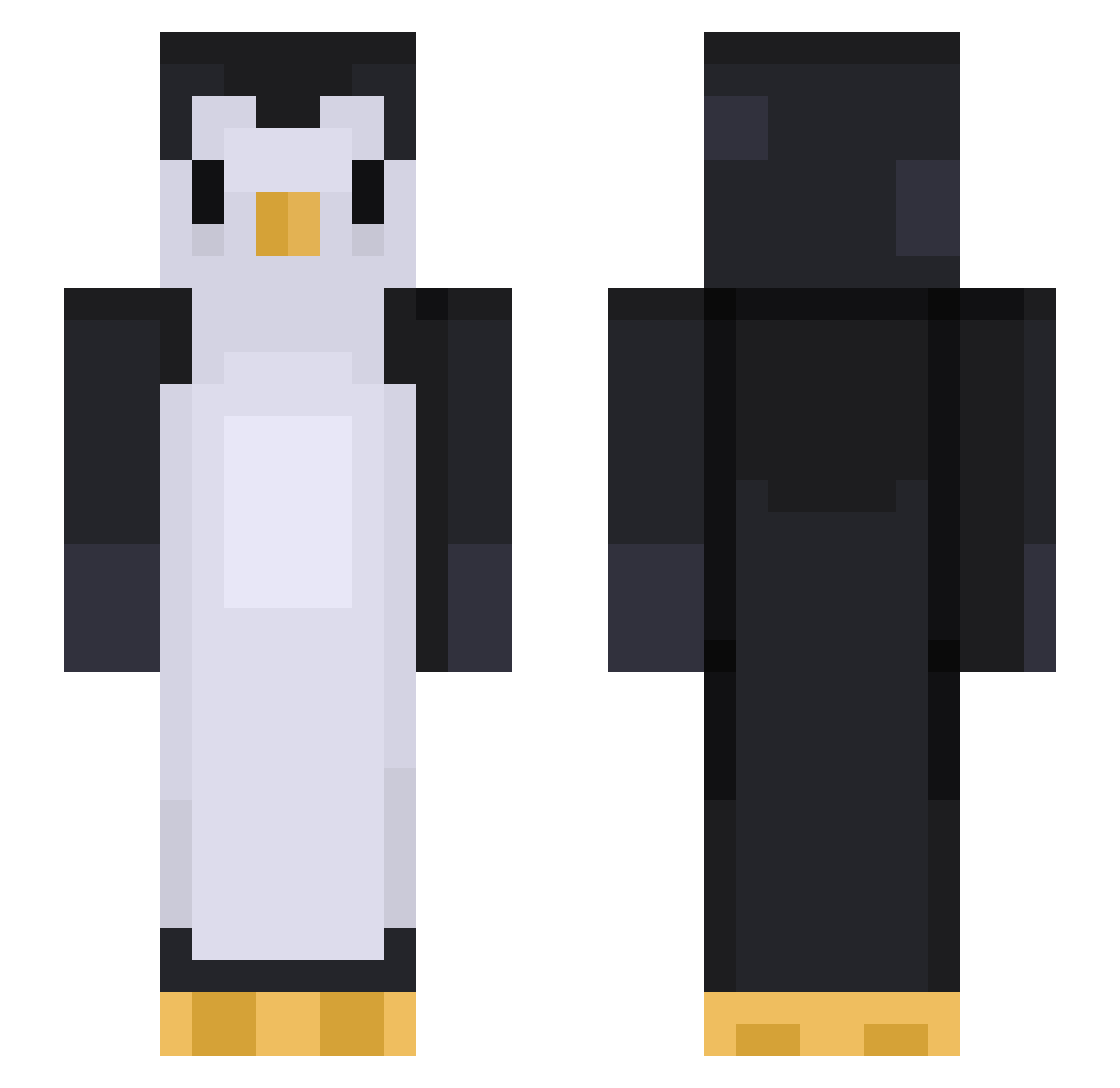
Current Minecraft skin of the player Lorkiwi, loaded from the official Mojang API. Rotate the 3D model with your mouse or finger, then download the skin as a PNG file and use it in Minecraft: Bedrock Edition or Java Edition for free. When Lorkiwi changes their skin, this page updates automatically and the old skin stays in the history below.
Other players with this skin (452)
Lorkiwi was the 171st player we have seen with this skin, first spotted on 05.09.2026. The same skin was seen on these players. Open a nickname to see their current skin and skin history.
 Noisy_Noise_ JuninjaMegalodon Dibbes_NL chenxxxx chumpylumpy DannyLikesRice ApMe Vullynn Victor_660 macfo Exesito SenpaiRawan wonseok108 Thebadplayer123 MumboMojo TheCalix tobba003 notgluten bchangalang watch4me27 NiklasMVP DarkWojager SynOfSloth BangBlue bcarr0405 Gabilemonarque asterix1001 LDSBuilder Jelly1004 saltyboi137 Nup2 GUNTERUWU woong1003 Uki_Kim nttozy imsocute1023 hanzani CrownJuless Twipping Gomakomb Tian_2002 thomaskoetsier Ruthe16 VeggieWeggie N8Killjoy Birb67 Fminehero wellmymomsaidno SamDaSoo0000000 Kai12354 SempreSolo gmoneyhoney98 Bracey96 Peanutqtpie rainbowtiger11 Der_Aveng3r ttvbenwinn Michellanouille uknoit704 ruxern
More Animal Minecraft skins
How to install the Lorkiwi skin
- Press the Download button above to save the skin as a PNG file.
- Minecraft: Bedrock Edition (PE): open the Dressing Room from the main menu (or tap your character → Edit Character), go to Classic Skins → Owned, press the + (new skin) button, choose the downloaded PNG and pick the Slim (Alex) model. Works on PC and mobile; consoles cannot import custom skins.
- Minecraft: Java Edition: open the Minecraft Launcher, go to the Skins tab, click New Skin, load the PNG, pick the Slim (Alex) model and press Save & Use. You can also upload it at minecraft.net → Profile → Change Skin.
The skin does not show up after import - what should I do?
Restart Minecraft and open the Dressing Room again - imported skins sometimes appear only after a restart. Also make sure you selected the imported skin and picked the Slim (Alex) model.
Which model should I choose, Classic or Slim?
This skin is designed for the Slim (Alex) model. If you pick the wrong model, the arms of the skin will look stretched or squeezed.
Is the skin of Lorkiwi free to download?
Yes. Press Download, save the PNG file and use it in Minecraft: Bedrock Edition or Java Edition - no payment or registration needed. The skin also works on multiplayer servers and Realms.
More skins
Looking for more? Go back to all Minecraft skins and check the top skins of the week, month and all time, or find any player's skin by nickname.