
LinhaqTIa0204 - Minecraft Skins & Skin History
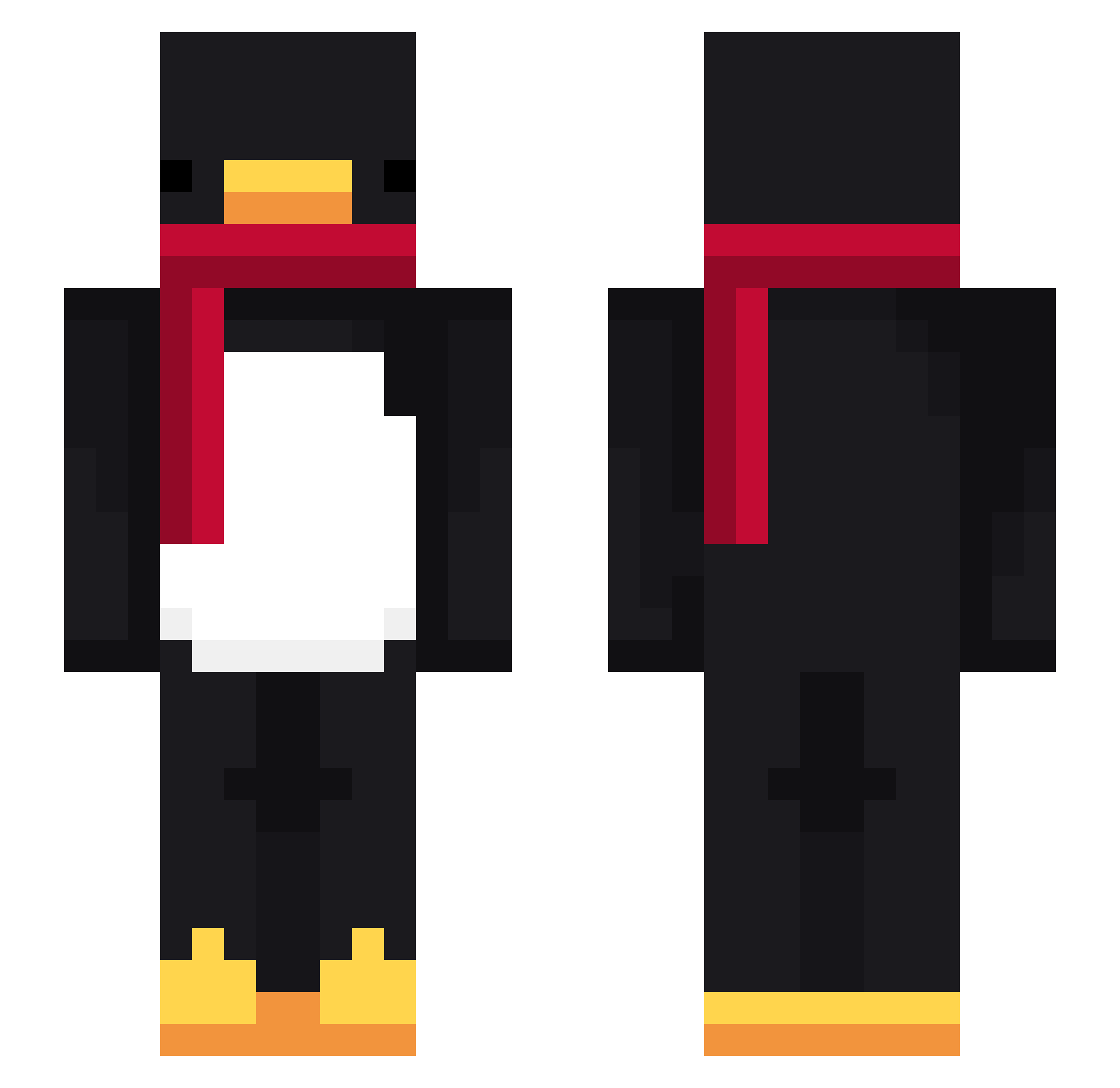
Current Minecraft skin of the player LinhaqTIa0204, loaded from the official Mojang API. Rotate the 3D model with your mouse or finger, then download the skin as a PNG file and use it in Minecraft: Bedrock Edition or Java Edition for free. When LinhaqTIa0204 changes their skin, this page updates automatically and the old skin stays in the history below.
Other players with this skin (716)
LinhaqTIa0204 was the 241st player we have seen with this skin, first spotted on 28.08.2026. The same skin was seen on these players. Open a nickname to see their current skin and skin history.
 Harryb0b0 Agorag MaruPotato itzkuku PASIR777d9z8exw7 Morimoo99
 hrhr5283 UCsalty PASIRu0i2e4xhbf1 jxssterick AltVerse5zuAV Inaie CapybaraPlays123 d3pereq Zerut bacxiulanhh rollabuse nangaoo J_mpp__ alik3111 Davo3800 TomGiOh SMOK3ORGO dotggnicealts424 P26V bellogd nun112600 woooberr _stickboy Conceituoso itzxn dunagwen MrTwitterer _Alatus _Yso_ koreanoob0519 OfficalCw11 mooarab PinguimDeus Avalynth dkseodus iceohim MeBetU DanoN_0017 lole121209 slimo_ Sv2P14nCLn8AdSv2 MonsterCrushing woozoo100 LinhsggIj0217 ravevejda5nn vAlexiZz d00rfr4me
 Hayuwuden Taikyu69 Giorgio12340985 aaronl190 Yasumine tjwnsdh0918 scribblegiggles
More Penguin Minecraft skins
How to install the LinhaqTIa0204 skin
- Press the Download button above to save the skin as a PNG file.
- Minecraft: Bedrock Edition (PE): open the Dressing Room from the main menu (or tap your character → Edit Character), go to Classic Skins → Owned, press the + (new skin) button, choose the downloaded PNG and pick the Slim (Alex) model. Works on PC and mobile; consoles cannot import custom skins.
- Minecraft: Java Edition: open the Minecraft Launcher, go to the Skins tab, click New Skin, load the PNG, pick the Slim (Alex) model and press Save & Use. You can also upload it at minecraft.net → Profile → Change Skin.
The skin does not show up after import - what should I do?
Restart Minecraft and open the Dressing Room again - imported skins sometimes appear only after a restart. Also make sure you selected the imported skin and picked the Slim (Alex) model.
Which model should I choose, Classic or Slim?
This skin is designed for the Slim (Alex) model. If you pick the wrong model, the arms of the skin will look stretched or squeezed.
Is the skin of LinhaqTIa0204 free to download?
Yes. Press Download, save the PNG file and use it in Minecraft: Bedrock Edition or Java Edition - no payment or registration needed. The skin also works on multiplayer servers and Realms.
More skins
Looking for more? Go back to all Minecraft skins and check the top skins of the week, month and all time, or find any player's skin by nickname.