
LinhULPDu0118 - Minecraft Skins & Skin History
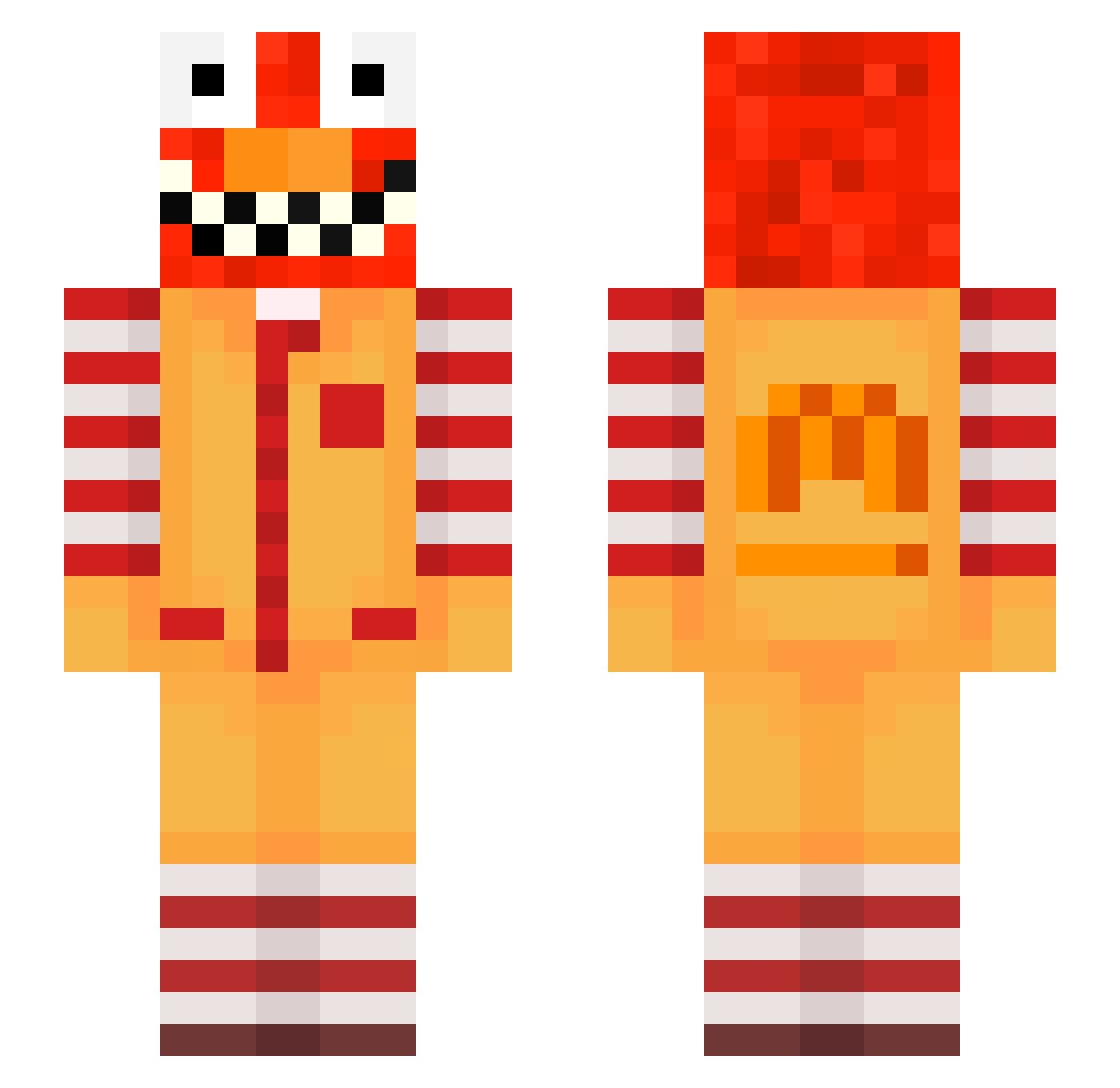
Current Minecraft skin of the player LinhULPDu0118, loaded from the official Mojang API. Rotate the 3D model with your mouse or finger, then download the skin as a PNG file and use it in Minecraft: Bedrock Edition or Java Edition for free. When LinhULPDu0118 changes their skin, this page updates automatically and the old skin stays in the history below.
Other players with this skin (649)
LinhULPDu0118 was the 456th player we have seen with this skin, first spotted on 07.10.2026. The same skin was seen on these players. Open a nickname to see their current skin and skin history.
 cib_Abdou_jv3 LinhxgzzO0224 tzi_Nfa5n_11_20 ichoutstanding97 fayer6958 LinhxYQAg0115 bge_yGZjW_11_03 ishdelightful062 zz_RSuMD_11_09 Two_Inch_Warrior BananasJibanas Entitilo_LMvMx PASIR5rbijnvuhxj minielf_zsalg enstein_another6 ski_v1vacious484 Skittz_26 CicImre Click1991 meow_mmgUK_20 LinhIrZSW1122 s_considerate994 Altena_sweet3 rixhit GANG_regdgm ptaltsvEYHV meowalt_rkGMB_10 ptaltsMthbn Norbackmale999 az_STNWx_10_18 ier_remorseful55 zz_QqWgn_01_11 Sv2_Claw_l13 cfr_msmc_dm3 LinhFluxjwqUwU Ashshep190 tzi_n56xJ_10_05 poo_ITEAq_10_09 hofer4foolish082 AltVersez9wAV poppedbyk1d IceStoneb Mathluiz LinhPiYAb0301 Ginger_Reefer13 Sv2_Jade_oa5 bz_gP9zB_10_28 mrb_queyj_10_20 DenizTV 1NFOWARS Soutargrand29 ngk_msmc_cyo VampiressQueenS LinhGlowusvUwU Sv2H3W2ORLDVQSv2 raveu7V2hX5B Diealonee yko_8TEO_0pg joaco235251 DortHit_lKWu01BN
More Ronald Mcdonald Minecraft skins
See all 132 Ronald Mcdonald skins
How to install the LinhULPDu0118 skin
- Press the Download button above to save the skin as a PNG file.
- Minecraft: Bedrock Edition (PE): open the Dressing Room from the main menu (or tap your character → Edit Character), go to Classic Skins → Owned, press the + (new skin) button, choose the downloaded PNG and pick the Slim (Alex) model. Works on PC and mobile; consoles cannot import custom skins.
- Minecraft: Java Edition: open the Minecraft Launcher, go to the Skins tab, click New Skin, load the PNG, pick the Slim (Alex) model and press Save & Use. You can also upload it at minecraft.net → Profile → Change Skin.
The skin does not show up after import - what should I do?
Restart Minecraft and open the Dressing Room again - imported skins sometimes appear only after a restart. Also make sure you selected the imported skin and picked the Slim (Alex) model.
Which model should I choose, Classic or Slim?
This skin is designed for the Slim (Alex) model. If you pick the wrong model, the arms of the skin will look stretched or squeezed.
Is the skin of LinhULPDu0118 free to download?
Yes. Press Download, save the PNG file and use it in Minecraft: Bedrock Edition or Java Edition - no payment or registration needed. The skin also works on multiplayer servers and Realms.
More skins
Looking for more? Go back to all Minecraft skins and check the top skins of the week, month and all time, or find any player's skin by nickname.