
 6too9 Legisma KianOCE CFballer2008 yellowcamel MediateToaster0 brake_leg BigBangMonkee ALEXSAO666 Aronmester1016 Kylecargo96 Super_KeeE weijianan3 Mr_Hard_Carry Rambo169 AnitaBath69 xiguan__xs248 Beagle__ kuro_ken ashketchup420 Vultuross minet_hunderBrUk fondu_savoyarde jaime_flirt Wave_Liu 69B4 Noydayo _Mr_Appelflap_ Royanik LancelotCraft danielasaclown horuhisu_12 LincolnKing Mozart_est_LA Caylacayla ALEX1208 Balabibibi GetMcD MrChicken2333 damokeyman2 Nezt00 cnikun11 Blorpo_III ElMagic0o0 DEETCH__ AScientologist cosmoswrld MusclMusculeux 17Cats Minachof isaiahkr Twitch_Dewey Manduco Enzim_ SuzushimaArisu FadedLegend elfei BOREALTUNDRA YOUACLOWN GudrunGr
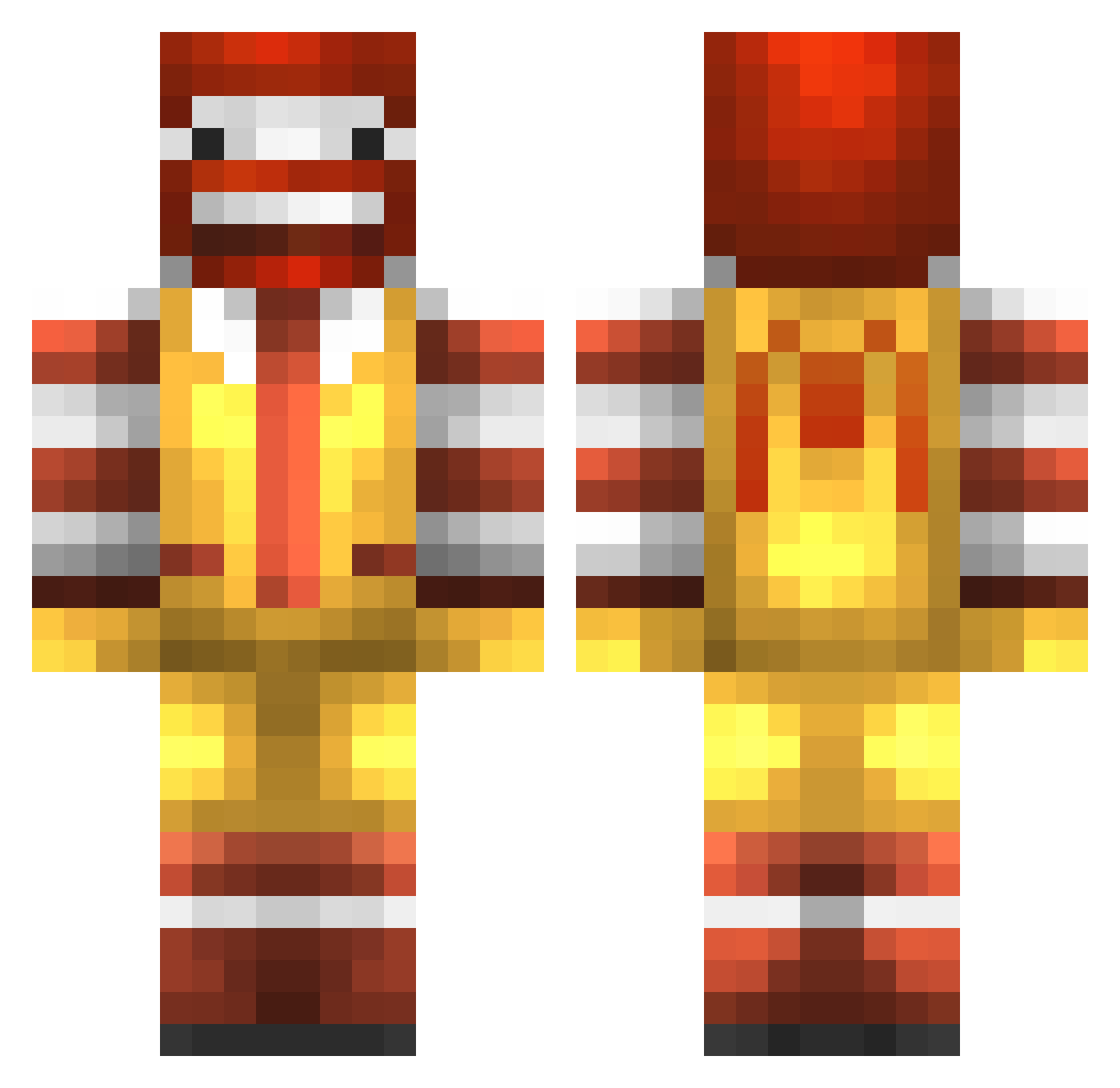
Minecraft skin of Space_Ace_1. Rotate the 3D model with your mouse or finger to view the skin from every angle, then download it as a PNG file and use it in Minecraft: Bedrock Edition or Java Edition for free. Rate the skin with stars to help other players find the best skins in our collection.
How to install the Space_Ace_1 skin
- Press the Download button above to save the skin as a PNG file.
- Minecraft: Bedrock Edition (PE): open the Dressing Room from the main menu (or tap your character → Edit Character), go to Classic Skins → Owned, press the + (new skin) button, choose the downloaded PNG and pick the Classic (Steve) model. Works on PC and mobile; consoles cannot import custom skins.
- Minecraft: Java Edition: open the Minecraft Launcher, go to the Skins tab, click New Skin, load the PNG, pick the Classic (Steve) model and press Save & Use. You can also upload it at minecraft.net → Profile → Change Skin.
The skin does not show up after import - what should I do?
Restart Minecraft and open the Dressing Room again - imported skins sometimes appear only after a restart. Also make sure you selected the imported skin and picked the Classic (Steve) model.
Which model should I choose, Classic or Slim?
This skin is designed for the Classic (Steve) model. If you pick the wrong model, the arms of the skin will look stretched or squeezed.
Is this skin free to use?
Yes. Press Download, save the PNG file and use it in Minecraft: Bedrock Edition or Java Edition - no payment or registration needed. The skin also works on multiplayer servers and Realms.
More Ronald Mcdonald Minecraft skins
See all 137 Ronald Mcdonald skins
More skins
Looking for more? Go back to all Minecraft skins and check the top skins of the week, month and all time, or find any player's skin by nickname.