
LinhKtnyP0213 - Minecraft Skins & Skin History
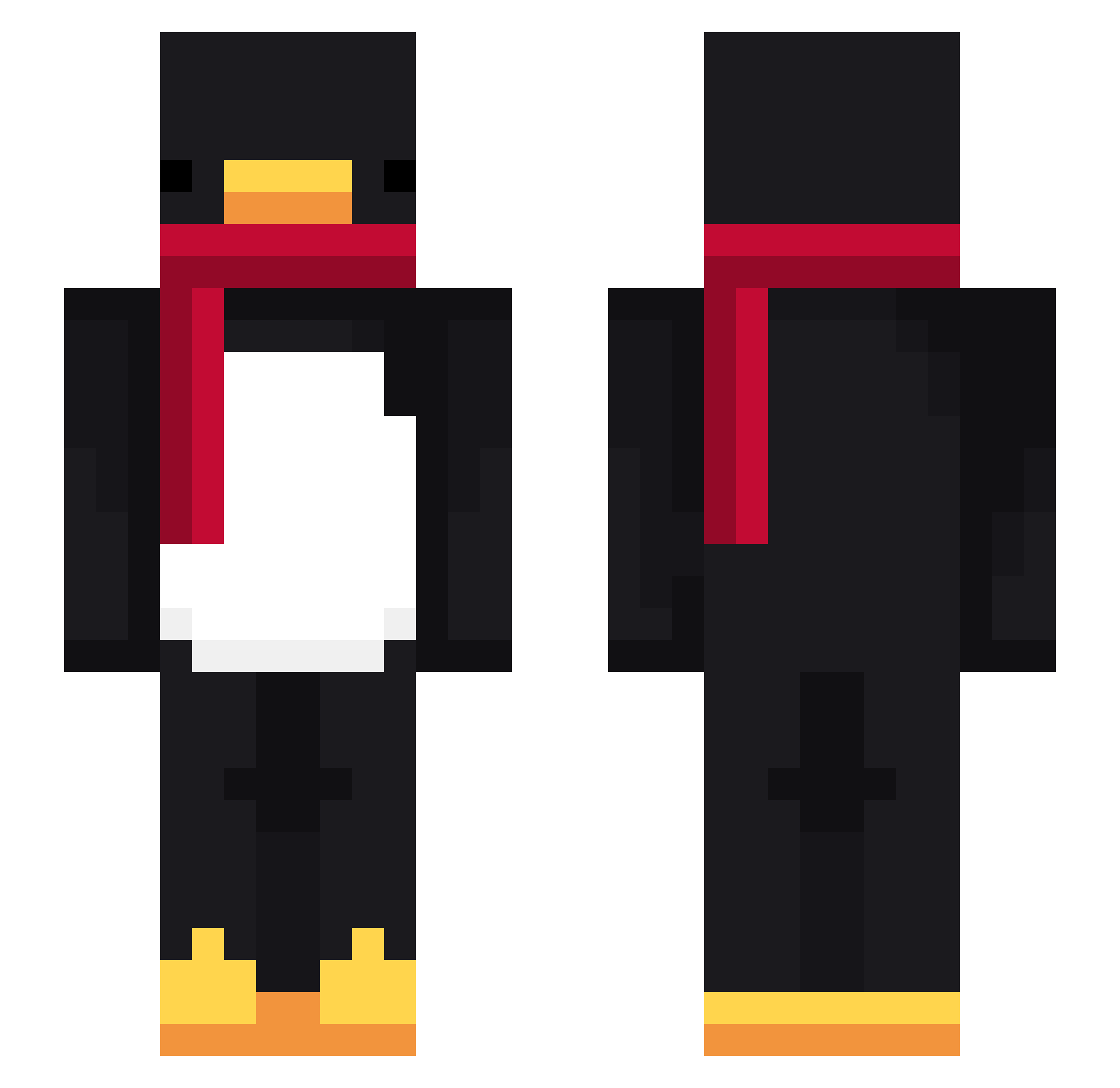
Current Minecraft skin of the player LinhKtnyP0213, loaded from the official Mojang API. Rotate the 3D model with your mouse or finger, then download the skin as a PNG file and use it in Minecraft: Bedrock Edition or Java Edition for free. When LinhKtnyP0213 changes their skin, this page updates automatically and the old skin stays in the history below.
Other players with this skin (716)
LinhKtnyP0213 was the 621st player we have seen with this skin, first spotted on 19.10.2026. The same skin was seen on these players. Open a nickname to see their current skin and skin history.
 pmode Pingu2024 happy_cat1234 KenjiZama MooncakeVII Crafterminer72 Mikan1126 Kuronofu Bunnyzinha_ moztrkm SecretJP_ xXxagus16tinxXx Khawaja1 Nozzah22 Xrzsin fierender786 444nanji bokkex NR514 T0gz1 JaduZZ notsovile LinhzvxuD0219 0_Rozalia_0 Kyrox758 Maeklaren wicksteve LinhmYFIe0205 prpld AltVerseSkykq7AV TUNKOR 82_kwonvv aokuma1031 Rvu1616 dnl_14 RENTPLAYZYT_ Milkry yoshi13612 kskhrx Pringles4474 kubani asdfasdf12341234 Luarzp Baba_boi2 dvyqx KRIPTON7679 Sv2JZ4BZODaBnSv2 fheic59 Pokuvana Random2503 spouderman88 PioreKase moimoiiii hyx0309 spitebiuz z2hnd milou7511 RobbyBVB09 EIix Pierre_xd8
More Penguin Minecraft skins
How to install the LinhKtnyP0213 skin
- Press the Download button above to save the skin as a PNG file.
- Minecraft: Bedrock Edition (PE): open the Dressing Room from the main menu (or tap your character → Edit Character), go to Classic Skins → Owned, press the + (new skin) button, choose the downloaded PNG and pick the Slim (Alex) model. Works on PC and mobile; consoles cannot import custom skins.
- Minecraft: Java Edition: open the Minecraft Launcher, go to the Skins tab, click New Skin, load the PNG, pick the Slim (Alex) model and press Save & Use. You can also upload it at minecraft.net → Profile → Change Skin.
The skin does not show up after import - what should I do?
Restart Minecraft and open the Dressing Room again - imported skins sometimes appear only after a restart. Also make sure you selected the imported skin and picked the Slim (Alex) model.
Which model should I choose, Classic or Slim?
This skin is designed for the Slim (Alex) model. If you pick the wrong model, the arms of the skin will look stretched or squeezed.
Is the skin of LinhKtnyP0213 free to download?
Yes. Press Download, save the PNG file and use it in Minecraft: Bedrock Edition or Java Edition - no payment or registration needed. The skin also works on multiplayer servers and Realms.
More skins
Looking for more? Go back to all Minecraft skins and check the top skins of the week, month and all time, or find any player's skin by nickname.