
LilBoneAir - Minecraft Skins & Skin History
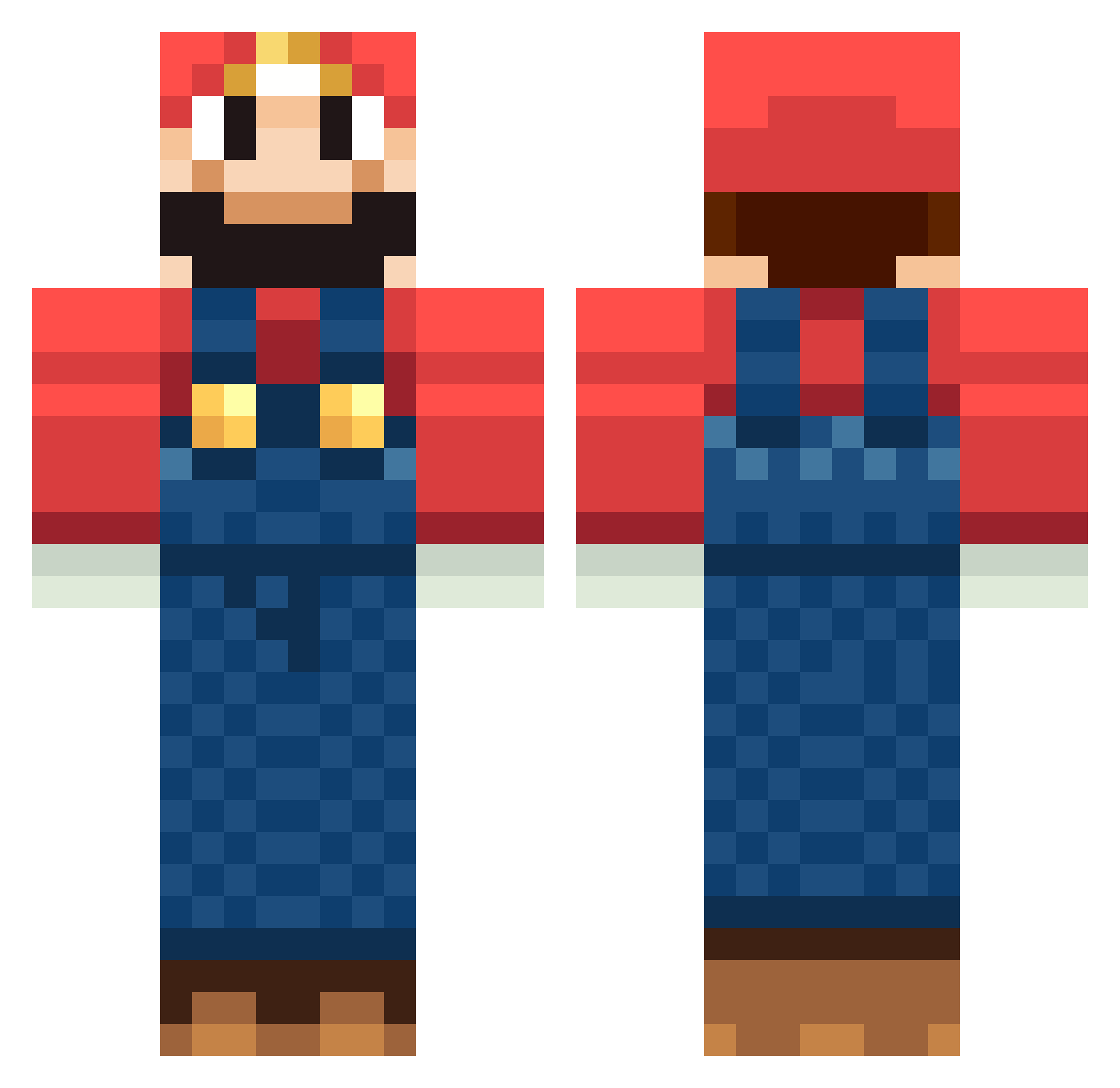
Current Minecraft skin of the player LilBoneAir, loaded from the official Mojang API. Rotate the 3D model with your mouse or finger, then download the skin as a PNG file and use it in Minecraft: Bedrock Edition or Java Edition for free. When LilBoneAir changes their skin, this page updates automatically and the old skin stays in the history below.
Other players with this skin (241)
LilBoneAir was the 130th player we have seen with this skin, first spotted on 27.09.2026. The same skin was seen on these players. Open a nickname to see their current skin and skin history.
 Louis1004 AlessandroD Lil_R1cky hell_warrior kzzspf crankypants89 rapsodiaverde santicanglada esbe1056 marc_merlin Sergeant_Rabbit KDUBZZZ tabo_ninja kianmeyer NASCAR_KID GuNSyAM_ smorry Binraden kerfless Jakeflagg wesseloti SneakyStalker lfcman321 corbeno123456789 Mr_Gillespie straymond96 Hadrian22 luca19797 braby709 AidenZGameZz natsujr thechimneykid GreggzZz Recession Qusai_ Lofinho yuttan3 dividead Fei_Ge_link2 matuszkiewicz iwachan Balance686 Slayersav DoubleM101 Josefinetrolle Esteban97 NewFront carabina02 squiggles99 RobiwahnKnobi Zfanboy Lukaswind kakka3 tunx2 BergeKarl2001 Marjazul OdhranMichael bradleymcgill cocohabs TOMITOMI58
More Mario Minecraft skins
How to install the LilBoneAir skin
- Press the Download button above to save the skin as a PNG file.
- Minecraft: Bedrock Edition (PE): open the Dressing Room from the main menu (or tap your character → Edit Character), go to Classic Skins → Owned, press the + (new skin) button, choose the downloaded PNG and pick the Classic (Steve) model. Works on PC and mobile; consoles cannot import custom skins.
- Minecraft: Java Edition: open the Minecraft Launcher, go to the Skins tab, click New Skin, load the PNG, pick the Classic (Steve) model and press Save & Use. You can also upload it at minecraft.net → Profile → Change Skin.
The skin does not show up after import - what should I do?
Restart Minecraft and open the Dressing Room again - imported skins sometimes appear only after a restart. Also make sure you selected the imported skin and picked the Classic (Steve) model.
Which model should I choose, Classic or Slim?
This skin is designed for the Classic (Steve) model. If you pick the wrong model, the arms of the skin will look stretched or squeezed.
Is the skin of LilBoneAir free to download?
Yes. Press Download, save the PNG file and use it in Minecraft: Bedrock Edition or Java Edition - no payment or registration needed. The skin also works on multiplayer servers and Realms.
More skins
Looking for more? Go back to all Minecraft skins and check the top skins of the week, month and all time, or find any player's skin by nickname.