
Levith - Minecraft Skins & Skin History
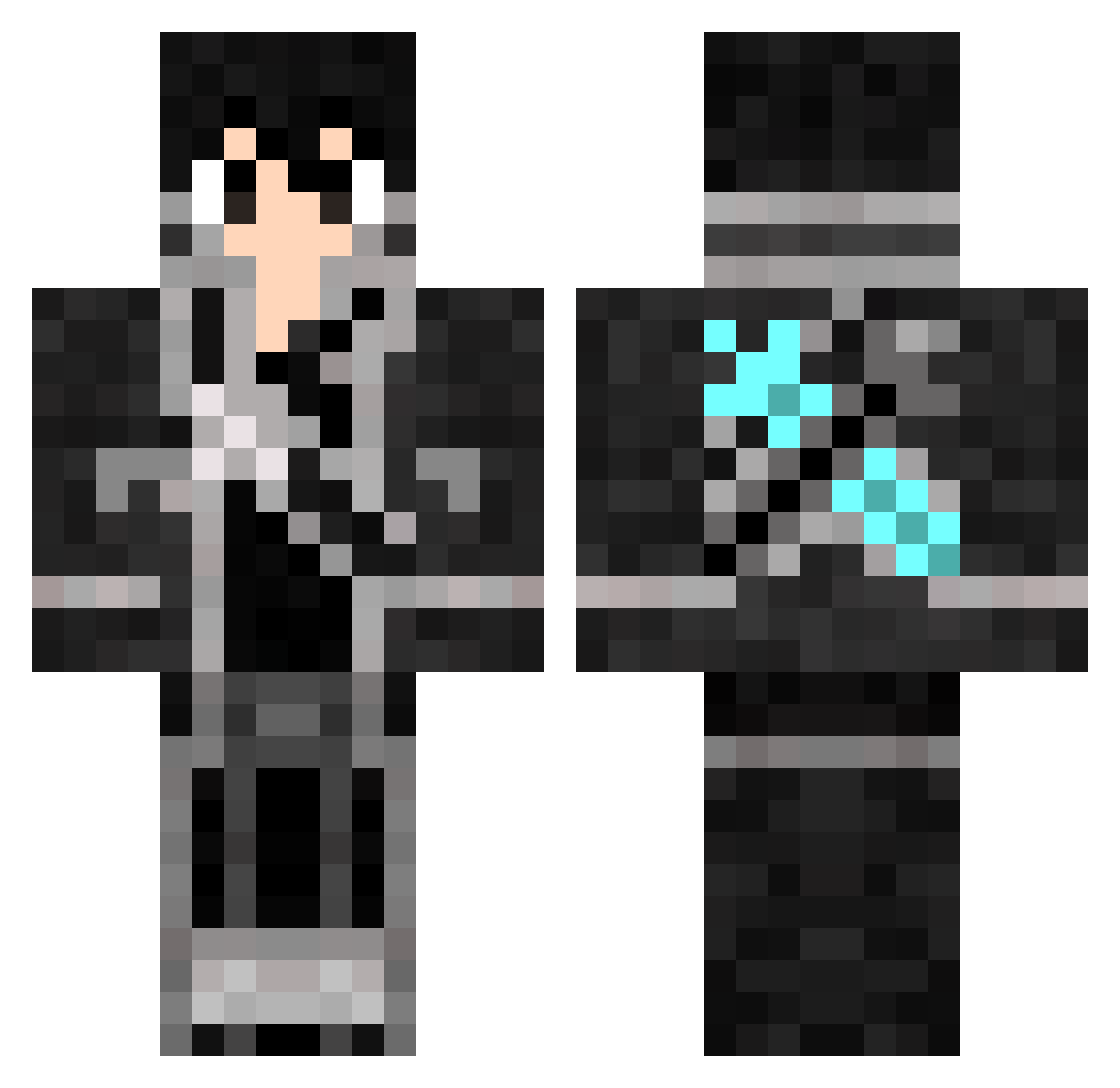
Current Minecraft skin of the player Levith, loaded from the official Mojang API. Rotate the 3D model with your mouse or finger, then download the skin as a PNG file and use it in Minecraft: Bedrock Edition or Java Edition for free. When Levith changes their skin, this page updates automatically and the old skin stays in the history below.
Other players with this skin (70)
Levith was the 22nd player we have seen with this skin, first spotted on 22.08.2026. The same skin was seen on these players. Open a nickname to see their current skin and skin history.
 Rimedalf MakotoGamer_ RegaBesserAlsSWA JP_PSMM kirito_killer VinyXD26 gexoskar KaShing409 metlof BarryTC Ryan_G1999 DTkuni12 NeqRock KiritoHB fooooooood Da_Dude1415 ConducingMold rordan daichi_2001 AnimeIsAmazin ComTrollz xNivx taitossuzumura lucas_creep craoo MiniPilch 7jackking7 przem0N LRF LiruxGHG KUMINA004 Kriegsruf Marssinator ChrisCasterline DAITO0820 lupuscam Buhsetalinda Accelerator6313 SAFA0101 CaqtainK TROLLMANdu80100 thesorcererkid Renice32 fillogo Lostgirl123 buttrlox zFither Kriiel Alex_Ultimate zKiritoPlays kirito4133 ZorrroHd Braxwolf xXNeroHDXx lion_king1412 reheinhorn Tk_Ip minidora0304 ichi6 3vilz_
More Kirito Minecraft skins
How to install the Levith skin
- Press the Download button above to save the skin as a PNG file.
- Minecraft: Bedrock Edition (PE): open the Dressing Room from the main menu (or tap your character → Edit Character), go to Classic Skins → Owned, press the + (new skin) button, choose the downloaded PNG and pick the Classic (Steve) model. Works on PC and mobile; consoles cannot import custom skins.
- Minecraft: Java Edition: open the Minecraft Launcher, go to the Skins tab, click New Skin, load the PNG, pick the Classic (Steve) model and press Save & Use. You can also upload it at minecraft.net → Profile → Change Skin.
The skin does not show up after import - what should I do?
Restart Minecraft and open the Dressing Room again - imported skins sometimes appear only after a restart. Also make sure you selected the imported skin and picked the Classic (Steve) model.
Which model should I choose, Classic or Slim?
This skin is designed for the Classic (Steve) model. If you pick the wrong model, the arms of the skin will look stretched or squeezed.
Is the skin of Levith free to download?
Yes. Press Download, save the PNG file and use it in Minecraft: Bedrock Edition or Java Edition - no payment or registration needed. The skin also works on multiplayer servers and Realms.
More skins
Looking for more? Go back to all Minecraft skins and check the top skins of the week, month and all time, or find any player's skin by nickname.