
L_i_am_2006 - Minecraft Skins & Skin History
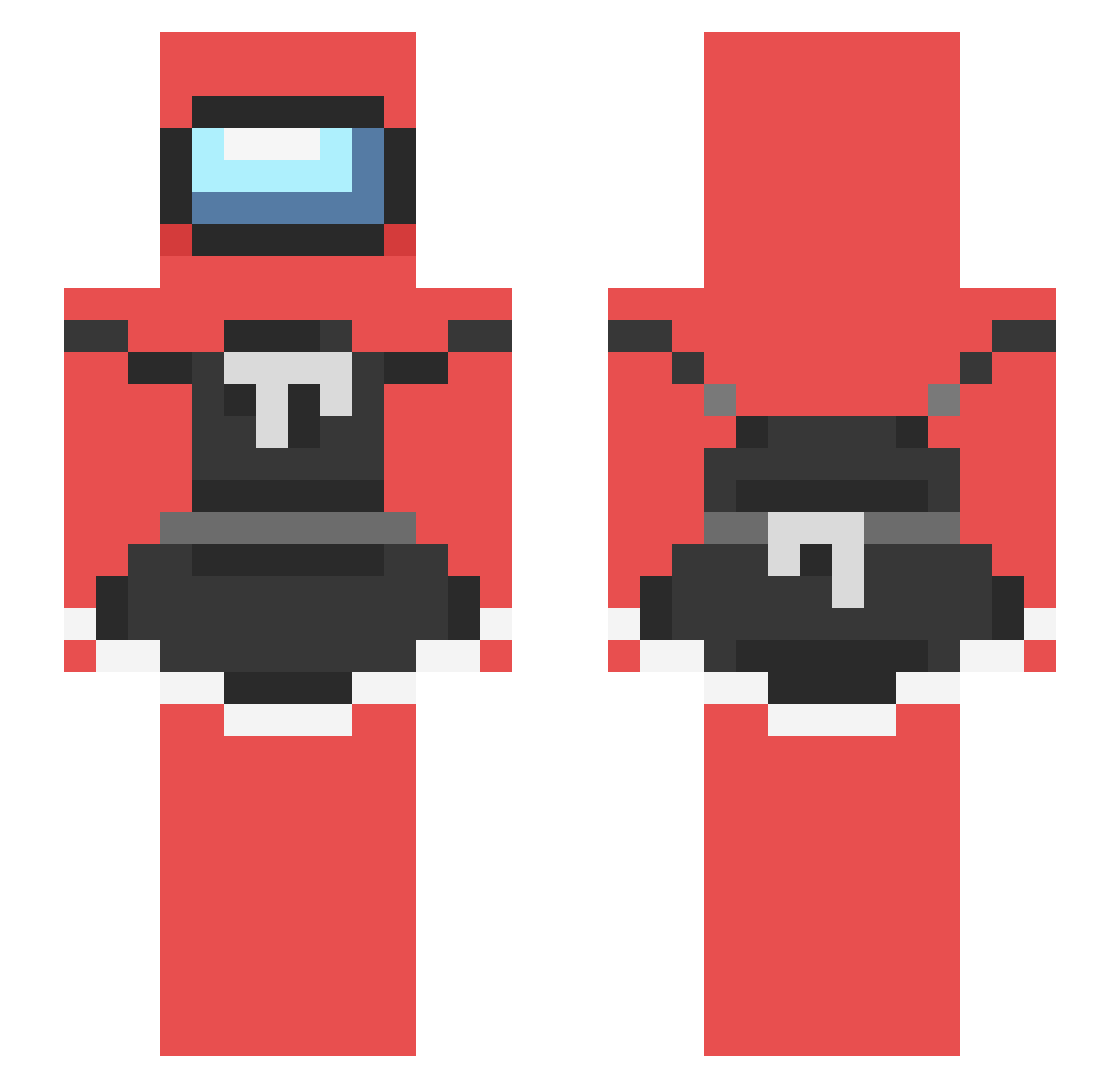
Current Minecraft skin of the player L_i_am_2006, loaded from the official Mojang API. Rotate the 3D model with your mouse or finger, then download the skin as a PNG file and use it in Minecraft: Bedrock Edition or Java Edition for free. When L_i_am_2006 changes their skin, this page updates automatically and the old skin stays in the history below.
Other players with this skin (238)
L_i_am_2006 was the 86th player we have seen with this skin, first spotted on 03.09.2026. The same skin was seen on these players. Open a nickname to see their current skin and skin history.
 NOTLOOKERS UwULOL Peprmin Elpepemojado catetea Helphire JearDesus Arxiety SleepCrafter WarpR74_ xSledgy C00Tlin Alejandrete338 Blardiano StormBreakerXSL benji_infinity EXt3rminat0r98 SSatyrs5 bussylover69 Its_Tiago7w7 Capn_levi PandaPower1120 TheSadVibes SAYQP Monkey46571 not_smrt24 KosaraUniverse Fjantig Rynoxz NotElhilaquiles amogliv Rosebush ShneekyShnek l8xm neelxk StrayManatee74 SL0PPYT0PPI DeLaSean WingDing_BBMX Timbr1k Spicy_Marcus PgP1337 PARROCRAFT BentendoYoutube Twerk_king48 RathalosWar rendg09 MrKumm mixtycanny nolifenophonk wingstopeater _N3squik DihInSharpener CalBeckI EmiElFeroz Fiiiner KohnarGaming M1KEA AutakNajetak I_Call_Hacks
More Among Us Minecraft skins
How to install the L_i_am_2006 skin
- Press the Download button above to save the skin as a PNG file.
- Minecraft: Bedrock Edition (PE): open the Dressing Room from the main menu (or tap your character → Edit Character), go to Classic Skins → Owned, press the + (new skin) button, choose the downloaded PNG and pick the Slim (Alex) model. Works on PC and mobile; consoles cannot import custom skins.
- Minecraft: Java Edition: open the Minecraft Launcher, go to the Skins tab, click New Skin, load the PNG, pick the Slim (Alex) model and press Save & Use. You can also upload it at minecraft.net → Profile → Change Skin.
The skin does not show up after import - what should I do?
Restart Minecraft and open the Dressing Room again - imported skins sometimes appear only after a restart. Also make sure you selected the imported skin and picked the Slim (Alex) model.
Which model should I choose, Classic or Slim?
This skin is designed for the Slim (Alex) model. If you pick the wrong model, the arms of the skin will look stretched or squeezed.
Is the skin of L_i_am_2006 free to download?
Yes. Press Download, save the PNG file and use it in Minecraft: Bedrock Edition or Java Edition - no payment or registration needed. The skin also works on multiplayer servers and Realms.
More skins
Looking for more? Go back to all Minecraft skins and check the top skins of the week, month and all time, or find any player's skin by nickname.