
L_G_M - Minecraft Skins & Skin History
Current Minecraft skin of the player L_G_M, loaded from the official Mojang API. Rotate the 3D model with your mouse or finger, then download the skin as a PNG file and use it in Minecraft: Bedrock Edition or Java Edition for free. When L_G_M changes their skin, this page updates automatically and the old skin stays in the history below.
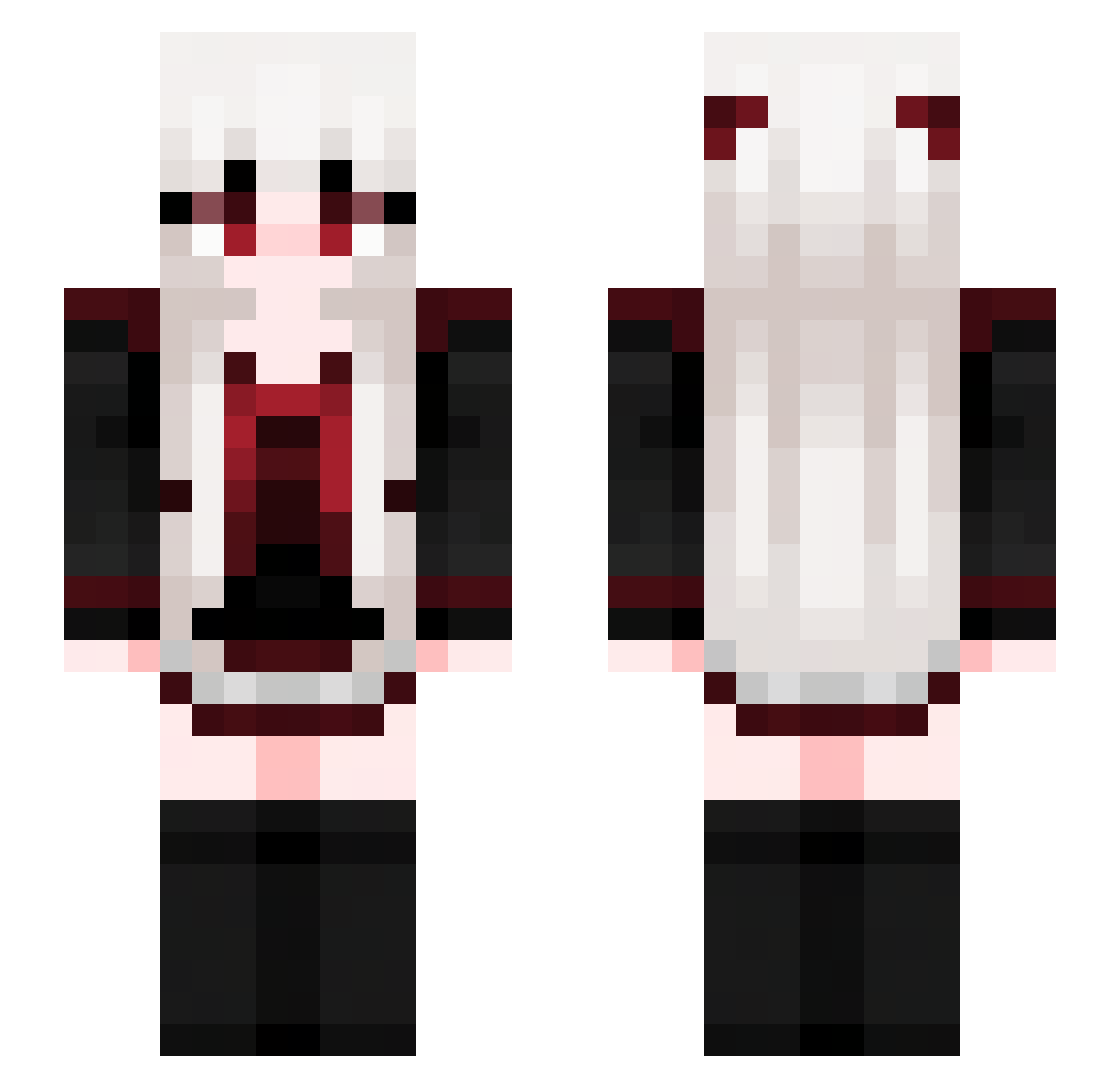
Other players with this skin (614)
L_G_M was the 299th player we have seen with this skin, first spotted on 10.09.2026. The same skin was seen on these players. Open a nickname to see their current skin and skin history.
 Yyan_1108 XiaoGuang001 cutiepielily caramelzp kafei007 wangrain Benito_Chillo Ericp2011 zzzzz_Z Grote_ Liitha Eva0117 C_azh anabz12 Julydust Arcus_Zzz RLS_CT xxxLea Ondrein Pitaya777 Maxivell FAndson69 TushyTappa Nokayu69 AlkaidLu mars0517 Nasterlack MooN_Li9ht EpitaphRequiem
 tlsgusdn1107 Leh1geeky kaplogo Jellies77 HiJJO653 natuvita 00Fancy00 li2350 eclipseszero LoougJygv LingCarol WAFLY32 bottomleft Lukarin00 rainbow31 Xiao_ou xFriday13th Liuxiaoyun Tottemorei onigiri21 mideater KiKoUnCh LadyMiroa chaos_www KB_0128 NanGJingQ LL2039 Connor061 furmea RyanEsc Sakura_slk
More Goth Minecraft skins
How to install the L_G_M skin
- Press the Download button above to save the skin as a PNG file.
- Minecraft: Bedrock Edition (PE): open the Dressing Room from the main menu (or tap your character → Edit Character), go to Classic Skins → Owned, press the + (new skin) button, choose the downloaded PNG and pick the Slim (Alex) model. Works on PC and mobile; consoles cannot import custom skins.
- Minecraft: Java Edition: open the Minecraft Launcher, go to the Skins tab, click New Skin, load the PNG, pick the Slim (Alex) model and press Save & Use. You can also upload it at minecraft.net → Profile → Change Skin.
The skin does not show up after import - what should I do?
Restart Minecraft and open the Dressing Room again - imported skins sometimes appear only after a restart. Also make sure you selected the imported skin and picked the Slim (Alex) model.
Which model should I choose, Classic or Slim?
This skin is designed for the Slim (Alex) model. If you pick the wrong model, the arms of the skin will look stretched or squeezed.
Is the skin of L_G_M free to download?
Yes. Press Download, save the PNG file and use it in Minecraft: Bedrock Edition or Java Edition - no payment or registration needed. The skin also works on multiplayer servers and Realms.
More skins
Looking for more? Go back to all Minecraft skins and check the top skins of the week, month and all time, or find any player's skin by nickname.