
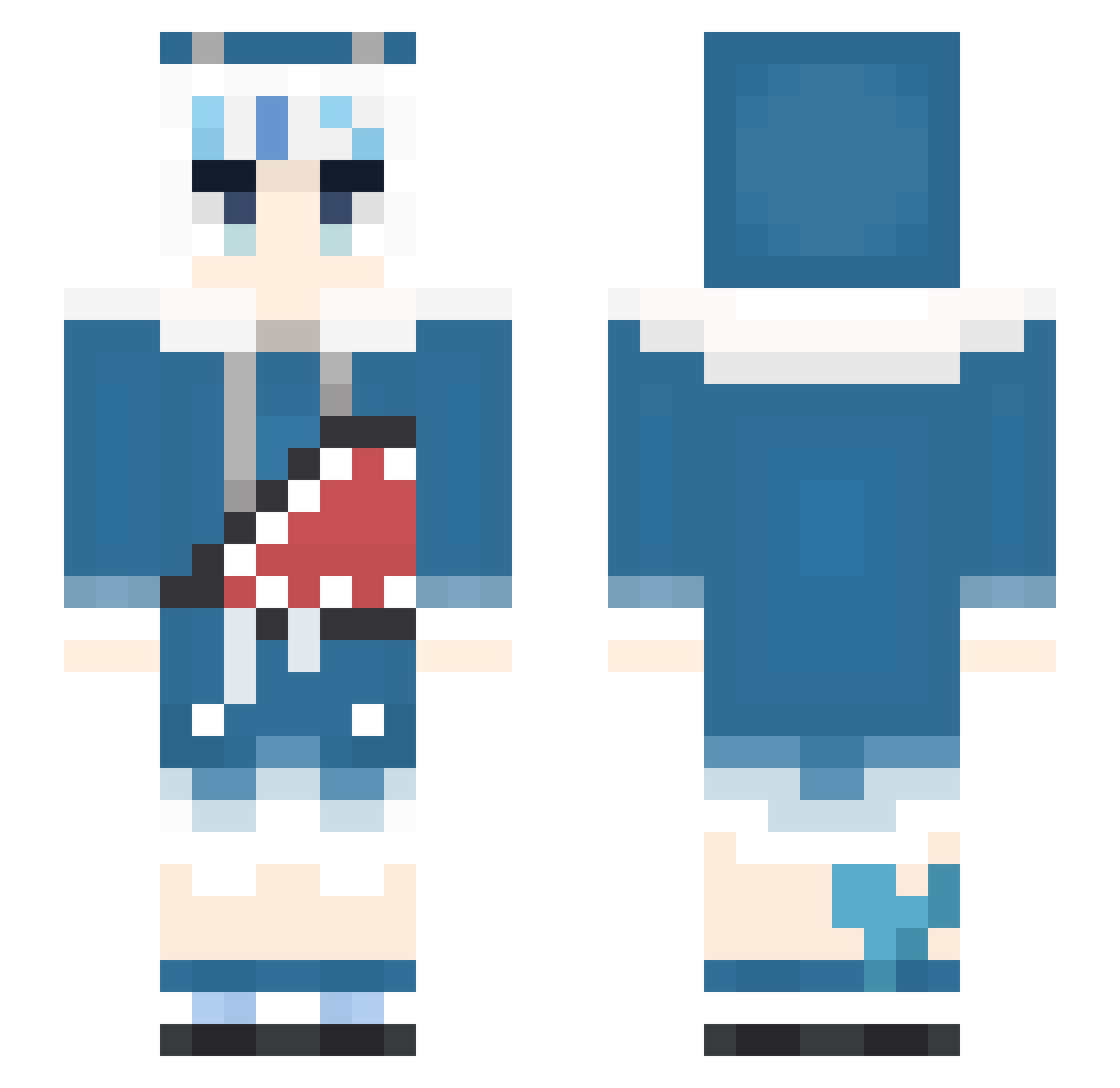
Current Minecraft skin of the player LILIX0227, loaded from the official Mojang API. Rotate the 3D model with your mouse or finger, then download the skin as a PNG file and use it in Minecraft: Bedrock Edition or Java Edition for free. When LILIX0227 changes their skin, this page updates automatically and the old skin stays in the history below.
Other players with this skin (351)
LILIX0227 was the 302nd player we have seen with this skin, first spotted on 05.10.2026. The same skin was seen on these players. Open a nickname to see their current skin and skin history.
 BongTokes420 AoFuh Orobearus onatop Keai_z HaBeenJo joey3man Chironexs guraissaba GGrandioso HHmaster Punizin Sakuyaneko forbidden5 DGRGGFGFGDG BADY978 FatDog1116 Bohan_BOT MATANENE2021 ActeonZ Meowgooa yykkllpp Maskato J0XD Usamimi_Renkon celinyan hakurou3446 tmozou ukasama1412 BBBB0428 ITIGO_JaM shiina_q happy901022 ChadoPH Hibikastel yokithaixd Speraght __Gawr_Gura__ lioun BB_Nya BirdLee 00Teemo00 Duhu9078 shukasan PeachRuha Easyname523 Siller1 Ericoc0 Klein_Charlotte I_riya Nomads_ xiaoyu_love AngyBepis Eternalsola Dock_15 gr9928 Kimigimi Nasukii_Gura FKGEA Rex1006
More Gawr Gura Minecraft skins
How to install the LILIX0227 skin
- Press the Download button above to save the skin as a PNG file.
- Minecraft: Bedrock Edition (PE): open the Dressing Room from the main menu (or tap your character → Edit Character), go to Classic Skins → Owned, press the + (new skin) button, choose the downloaded PNG and pick the Slim (Alex) model. Works on PC and mobile; consoles cannot import custom skins.
- Minecraft: Java Edition: open the Minecraft Launcher, go to the Skins tab, click New Skin, load the PNG, pick the Slim (Alex) model and press Save & Use. You can also upload it at minecraft.net → Profile → Change Skin.
The skin does not show up after import - what should I do?
Restart Minecraft and open the Dressing Room again - imported skins sometimes appear only after a restart. Also make sure you selected the imported skin and picked the Slim (Alex) model.
Which model should I choose, Classic or Slim?
This skin is designed for the Slim (Alex) model. If you pick the wrong model, the arms of the skin will look stretched or squeezed.
Is the skin of LILIX0227 free to download?
Yes. Press Download, save the PNG file and use it in Minecraft: Bedrock Edition or Java Edition - no payment or registration needed. The skin also works on multiplayer servers and Realms.
More skins
Looking for more? Go back to all Minecraft skins and check the top skins of the week, month and all time, or find any player's skin by nickname.