
KxryL - Minecraft Skins & Skin History
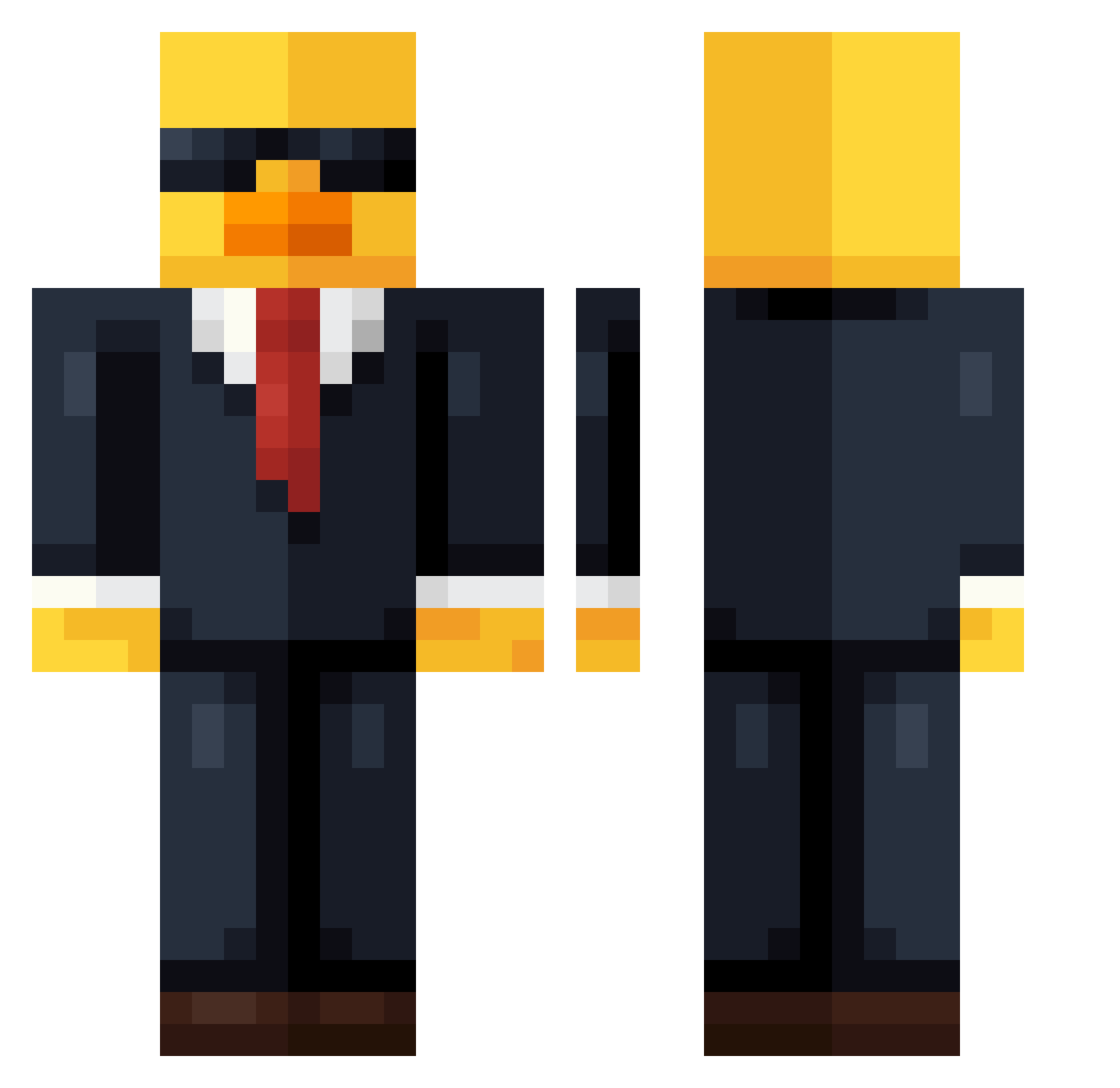
Current Minecraft skin of the player KxryL, loaded from the official Mojang API. Rotate the 3D model with your mouse or finger, then download the skin as a PNG file and use it in Minecraft: Bedrock Edition or Java Edition for free. When KxryL changes their skin, this page updates automatically and the old skin stays in the history below.
Other players with this skin (621)
KxryL was the 89th player we have seen with this skin, first spotted on 06.08.2026. The same skin was seen on these players. Open a nickname to see their current skin and skin history.
 Simonpopp1234 Sroto99 CaptainGooby2702 FearlessAhb WinnieLMAO Smegumin OLIESGO227 XBOXoui Maharadzsa Catgpd Baltazar420 sherif1234567 AverageGustav ANBravo TheRealFoxi E2NRL Kuku_Elite Marynaz_XD SeeYouAgain088 Pix_us IIIGouapmanIII jko03 Jamespro115 Badr_99 DXD_DXD astrozel Jonasunited19 PalkPalk2 fredylz rLasta Mickey_0526 Falkon102 mOfTheWired Elliot9012 jna7 Pietrin3 LennyKruppa Kja20105 newbase Stiorro18 ZYGULEC_STOLEC RubenCastroT Asalih Myht1ccc itablade s_top1 Zalan_Junior oCasino zurrito Josvar2211 Brenosc Itz_Slappy Xootac Zixpss NexarSk Leinad0103 FreddyFup _slaup_ SocialPATO mango31415926
More Duck Minecraft skins
How to install the KxryL skin
- Press the Download button above to save the skin as a PNG file.
- Minecraft: Bedrock Edition (PE): open the Dressing Room from the main menu (or tap your character → Edit Character), go to Classic Skins → Owned, press the + (new skin) button, choose the downloaded PNG and pick the Classic (Steve) model. Works on PC and mobile; consoles cannot import custom skins.
- Minecraft: Java Edition: open the Minecraft Launcher, go to the Skins tab, click New Skin, load the PNG, pick the Classic (Steve) model and press Save & Use. You can also upload it at minecraft.net → Profile → Change Skin.
The skin does not show up after import - what should I do?
Restart Minecraft and open the Dressing Room again - imported skins sometimes appear only after a restart. Also make sure you selected the imported skin and picked the Classic (Steve) model.
Which model should I choose, Classic or Slim?
This skin is designed for the Classic (Steve) model. If you pick the wrong model, the arms of the skin will look stretched or squeezed.
Is the skin of KxryL free to download?
Yes. Press Download, save the PNG file and use it in Minecraft: Bedrock Edition or Java Edition - no payment or registration needed. The skin also works on multiplayer servers and Realms.
More skins
Looking for more? Go back to all Minecraft skins and check the top skins of the week, month and all time, or find any player's skin by nickname.