
KoroNeko0661 - Minecraft Skins & Skin History
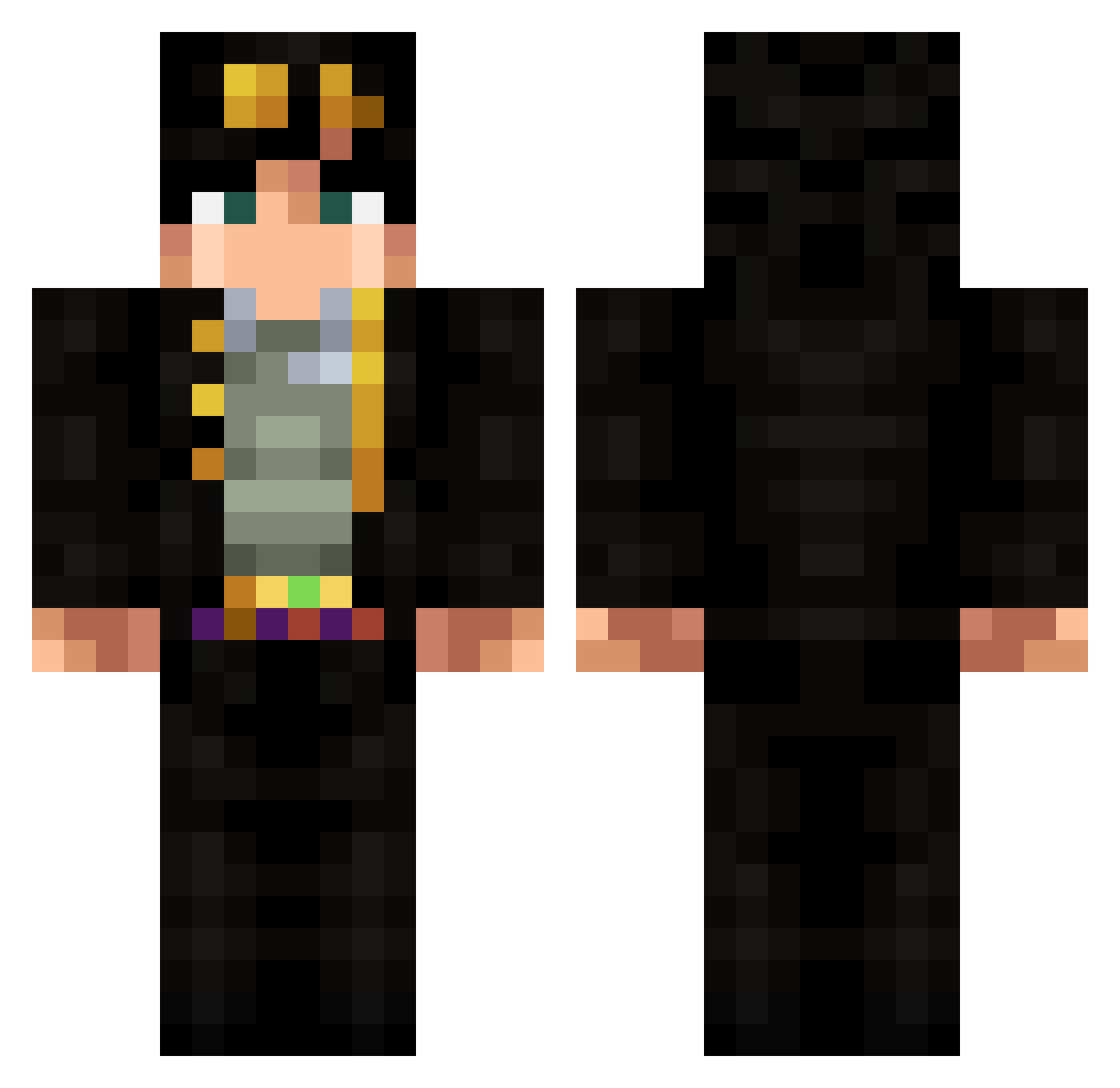
Current Minecraft skin of the player KoroNeko0661, loaded from the official Mojang API. Rotate the 3D model with your mouse or finger, then download the skin as a PNG file and use it in Minecraft: Bedrock Edition or Java Edition for free. When KoroNeko0661 changes their skin, this page updates automatically and the old skin stays in the history below.
Other players with this skin (317)
KoroNeko0661 was the 241st player we have seen with this skin, first spotted on 11.10.2026. The same skin was seen on these players. Open a nickname to see their current skin and skin history.
 klije yasemneliif LazioSama Shadoknife SigMunDi777 xd_Killua Jotolu OPierdo YAN_0929 ____JoJo___ Veatarius startyul NiPA94 germbaby FreedomTitan FormulaNeo guunder PandoraPand ciccio383 YBNKujo Ken_Tang AleRock Soiqa Tobbza nicolinhasgamer hisoke ImJustMatorix x_GIORNO_x CoolJack Mr_Wolfram nitrogen623 FireBracelet167 Rainbow011 KeksSector NatBelgium ijjee HerrZwiebel Equipartition Kappad ticoolman Xahes Spalamut rx0ver2 Retro244 TairaCharlotte Chrissila kapsklok TibiBoss RustableDoor201 Broderiick ReelTied Alejandro35 b3ckq UglyBoiJon Liaris kevsoto a23way AwesomePinoy TV_Xander Idiot_stick
More Jotaro Kujo Minecraft skins
How to install the KoroNeko0661 skin
- Press the Download button above to save the skin as a PNG file.
- Minecraft: Bedrock Edition (PE): open the Dressing Room from the main menu (or tap your character → Edit Character), go to Classic Skins → Owned, press the + (new skin) button, choose the downloaded PNG and pick the Classic (Steve) model. Works on PC and mobile; consoles cannot import custom skins.
- Minecraft: Java Edition: open the Minecraft Launcher, go to the Skins tab, click New Skin, load the PNG, pick the Classic (Steve) model and press Save & Use. You can also upload it at minecraft.net → Profile → Change Skin.
The skin does not show up after import - what should I do?
Restart Minecraft and open the Dressing Room again - imported skins sometimes appear only after a restart. Also make sure you selected the imported skin and picked the Classic (Steve) model.
Which model should I choose, Classic or Slim?
This skin is designed for the Classic (Steve) model. If you pick the wrong model, the arms of the skin will look stretched or squeezed.
Is the skin of KoroNeko0661 free to download?
Yes. Press Download, save the PNG file and use it in Minecraft: Bedrock Edition or Java Edition - no payment or registration needed. The skin also works on multiplayer servers and Realms.
More skins
Looking for more? Go back to all Minecraft skins and check the top skins of the week, month and all time, or find any player's skin by nickname.