
KlinKon - Minecraft Skins & Skin History
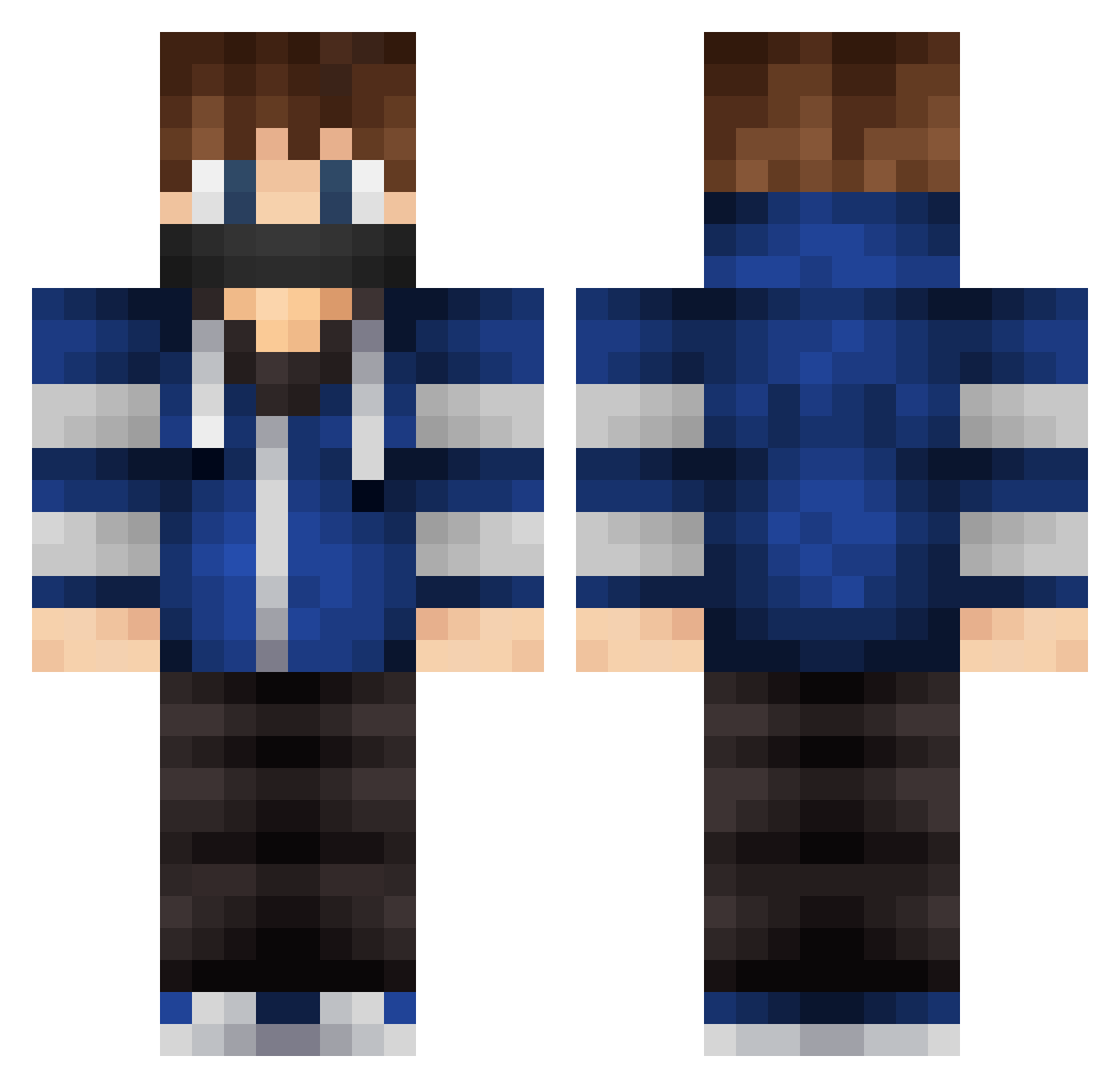
Current Minecraft skin of the player KlinKon, loaded from the official Mojang API. Rotate the 3D model with your mouse or finger, then download the skin as a PNG file and use it in Minecraft: Bedrock Edition or Java Edition for free. When KlinKon changes their skin, this page updates automatically and the old skin stays in the history below.
Other players with this skin (543)
KlinKon was the 460th player we have seen with this skin, first spotted on 21.10.2026. The same skin was seen on these players. Open a nickname to see their current skin and skin history.
 kom4ever Gryf0n matti931 FairPlayer_ disL gonzalo168 TerrorDaan kebingsu CallmeBlazer CWGhost mixD Bodski Kaifishy jacthomas03 LordofHara aPro Ol3000 Cult666Leader SoulSlayer49 NeverTryHqrding XxFlyingMonkeyXx ValkyrieXT GreenTurtle07 AlexTether iiAmir FischaLP yoshyMjdog zajaloch5555 Dark_wolff2004 Brendan573 ThePeuki elias2016x 7jarus7 Ninja_PJ amweard KaygaraEI19 CashhxD DKHA Elliotberge ThatLethalGuy Mesimaura Painkill3r RozorBlade vuksoni Zimbaaa BedoelRobin deadxsh0tz32 BadBoys14 snagycloud4 SheetSkink9 FergusTEM malthe_12345 JJMCE iGotNoKills77 Antorres9 EliteOtaku tiiiis Phylow3 MlgJohan LIARZzz
More Mask Minecraft skins
How to install the KlinKon skin
- Press the Download button above to save the skin as a PNG file.
- Minecraft: Bedrock Edition (PE): open the Dressing Room from the main menu (or tap your character → Edit Character), go to Classic Skins → Owned, press the + (new skin) button, choose the downloaded PNG and pick the Classic (Steve) model. Works on PC and mobile; consoles cannot import custom skins.
- Minecraft: Java Edition: open the Minecraft Launcher, go to the Skins tab, click New Skin, load the PNG, pick the Classic (Steve) model and press Save & Use. You can also upload it at minecraft.net → Profile → Change Skin.
The skin does not show up after import - what should I do?
Restart Minecraft and open the Dressing Room again - imported skins sometimes appear only after a restart. Also make sure you selected the imported skin and picked the Classic (Steve) model.
Which model should I choose, Classic or Slim?
This skin is designed for the Classic (Steve) model. If you pick the wrong model, the arms of the skin will look stretched or squeezed.
Is the skin of KlinKon free to download?
Yes. Press Download, save the PNG file and use it in Minecraft: Bedrock Edition or Java Edition - no payment or registration needed. The skin also works on multiplayer servers and Realms.
More skins
Looking for more? Go back to all Minecraft skins and check the top skins of the week, month and all time, or find any player's skin by nickname.