
KirikouMog - Minecraft Skins & Skin History
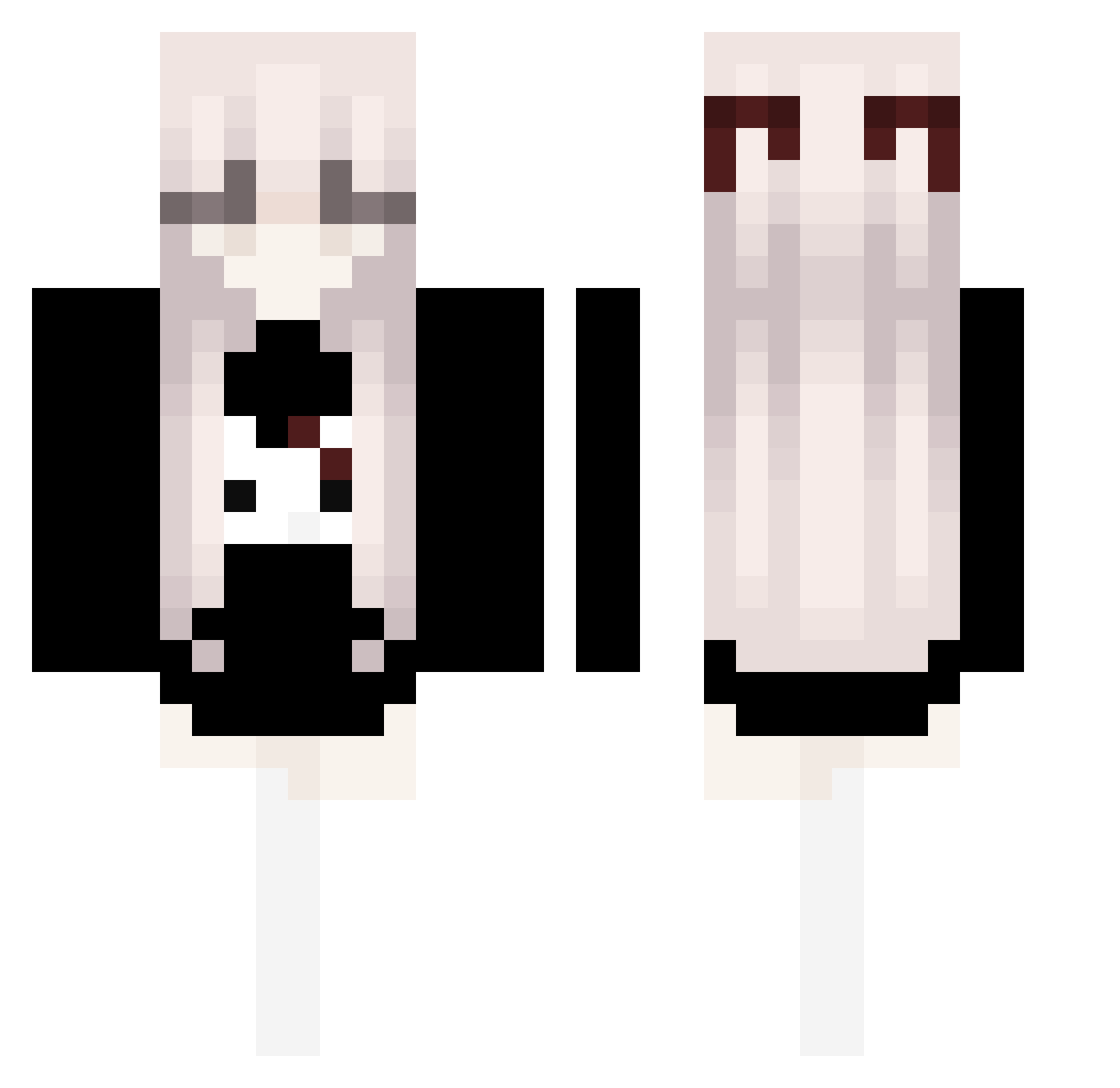
Current Minecraft skin of the player KirikouMog, loaded from the official Mojang API. Rotate the 3D model with your mouse or finger, then download the skin as a PNG file and use it in Minecraft: Bedrock Edition or Java Edition for free. When KirikouMog changes their skin, this page updates automatically and the old skin stays in the history below.
Other players with this skin (106)
KirikouMog was the 40th player we have seen with this skin, first spotted on 22.08.2026. The same skin was seen on these players. Open a nickname to see their current skin and skin history.
 qDaisy StevenW1127 golf9999 FrixyMoggs Binomical chipsickle L4RP4MACE zYumiNebula iLoading_ keyboard0228 Mrborata EgirlEi kiko11123 PoppedBySniezka Mizanbrr LightningNova h1sy9n Anielinka 886Z AveryxBryce 70g9 Aqkwaa 77zw Insuficiencia_ Clayfano_o boredwithtoast Sloanetta Chomq0227 ieatcereal1234 SepirothSword57 XiJinPing_2018 puppypilledcat stevko2006 MrKorobok L3kcj4_P0l5k13g0 bathelight0
 3T_Banhmipate KrankLittle kabuto06623 kat7761 elinuwu Seneleris schnitzle2 kitxyre 1Emma22 Kiotheo ricekitti spacingskull Contractingg tanakasun Vinnoy whoisme9801
 palavrasdoemsim _emotka SanHuaiYY NotMapo yoni228 yAlekBr higotz
 Auxics
More Bow Minecraft skins
How to install the KirikouMog skin
- Press the Download button above to save the skin as a PNG file.
- Minecraft: Bedrock Edition (PE): open the Dressing Room from the main menu (or tap your character → Edit Character), go to Classic Skins → Owned, press the + (new skin) button, choose the downloaded PNG and pick the Classic (Steve) model. Works on PC and mobile; consoles cannot import custom skins.
- Minecraft: Java Edition: open the Minecraft Launcher, go to the Skins tab, click New Skin, load the PNG, pick the Classic (Steve) model and press Save & Use. You can also upload it at minecraft.net → Profile → Change Skin.
The skin does not show up after import - what should I do?
Restart Minecraft and open the Dressing Room again - imported skins sometimes appear only after a restart. Also make sure you selected the imported skin and picked the Classic (Steve) model.
Which model should I choose, Classic or Slim?
This skin is designed for the Classic (Steve) model. If you pick the wrong model, the arms of the skin will look stretched or squeezed.
Is the skin of KirikouMog free to download?
Yes. Press Download, save the PNG file and use it in Minecraft: Bedrock Edition or Java Edition - no payment or registration needed. The skin also works on multiplayer servers and Realms.
More skins
Looking for more? Go back to all Minecraft skins and check the top skins of the week, month and all time, or find any player's skin by nickname.