
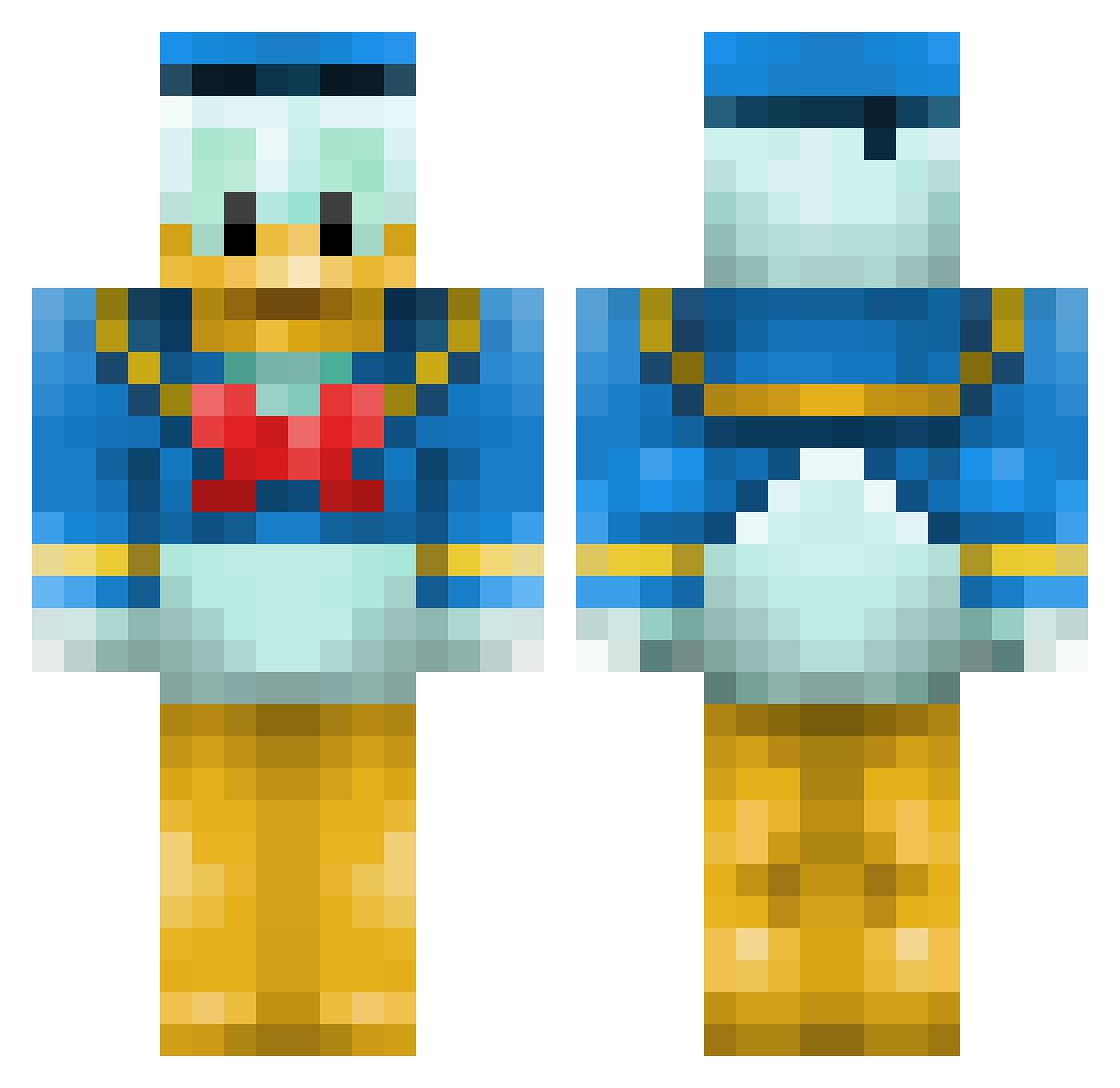
Current Minecraft skin of the player KillerTaz, loaded from the official Mojang API. Rotate the 3D model with your mouse or finger, then download the skin as a PNG file and use it in Minecraft: Bedrock Edition or Java Edition for free. When KillerTaz changes their skin, this page updates automatically and the old skin stays in the history below.
Other players with this skin (494)
KillerTaz was the 29th player we have seen with this skin, first spotted on 27.07.2026. The same skin was seen on these players. Open a nickname to see their current skin and skin history.
 FabulousViking UglyDuckk MrWonk RAYMLECAKE Spyyderr kshivs20 RubyTheBoy Skilllcraft Tinie_boy screaming_seagul redstone_nerd123 Kayzene250 tallawah melkeren kuzmaniac163 Dark_PaTa profrocket buttersomething aPocket NawafTheBest50 Hagerino Dovakhim SunHand Min_That BOGUmil222 Eiriklolman Hanzome VanDerKelen JonzyMC Pinpon_402 u04jp6 Mercedes_s FPSFrankie unseencon12 glb123 Donald_LP Karkulek toby0595 SamPace25 Vale32 mathijsjee13 ryder68 AlbyPro28 Kyll_fuglsang yu_yu49 katiejessie DBeck511 pascallo tigroulla hampeballa nirnir101 Mih_juli Kizro123 ZM_280 zeldin54321 alexandre290 Patogigante ByBroedel Smi_tox llucheden
More Donald Duck Minecraft skins
How to install the KillerTaz skin
- Press the Download button above to save the skin as a PNG file.
- Minecraft: Bedrock Edition (PE): open the Dressing Room from the main menu (or tap your character → Edit Character), go to Classic Skins → Owned, press the + (new skin) button, choose the downloaded PNG and pick the Classic (Steve) model. Works on PC and mobile; consoles cannot import custom skins.
- Minecraft: Java Edition: open the Minecraft Launcher, go to the Skins tab, click New Skin, load the PNG, pick the Classic (Steve) model and press Save & Use. You can also upload it at minecraft.net → Profile → Change Skin.
The skin does not show up after import - what should I do?
Restart Minecraft and open the Dressing Room again - imported skins sometimes appear only after a restart. Also make sure you selected the imported skin and picked the Classic (Steve) model.
Which model should I choose, Classic or Slim?
This skin is designed for the Classic (Steve) model. If you pick the wrong model, the arms of the skin will look stretched or squeezed.
Is the skin of KillerTaz free to download?
Yes. Press Download, save the PNG file and use it in Minecraft: Bedrock Edition or Java Edition - no payment or registration needed. The skin also works on multiplayer servers and Realms.
More skins
Looking for more? Go back to all Minecraft skins and check the top skins of the week, month and all time, or find any player's skin by nickname.