
Kiliankoin - Minecraft Skins & Skin History
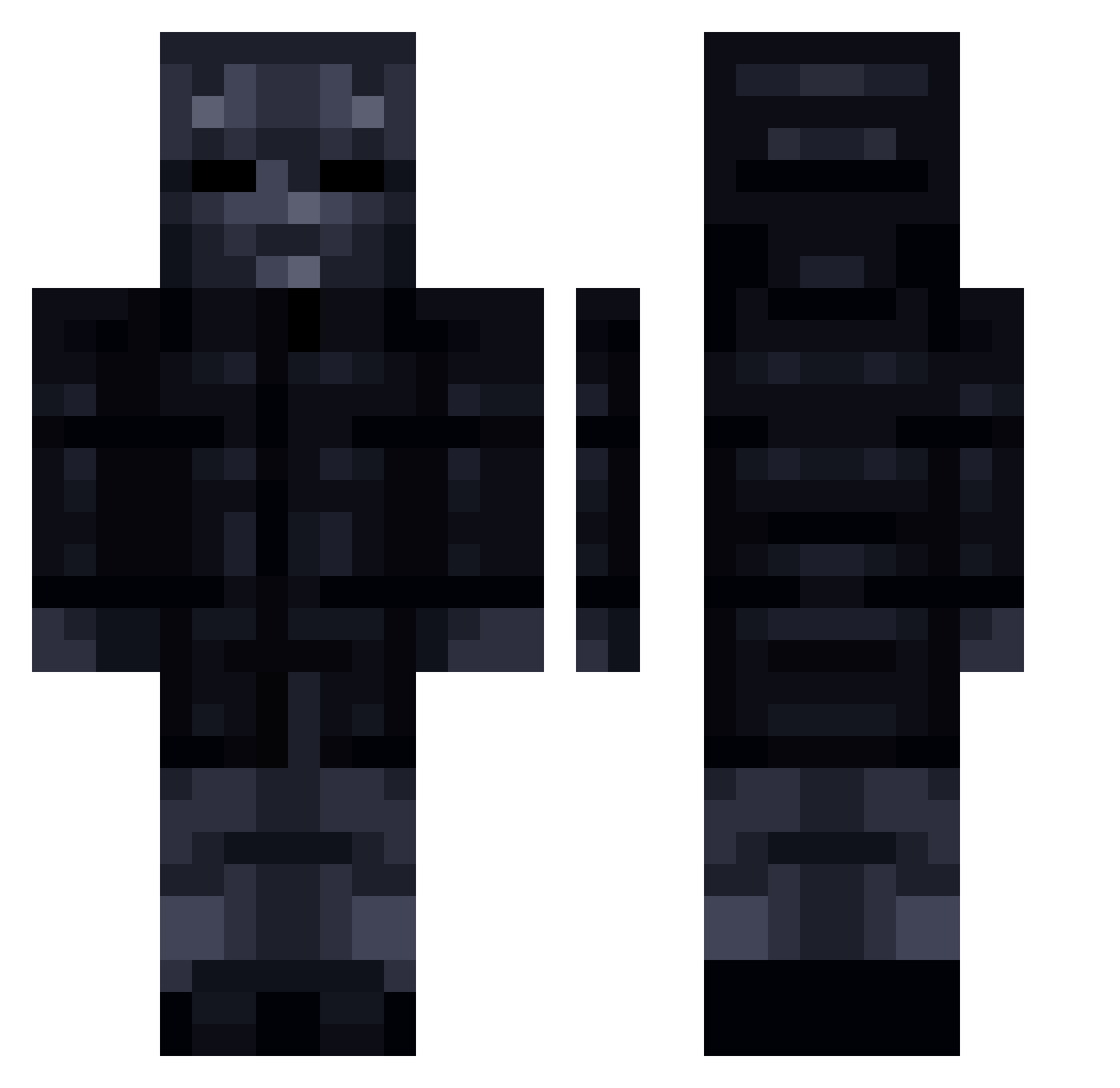
Current Minecraft skin of the player Kiliankoin, loaded from the official Mojang API. Rotate the 3D model with your mouse or finger, then download the skin as a PNG file and use it in Minecraft: Bedrock Edition or Java Edition for free. When Kiliankoin changes their skin, this page updates automatically and the old skin stays in the history below.
Other players with this skin (211)
Kiliankoin was the 136th player we have seen with this skin, first spotted on 07.10.2026. The same skin was seen on these players. Open a nickname to see their current skin and skin history.
 ALKENNE MarlonTxr Xsard amir1548 The_Heonyx Todesengel15 DDokBBack Saga_2001 TonicAwakening_ ShadowFurry15 Flow1412 EinMiggl AquarGD Canniert xxxx2020xxx A_Memester Dejwids AirBug_ Alex_X_hunter Eliran3005h theZabba Reigned 4858 DEMONMarco Mr_Elswijk SamxFire Sharkify _Front_Man_ DaveDolla Florin123123 Vishenqa OskarGoesBrrrrr iburritto ssnek123 DorukArslan32 VileTenshi TonyLappen007 taawq Skaupe ss1596 lNuggetsl Blueberrykiller_ nightking26 GrPaps yz50_ TheOG_Yash DeusNFS Dre_tm AlvJavicho Wintoztm Aw_man69 Sjmtarjous Binnladen Rovlan87 Bl4ckRidge TheBubbleJr mr_game_wolf Zwireks _WodaH20_ wsknoel
More Shadow Minecraft skins
How to install the Kiliankoin skin
- Press the Download button above to save the skin as a PNG file.
- Minecraft: Bedrock Edition (PE): open the Dressing Room from the main menu (or tap your character → Edit Character), go to Classic Skins → Owned, press the + (new skin) button, choose the downloaded PNG and pick the Classic (Steve) model. Works on PC and mobile; consoles cannot import custom skins.
- Minecraft: Java Edition: open the Minecraft Launcher, go to the Skins tab, click New Skin, load the PNG, pick the Classic (Steve) model and press Save & Use. You can also upload it at minecraft.net → Profile → Change Skin.
The skin does not show up after import - what should I do?
Restart Minecraft and open the Dressing Room again - imported skins sometimes appear only after a restart. Also make sure you selected the imported skin and picked the Classic (Steve) model.
Which model should I choose, Classic or Slim?
This skin is designed for the Classic (Steve) model. If you pick the wrong model, the arms of the skin will look stretched or squeezed.
Is the skin of Kiliankoin free to download?
Yes. Press Download, save the PNG file and use it in Minecraft: Bedrock Edition or Java Edition - no payment or registration needed. The skin also works on multiplayer servers and Realms.
More skins
Looking for more? Go back to all Minecraft skins and check the top skins of the week, month and all time, or find any player's skin by nickname.