
KaRaSiK12 - Minecraft Skins & Skin History
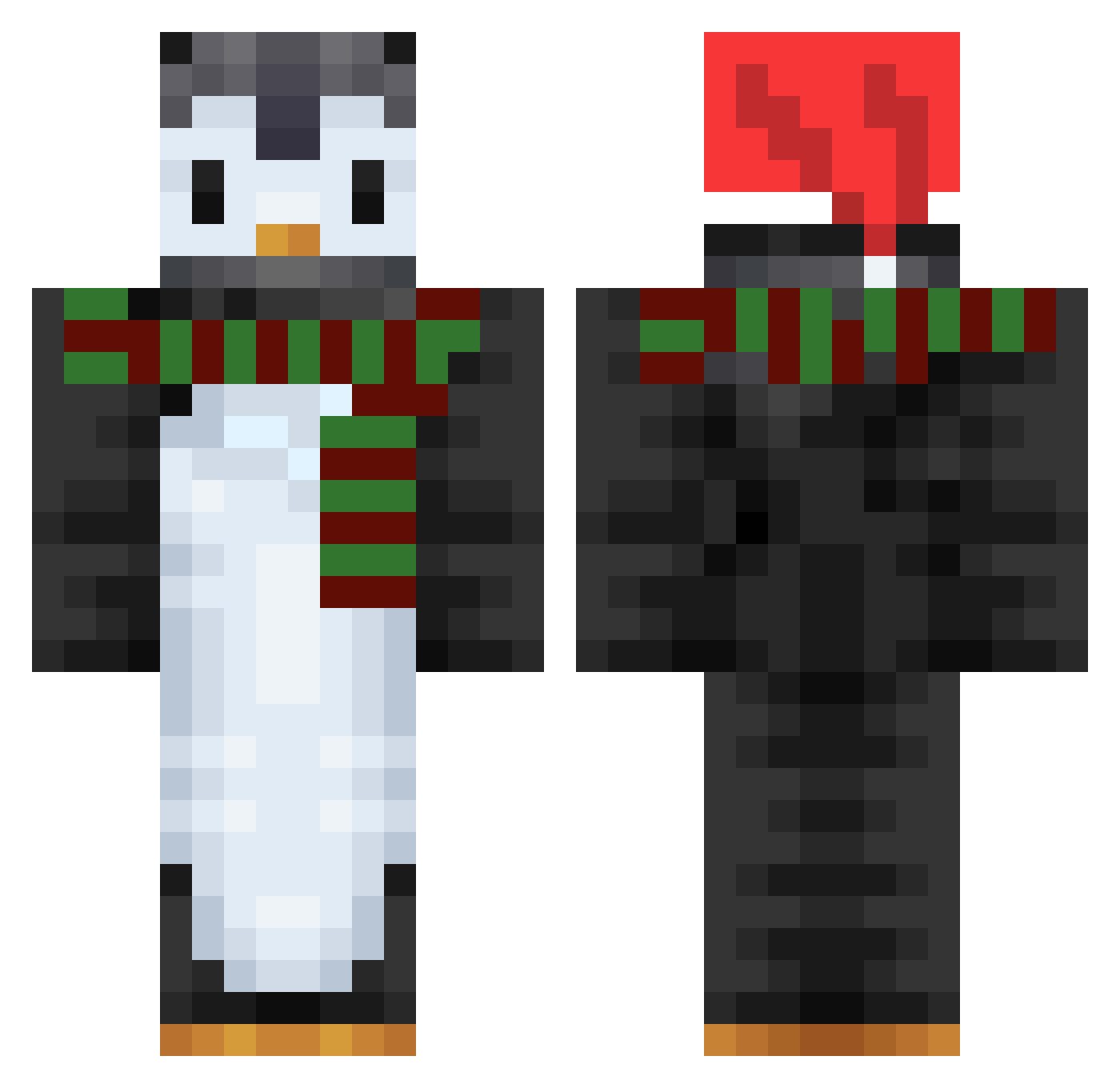
Current Minecraft skin of the player KaRaSiK12, loaded from the official Mojang API. Rotate the 3D model with your mouse or finger, then download the skin as a PNG file and use it in Minecraft: Bedrock Edition or Java Edition for free. When KaRaSiK12 changes their skin, this page updates automatically and the old skin stays in the history below.
Other players with this skin (753)
KaRaSiK12 was the 88th player we have seen with this skin, first spotted on 07.08.2026. The same skin was seen on these players. Open a nickname to see their current skin and skin history.
 Double_Chen wTAam Bernice_2005 pajdah Kanato_d P_Viking BangBangs2 maerul fl0wer1230 Naget5684 GuizinKYs astralhardi penguino1793 idkWhisper HidraZ Spee_Pengu_ _Annaaaa_ Necrozz8777 B0MBAGG Filip0925 hyeon1211 ChiefOStache voidlydo jujujaja1106 SRnibous Sagant etrain66 Zuzu2011 JiemaoMIN SebaMario DirtyWhales DylanTate0622 Kieguin El_herna22 yeluming Zarpo1 Powershot18 pby0576 Cucumberz0421 MrPenguen CurlyQv2 PinguGHG Hitdie DiscordApps eVirixian Torsck yukichi0914 bwetw Captain_Kez CuttieSayori PVP_Miki123 detooerfeit kyungjin1220 Ipodbaby DarkCloak14 BobTheMonster the_otherside DeskaDoKrojenia EneblaiArche25 Yupit1
More Penguin Minecraft skins
How to install the KaRaSiK12 skin
- Press the Download button above to save the skin as a PNG file.
- Minecraft: Bedrock Edition (PE): open the Dressing Room from the main menu (or tap your character → Edit Character), go to Classic Skins → Owned, press the + (new skin) button, choose the downloaded PNG and pick the Classic (Steve) model. Works on PC and mobile; consoles cannot import custom skins.
- Minecraft: Java Edition: open the Minecraft Launcher, go to the Skins tab, click New Skin, load the PNG, pick the Classic (Steve) model and press Save & Use. You can also upload it at minecraft.net → Profile → Change Skin.
The skin does not show up after import - what should I do?
Restart Minecraft and open the Dressing Room again - imported skins sometimes appear only after a restart. Also make sure you selected the imported skin and picked the Classic (Steve) model.
Which model should I choose, Classic or Slim?
This skin is designed for the Classic (Steve) model. If you pick the wrong model, the arms of the skin will look stretched or squeezed.
Is the skin of KaRaSiK12 free to download?
Yes. Press Download, save the PNG file and use it in Minecraft: Bedrock Edition or Java Edition - no payment or registration needed. The skin also works on multiplayer servers and Realms.
More skins
Looking for more? Go back to all Minecraft skins and check the top skins of the week, month and all time, or find any player's skin by nickname.