
Jud_428 - Minecraft Skins & Skin History
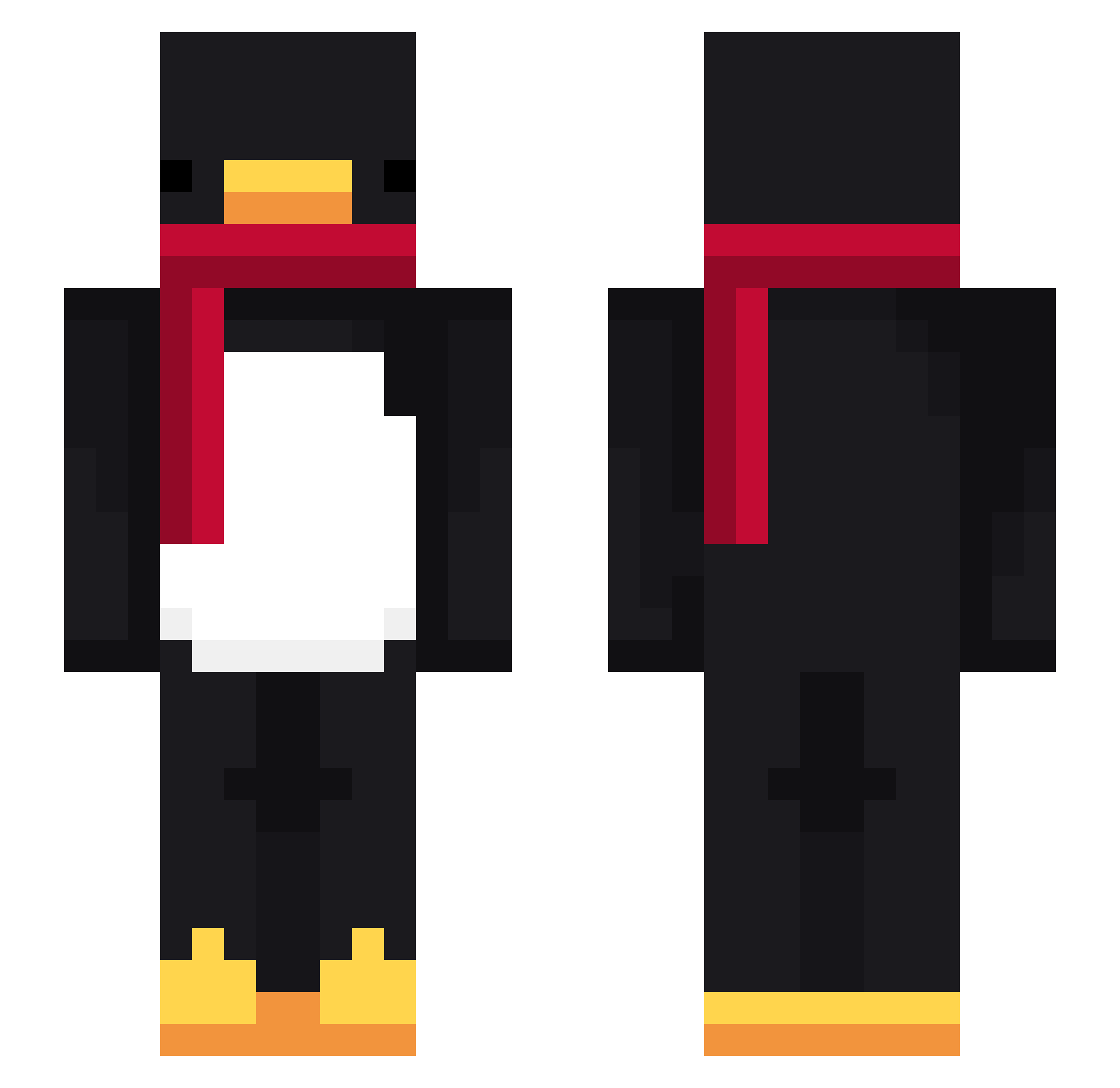
Current Minecraft skin of the player Jud_428, loaded from the official Mojang API. Rotate the 3D model with your mouse or finger, then download the skin as a PNG file and use it in Minecraft: Bedrock Edition or Java Edition for free. When Jud_428 changes their skin, this page updates automatically and the old skin stays in the history below.
Other players with this skin (716)
Jud_428 was the 669th player we have seen with this skin, first spotted on 25.10.2026. The same skin was seen on these players. Open a nickname to see their current skin and skin history.
 Sv2ZVTizFyRmnSv2 DarkWilly jonasvt Cheap_words Qatilla HitagoYT oops100218 NoxzzYXP Sv2qjWYZoJXloSv2 Plomyk_Femboi Skycron_OuazmSv2 cobaltjay86 bruh_yeah293 Reaachout JakeHP Entitilo_moDIt Abasic PASIR8vkqrgnynow palnight IronWisp yuem0u soyMaxyMc pia_ji AltVersebcsAV john777hope Klusekpog Starfyra54 LinhGrim994UwU Pe4eNbKAa 0hSolo x_kj KokosToNoob OldDodgeviper xibraz Ohkalme jakubek757 SamSky2020 KiritoWan LvVVIII Sv2yTeiFaU82tSv2 AgentBerk Pierre_xd8 RobbyBVB09 milou7511 hyx0309 X_C_VP LinhWeXQQ0206 PioreKase MTEworld10101011 mvinn tuner908 Pokuvana fheic59 MichaelYolo Hankyt_2 dvyqx Baba_boi2 Steeve36 Mr_Faraias TracebRad
More Penguin Minecraft skins
How to install the Jud_428 skin
- Press the Download button above to save the skin as a PNG file.
- Minecraft: Bedrock Edition (PE): open the Dressing Room from the main menu (or tap your character → Edit Character), go to Classic Skins → Owned, press the + (new skin) button, choose the downloaded PNG and pick the Slim (Alex) model. Works on PC and mobile; consoles cannot import custom skins.
- Minecraft: Java Edition: open the Minecraft Launcher, go to the Skins tab, click New Skin, load the PNG, pick the Slim (Alex) model and press Save & Use. You can also upload it at minecraft.net → Profile → Change Skin.
The skin does not show up after import - what should I do?
Restart Minecraft and open the Dressing Room again - imported skins sometimes appear only after a restart. Also make sure you selected the imported skin and picked the Slim (Alex) model.
Which model should I choose, Classic or Slim?
This skin is designed for the Slim (Alex) model. If you pick the wrong model, the arms of the skin will look stretched or squeezed.
Is the skin of Jud_428 free to download?
Yes. Press Download, save the PNG file and use it in Minecraft: Bedrock Edition or Java Edition - no payment or registration needed. The skin also works on multiplayer servers and Realms.
More skins
Looking for more? Go back to all Minecraft skins and check the top skins of the week, month and all time, or find any player's skin by nickname.