
JonhtheJonh - Minecraft Skins & Skin History
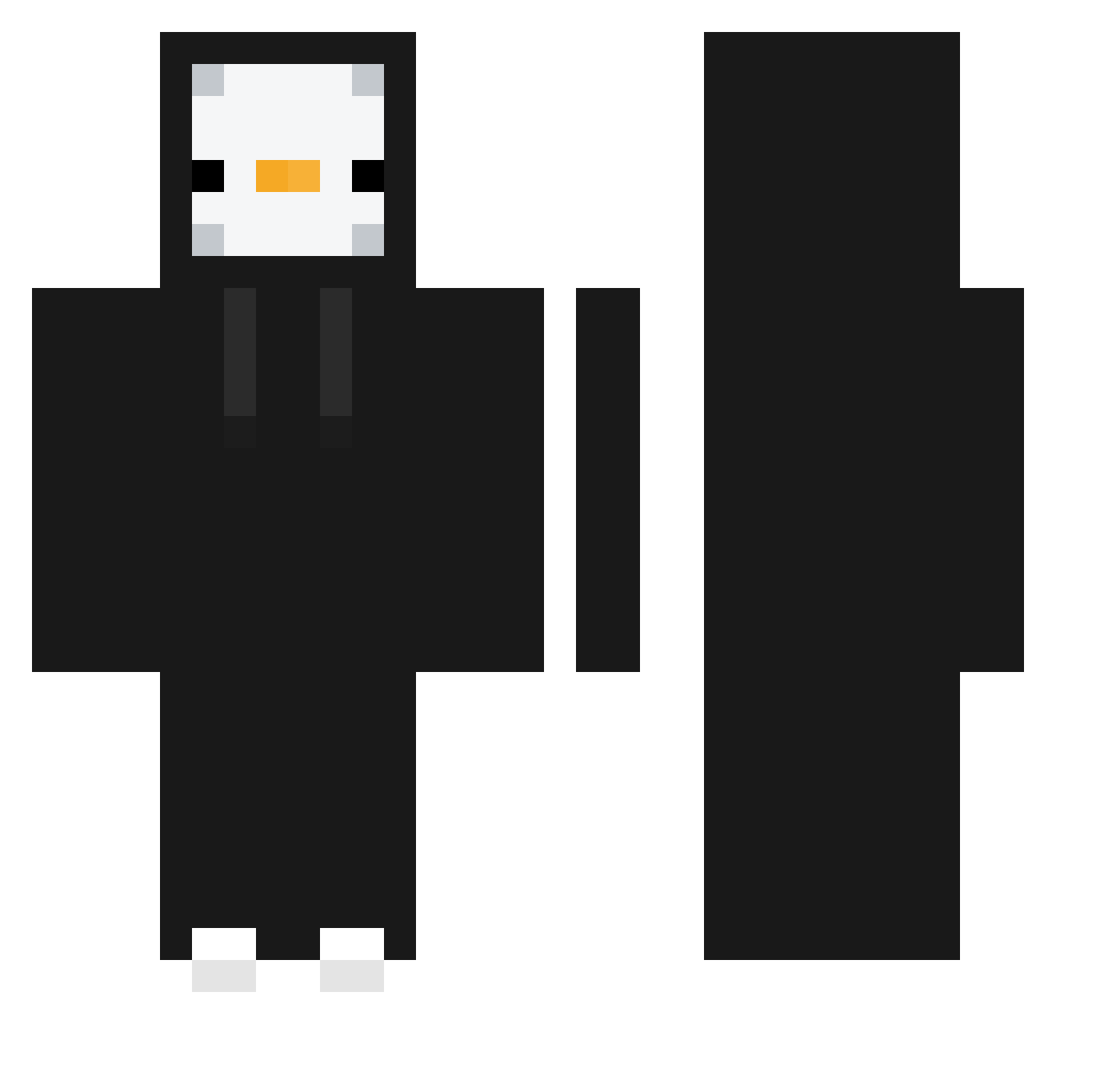
Current Minecraft skin of the player JonhtheJonh, loaded from the official Mojang API. Rotate the 3D model with your mouse or finger, then download the skin as a PNG file and use it in Minecraft: Bedrock Edition or Java Edition for free. When JonhtheJonh changes their skin, this page updates automatically and the old skin stays in the history below.
Other players with this skin (372)
JonhtheJonh was the 22nd player we have seen with this skin, first spotted on 28.07.2026. The same skin was seen on these players. Open a nickname to see their current skin and skin history.
 uk25 Bagietka2011 Randyload FunkySkull2603 susonic_ Yu_Tou sangguu LordBrownie134 Kamilxddd11 Kalmia0220 malfix_tp55 Karol_Lina okok6969 Guilhass Areczek2137 FireAnims1 Gallardo breeezyyy14 BOMBA12 Backfisch_2_Go PengiBuilds gudtlr1489 Dawiddde_ M4J0RB4G4L3RT That1Chris RAT0808 Contact0420 GUKBBONG JxacoFoker Pxnguin0 Marl1020 tomatomatomato_0 21alpha kong946 Sir_Digitalot xFreaXz kwoox AlexisCreeper LLimon1 L_cl SnipeyGio LexMeowther CHOCOLADJE A1_Rupee kjpj12 RagnarLK derdezros Francusco Coolio99989 yongin_kim Letmediealreadyy calma11 OHHY7 1Puffer Gukbae MaGnet_GuM lapede subidubob General_Jeans dqmedia
More Penguin Minecraft skins
How to install the JonhtheJonh skin
- Press the Download button above to save the skin as a PNG file.
- Minecraft: Bedrock Edition (PE): open the Dressing Room from the main menu (or tap your character → Edit Character), go to Classic Skins → Owned, press the + (new skin) button, choose the downloaded PNG and pick the Classic (Steve) model. Works on PC and mobile; consoles cannot import custom skins.
- Minecraft: Java Edition: open the Minecraft Launcher, go to the Skins tab, click New Skin, load the PNG, pick the Classic (Steve) model and press Save & Use. You can also upload it at minecraft.net → Profile → Change Skin.
The skin does not show up after import - what should I do?
Restart Minecraft and open the Dressing Room again - imported skins sometimes appear only after a restart. Also make sure you selected the imported skin and picked the Classic (Steve) model.
Which model should I choose, Classic or Slim?
This skin is designed for the Classic (Steve) model. If you pick the wrong model, the arms of the skin will look stretched or squeezed.
Is the skin of JonhtheJonh free to download?
Yes. Press Download, save the PNG file and use it in Minecraft: Bedrock Edition or Java Edition - no payment or registration needed. The skin also works on multiplayer servers and Realms.
More skins
Looking for more? Go back to all Minecraft skins and check the top skins of the week, month and all time, or find any player's skin by nickname.