
Joe722830 - Minecraft Skins & Skin History
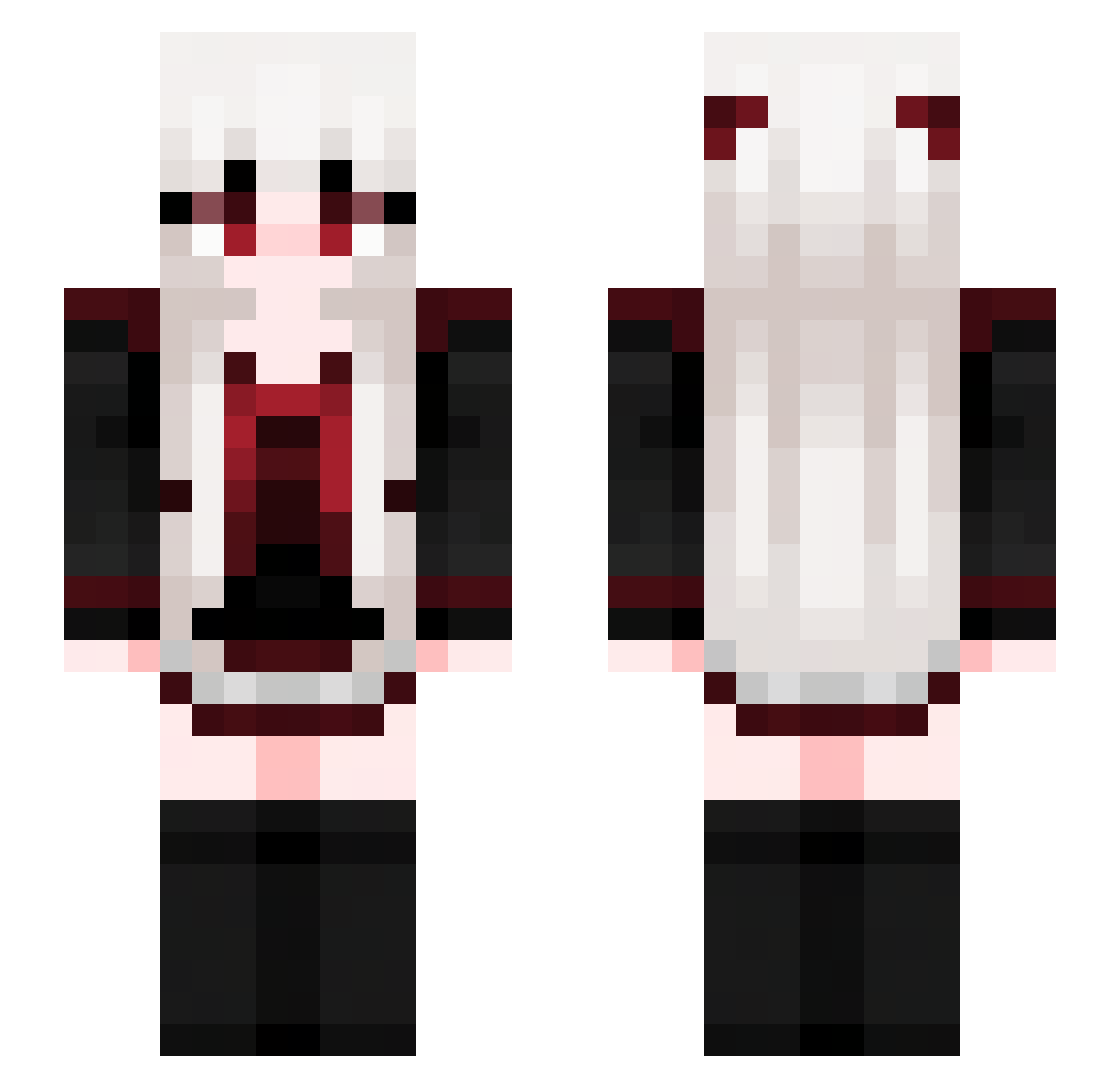
Current Minecraft skin of the player Joe722830, loaded from the official Mojang API. Rotate the 3D model with your mouse or finger, then download the skin as a PNG file and use it in Minecraft: Bedrock Edition or Java Edition for free. When Joe722830 changes their skin, this page updates automatically and the old skin stays in the history below.
Other players with this skin (713)
Joe722830 was the 495th player we have seen with this skin, first spotted on 10.10.2026. The same skin was seen on these players. Open a nickname to see their current skin and skin history.
 nyataso kittyzan lytem _evely_ Rissssu Tamiz09 Recber qxKnight XGNASD prodptr Edelweiss_000 HeartUnderbade ZGHZ666 kingseisei DG_K babirx LIN1song vika0404 KiruyaKyaru rego_wolf Cloudpladin NoNameXD00 rqwxy SoiSyo ltsSundew Cuesta3085 Shiba_InuIC Lzumi7 XGhostX04 Xiaoxiong2333 Diamondaxe4 Do__h_j WaterMelon_314 catsoupx Beforing CursedWolf22 catgirl711 CangMing_Yuan lingcat00 daramgee2 kulou1234 capybara_aaaaaa Fallen2248 Cry0_mk2 Tao_Wang Hrilic k1vva TENNN02 Shinzi_Vn Carmilla07 ME2525 F4bulouss 3mployee Addyralls Lain1068 edyxd232 buzhenyu XiaoYu0016 QuagmireGaming Liko37
More Goth Minecraft skins
How to install the Joe722830 skin
- Press the Download button above to save the skin as a PNG file.
- Minecraft: Bedrock Edition (PE): open the Dressing Room from the main menu (or tap your character → Edit Character), go to Classic Skins → Owned, press the + (new skin) button, choose the downloaded PNG and pick the Slim (Alex) model. Works on PC and mobile; consoles cannot import custom skins.
- Minecraft: Java Edition: open the Minecraft Launcher, go to the Skins tab, click New Skin, load the PNG, pick the Slim (Alex) model and press Save & Use. You can also upload it at minecraft.net → Profile → Change Skin.
The skin does not show up after import - what should I do?
Restart Minecraft and open the Dressing Room again - imported skins sometimes appear only after a restart. Also make sure you selected the imported skin and picked the Slim (Alex) model.
Which model should I choose, Classic or Slim?
This skin is designed for the Slim (Alex) model. If you pick the wrong model, the arms of the skin will look stretched or squeezed.
Is the skin of Joe722830 free to download?
Yes. Press Download, save the PNG file and use it in Minecraft: Bedrock Edition or Java Edition - no payment or registration needed. The skin also works on multiplayer servers and Realms.
More skins
Looking for more? Go back to all Minecraft skins and check the top skins of the week, month and all time, or find any player's skin by nickname.