
Jada040806 - Minecraft Skins & Skin History
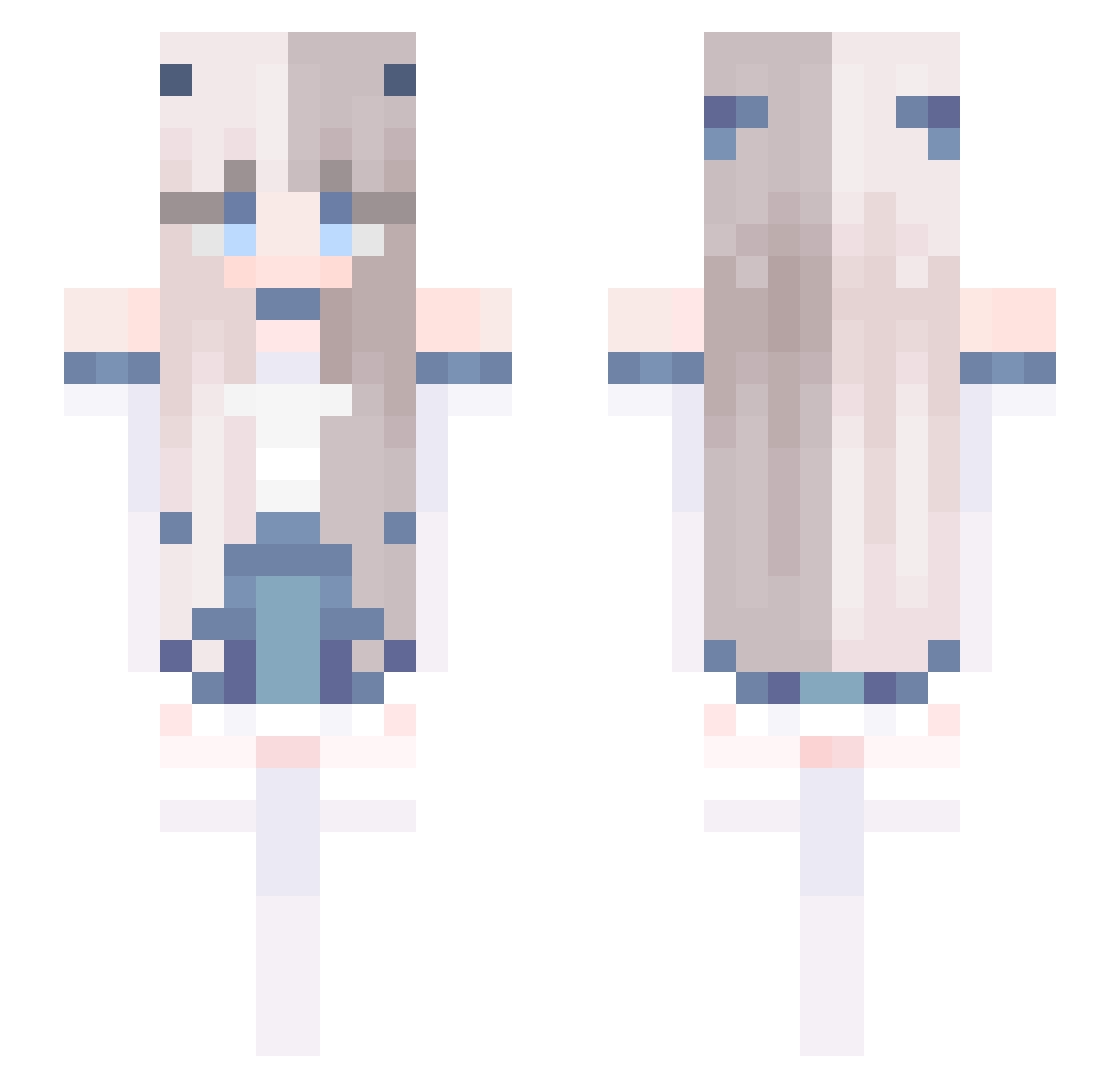
Current Minecraft skin of the player Jada040806, loaded from the official Mojang API. Rotate the 3D model with your mouse or finger, then download the skin as a PNG file and use it in Minecraft: Bedrock Edition or Java Edition for free. When Jada040806 changes their skin, this page updates automatically and the old skin stays in the history below.
Other players with this skin (678)
Jada040806 was the 541st player we have seen with this skin, first spotted on 17.10.2026. The same skin was seen on these players. Open a nickname to see their current skin and skin history.
 Lyuzx0703 Makhachev_ Sirin_Kaslana nixueyu nuru621 Missice12 ningde1210 KIMJAKSEN _Spoom_ 0Rk_ ichigocube HandaSwiki JooHayeon xannaaaaxx Ariana_7w7 MeU__MeU gaming_beast23 MathiPe yFelipeSam m111rac Emily1118 yo___da helene_harmony arknightsA Oso9410 YoJefc Su0611 Attidusk Kwertyh WaltWhiteBB llC0TT0Nll liumengli1211 Color_Ram chenxioh watzu030 Yu_aser Ghost__0_0 manocha SSxong chongyue_ Callemia Rainy_Doll L824 CommandLord threetimes6 Sunshine_kun Milk03056 mzznm Yzgnb disanzhong iambeen Bellexia 9ho8ia BunnyGirl69700 GoldenFlame7483 MC_BiliBili DabHawk feied c137Rike smart21
More Horns Minecraft skins
How to install the Jada040806 skin
- Press the Download button above to save the skin as a PNG file.
- Minecraft: Bedrock Edition (PE): open the Dressing Room from the main menu (or tap your character → Edit Character), go to Classic Skins → Owned, press the + (new skin) button, choose the downloaded PNG and pick the Slim (Alex) model. Works on PC and mobile; consoles cannot import custom skins.
- Minecraft: Java Edition: open the Minecraft Launcher, go to the Skins tab, click New Skin, load the PNG, pick the Slim (Alex) model and press Save & Use. You can also upload it at minecraft.net → Profile → Change Skin.
The skin does not show up after import - what should I do?
Restart Minecraft and open the Dressing Room again - imported skins sometimes appear only after a restart. Also make sure you selected the imported skin and picked the Slim (Alex) model.
Which model should I choose, Classic or Slim?
This skin is designed for the Slim (Alex) model. If you pick the wrong model, the arms of the skin will look stretched or squeezed.
Is the skin of Jada040806 free to download?
Yes. Press Download, save the PNG file and use it in Minecraft: Bedrock Edition or Java Edition - no payment or registration needed. The skin also works on multiplayer servers and Realms.
More skins
Looking for more? Go back to all Minecraft skins and check the top skins of the week, month and all time, or find any player's skin by nickname.