
Jacob_1024 - Minecraft Skins & Skin History
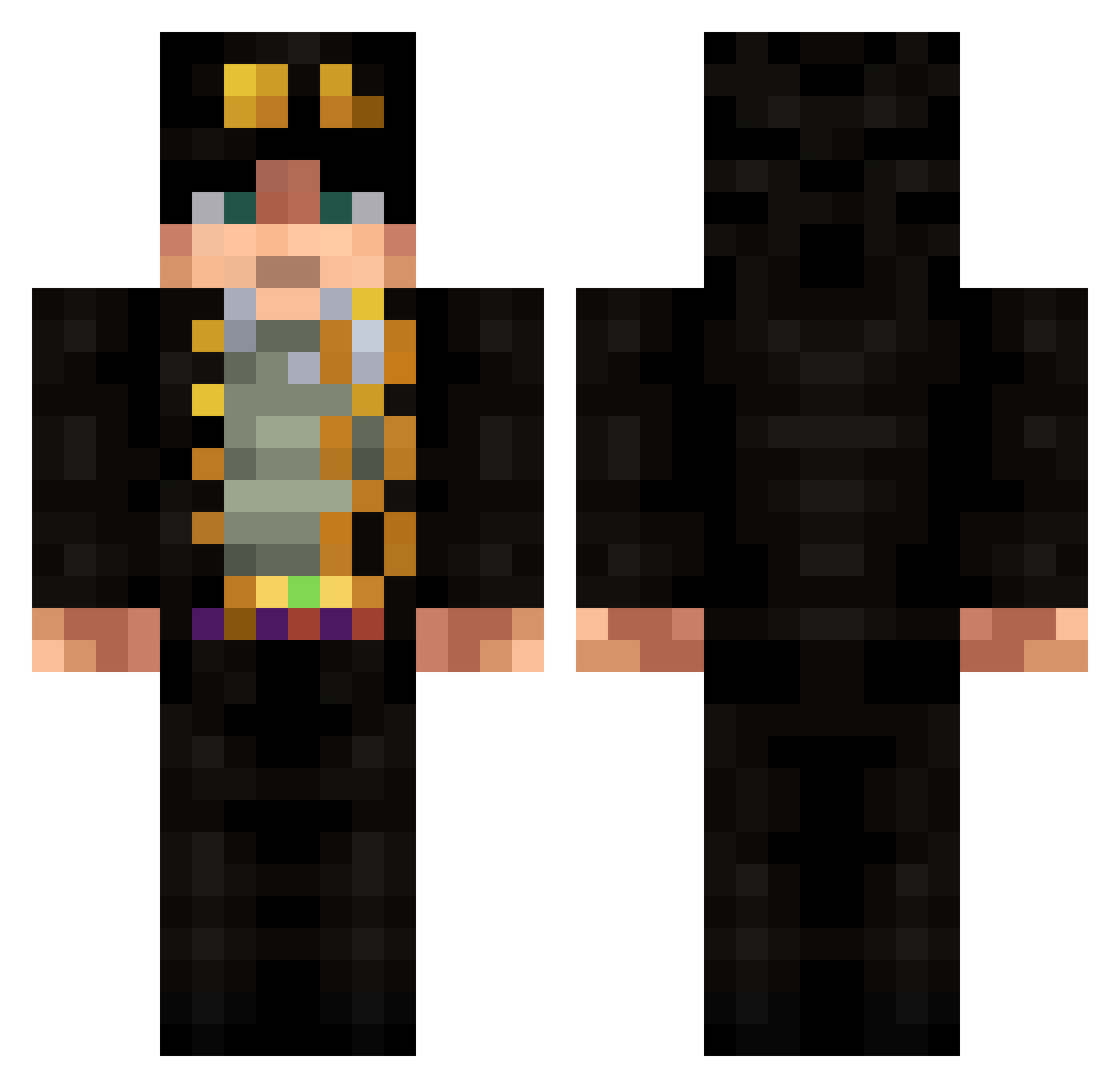
Current Minecraft skin of the player Jacob_1024, loaded from the official Mojang API. Rotate the 3D model with your mouse or finger, then download the skin as a PNG file and use it in Minecraft: Bedrock Edition or Java Edition for free. When Jacob_1024 changes their skin, this page updates automatically and the old skin stays in the history below.
Other players with this skin (534)
Jacob_1024 was the 330th player we have seen with this skin, first spotted on 22.09.2026. The same skin was seen on these players. Open a nickname to see their current skin and skin history.
 Loschua Badpeople1 Lortrex DSLKazuma voidzort ImagineDying6969 MiniBooy Peerawit1995 G0ldAc3 hyh525 CosTan0 HSUWY Skellington717 juniorspn Fantastic2004 UgandaL kelasong0422 A1anB Altandomaltan316 Long_Bong Karnatt 4leblik 5ShellHung Tariq5670 Jkookie bosstalikida Gamerulluk13 Ragytobi O__MUNDo HappyGamer1105 Messiah201 HornedParagon EndermanixX rakaaa hyunyoung07 Zephyrlium ibxtoy_dragon SinoWrath Teghsee cn_chen HeNTi111 Dudu_Chaves IlikehatZz ervinspielt maxeiq archlit towa0806 Jeyson_ Ciupapi26 jdmlover2001 ShipSkylark Jotaro___ ThaDoubleA WithPanda ImagineWagons_ Tactical_Samurai SadKvadrat thegodMR8618 Nirello DatHONK
More Jotaro Kujo Minecraft skins
How to install the Jacob_1024 skin
- Press the Download button above to save the skin as a PNG file.
- Minecraft: Bedrock Edition (PE): open the Dressing Room from the main menu (or tap your character → Edit Character), go to Classic Skins → Owned, press the + (new skin) button, choose the downloaded PNG and pick the Classic (Steve) model. Works on PC and mobile; consoles cannot import custom skins.
- Minecraft: Java Edition: open the Minecraft Launcher, go to the Skins tab, click New Skin, load the PNG, pick the Classic (Steve) model and press Save & Use. You can also upload it at minecraft.net → Profile → Change Skin.
The skin does not show up after import - what should I do?
Restart Minecraft and open the Dressing Room again - imported skins sometimes appear only after a restart. Also make sure you selected the imported skin and picked the Classic (Steve) model.
Which model should I choose, Classic or Slim?
This skin is designed for the Classic (Steve) model. If you pick the wrong model, the arms of the skin will look stretched or squeezed.
Is the skin of Jacob_1024 free to download?
Yes. Press Download, save the PNG file and use it in Minecraft: Bedrock Edition or Java Edition - no payment or registration needed. The skin also works on multiplayer servers and Realms.
More skins
Looking for more? Go back to all Minecraft skins and check the top skins of the week, month and all time, or find any player's skin by nickname.