
Iskren - Minecraft Skins & Skin History
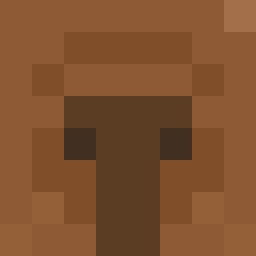
Current Minecraft skin of the player Iskren, loaded from the official Mojang API. Rotate the 3D model with your mouse or finger, then download the skin as a PNG file and use it in Minecraft: Bedrock Edition or Java Edition for free. When Iskren changes their skin, this page updates automatically and the old skin stays in the history below.

Other players with this skin (231)
Iskren was the 57th player we have seen with this skin, first spotted on 22.08.2026. The same skin was seen on these players. Open a nickname to see their current skin and skin history.
 ICE0022 Dude1O1 JJJEEESSSSSSEEE kusamara Sunseteggino98 royluna08 StyborekWorek willy21_ Jhw17 gogumahobac AtomicPlasma
 Adamos_Sigma ItzP0werZ1 naga23 SuJVo MordeeKaaKh Dead_ZoneX YoUnG_DaX Chong_Li Dermiff swape1 _kassu_ Exact__ megachy kwaperx DerpDuck124
 krsao Knete_rakete
 Aony9 JuiceMeUp pitzips levlevgaming Pilotjelly youjeayun10 redeemthememe Dr_lennoxz chaschas12 AboLayan222 Togoroo Schmidtii13 besati Teknifix w11fred Lars0809 Luyd__JR Emrettel M4RSH4LL25 DMNDucky Koryyn Maste2436 slingshooot antoniojulian thundersammich
 DALJ_1 WuGuanqun egeminoglu Nichlasohm snazzy_fab soggytable popi696
More Duck Minecraft skins
How to install the Iskren skin
- Press the Download button above to save the skin as a PNG file.
- Minecraft: Bedrock Edition (PE): open the Dressing Room from the main menu (or tap your character → Edit Character), go to Classic Skins → Owned, press the + (new skin) button, choose the downloaded PNG and pick the Classic (Steve) model. Works on PC and mobile; consoles cannot import custom skins.
- Minecraft: Java Edition: open the Minecraft Launcher, go to the Skins tab, click New Skin, load the PNG, pick the Classic (Steve) model and press Save & Use. You can also upload it at minecraft.net → Profile → Change Skin.
The skin does not show up after import - what should I do?
Restart Minecraft and open the Dressing Room again - imported skins sometimes appear only after a restart. Also make sure you selected the imported skin and picked the Classic (Steve) model.
Which model should I choose, Classic or Slim?
This skin is designed for the Classic (Steve) model. If you pick the wrong model, the arms of the skin will look stretched or squeezed.
Is the skin of Iskren free to download?
Yes. Press Download, save the PNG file and use it in Minecraft: Bedrock Edition or Java Edition - no payment or registration needed. The skin also works on multiplayer servers and Realms.
More skins
Looking for more? Go back to all Minecraft skins and check the top skins of the week, month and all time, or find any player's skin by nickname.