
ImAHotdog420 - Minecraft Skins & Skin History
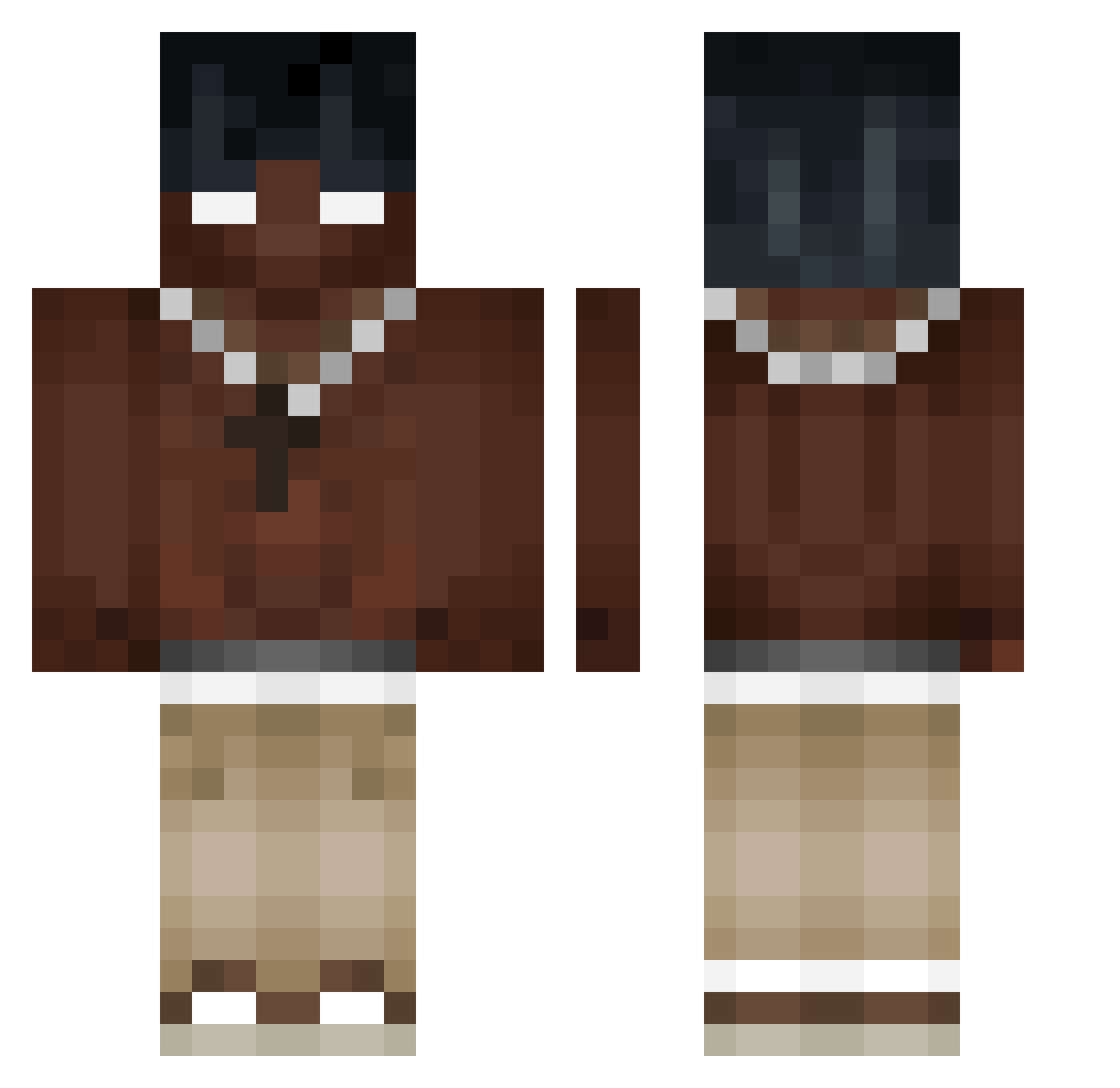
Current Minecraft skin of the player ImAHotdog420, loaded from the official Mojang API. Rotate the 3D model with your mouse or finger, then download the skin as a PNG file and use it in Minecraft: Bedrock Edition or Java Edition for free. When ImAHotdog420 changes their skin, this page updates automatically and the old skin stays in the history below.
Other players with this skin (405)
ImAHotdog420 was the 82nd player we have seen with this skin, first spotted on 16.08.2026. The same skin was seen on these players. Open a nickname to see their current skin and skin history.
 spandauboy11 Alexalooo PxndaLuka Kooding 3jvshy LilMeniscus ReyLc _RoManS zwolee_ Lilbabyx budoskurva IgWedkarzykk_ Nifty_riscas sinc0rdura A1DOMYBOY Eternalblss Juhal048 BlackPanda_01 pedrotcria xrafcx ngh98
 Gamernino24 Grz3jnikOpalny gj0s3 200_CM WockstarMikey komornik2115 ou_llea ManyaMeetion mickeywww ACTTG Szef523 VantuZ_89 UncleJamesss Oinkers81 DamianSKI_ Dr1yh Kirito2917 NotCool00 DJAW9129 Janko3872 JUKAN233 Chrouder v2hmc AgedDaisy663965 aidennnnn___ ADRT__T WotzaUndJoa IceySpicey26 Khazras 4ktrey38 vanpal Natan_K12 _SorAAAAAA_ Kabobzie SolWolf_YT dongavier 129s KirzixSW Dorfdepp123
More Necklace Minecraft skins
How to install the ImAHotdog420 skin
- Press the Download button above to save the skin as a PNG file.
- Minecraft: Bedrock Edition (PE): open the Dressing Room from the main menu (or tap your character → Edit Character), go to Classic Skins → Owned, press the + (new skin) button, choose the downloaded PNG and pick the Classic (Steve) model. Works on PC and mobile; consoles cannot import custom skins.
- Minecraft: Java Edition: open the Minecraft Launcher, go to the Skins tab, click New Skin, load the PNG, pick the Classic (Steve) model and press Save & Use. You can also upload it at minecraft.net → Profile → Change Skin.
The skin does not show up after import - what should I do?
Restart Minecraft and open the Dressing Room again - imported skins sometimes appear only after a restart. Also make sure you selected the imported skin and picked the Classic (Steve) model.
Which model should I choose, Classic or Slim?
This skin is designed for the Classic (Steve) model. If you pick the wrong model, the arms of the skin will look stretched or squeezed.
Is the skin of ImAHotdog420 free to download?
Yes. Press Download, save the PNG file and use it in Minecraft: Bedrock Edition or Java Edition - no payment or registration needed. The skin also works on multiplayer servers and Realms.
More skins
Looking for more? Go back to all Minecraft skins and check the top skins of the week, month and all time, or find any player's skin by nickname.