
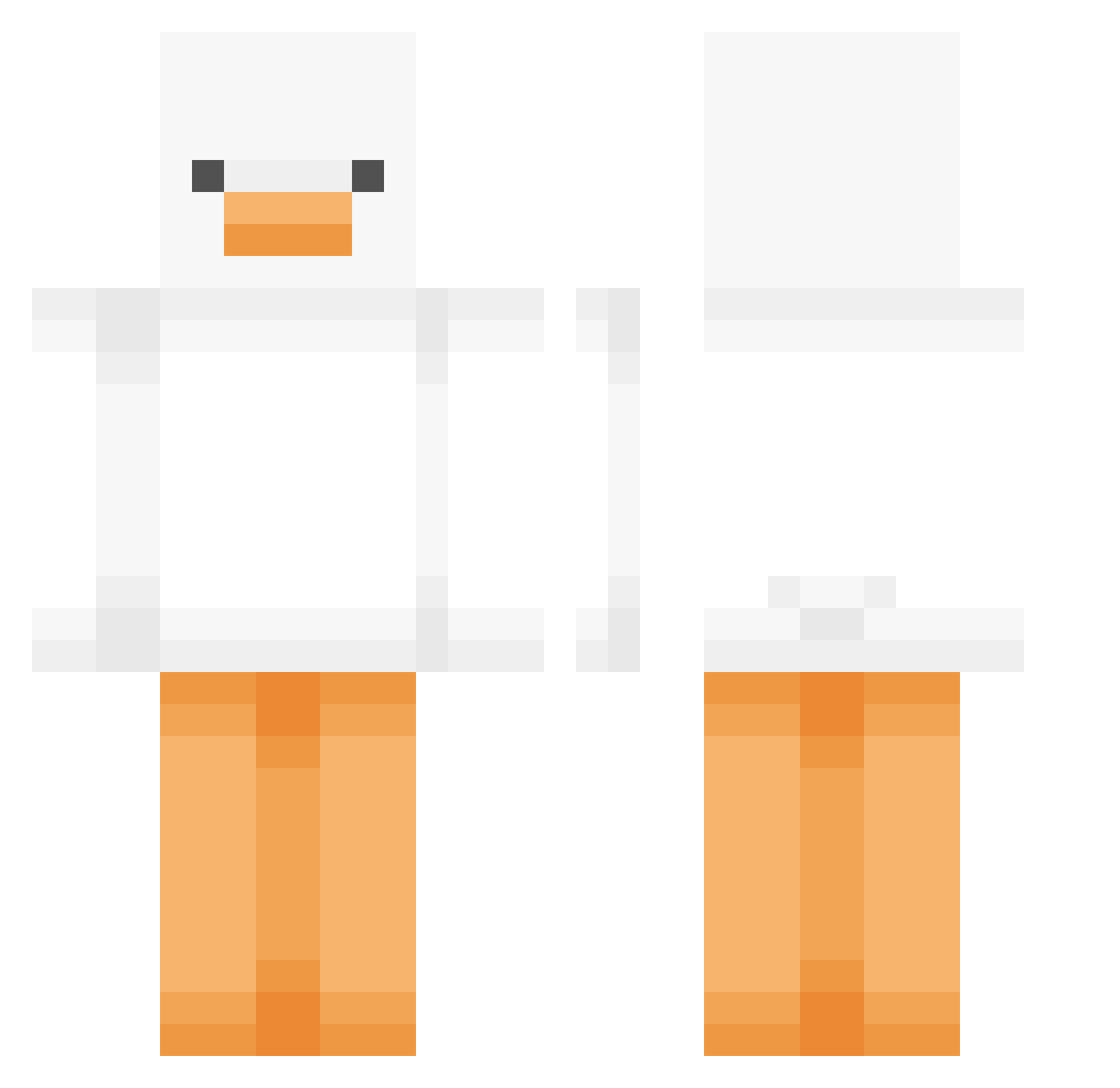
Current Minecraft skin of the player Hyunns_, loaded from the official Mojang API. Rotate the 3D model with your mouse or finger, then download the skin as a PNG file and use it in Minecraft: Bedrock Edition or Java Edition for free. When Hyunns_ changes their skin, this page updates automatically and the old skin stays in the history below.
Other players with this skin (379)
Hyunns_ was the 221st player we have seen with this skin, first spotted on 11.09.2026. The same skin was seen on these players. Open a nickname to see their current skin and skin history.
 thaimai BlueLento Organic_Potato_ ScrambledEggword Zyclop_II 048241 me_me203 Mayzhy wasan3 RTZ_COCOZZANG Rikkisixx08 Riedacher juhyeok0715 blxely KingH2 rixxcxl SelfIndulged Arixx ko0or Ns_N Wild_ollie11 Samaveda WavexDK BIG0SAUSAGE Energizer0 WanFeng66 BBY0NG__ swapspace TWENTY_ELEVEN Brinkleyyy KDW99 INIACK Entemitsenf Ymisohyped c_kids GooseSentinel Uncivilized_Game u34mutt Gheech Costco_FoodCourt dongha28 LazyMur ROKA6974 Pasha_wj letzcraft gona_an SomeRandomMonke KRMS7879 parkhanim Andree_xd generalDudi HustlinMonsta StrawberryBro HornRecord King_Woobie suwan8930 Xx_xx_pvp_YT__xx FIONACZS MC_XingMeng DarkCr0w818
More Duck Minecraft skins
How to install the Hyunns_ skin
- Press the Download button above to save the skin as a PNG file.
- Minecraft: Bedrock Edition (PE): open the Dressing Room from the main menu (or tap your character → Edit Character), go to Classic Skins → Owned, press the + (new skin) button, choose the downloaded PNG and pick the Classic (Steve) model. Works on PC and mobile; consoles cannot import custom skins.
- Minecraft: Java Edition: open the Minecraft Launcher, go to the Skins tab, click New Skin, load the PNG, pick the Classic (Steve) model and press Save & Use. You can also upload it at minecraft.net → Profile → Change Skin.
The skin does not show up after import - what should I do?
Restart Minecraft and open the Dressing Room again - imported skins sometimes appear only after a restart. Also make sure you selected the imported skin and picked the Classic (Steve) model.
Which model should I choose, Classic or Slim?
This skin is designed for the Classic (Steve) model. If you pick the wrong model, the arms of the skin will look stretched or squeezed.
Is the skin of Hyunns_ free to download?
Yes. Press Download, save the PNG file and use it in Minecraft: Bedrock Edition or Java Edition - no payment or registration needed. The skin also works on multiplayer servers and Realms.
More skins
Looking for more? Go back to all Minecraft skins and check the top skins of the week, month and all time, or find any player's skin by nickname.