
suwan8930 - Minecraft Skins & Skin History
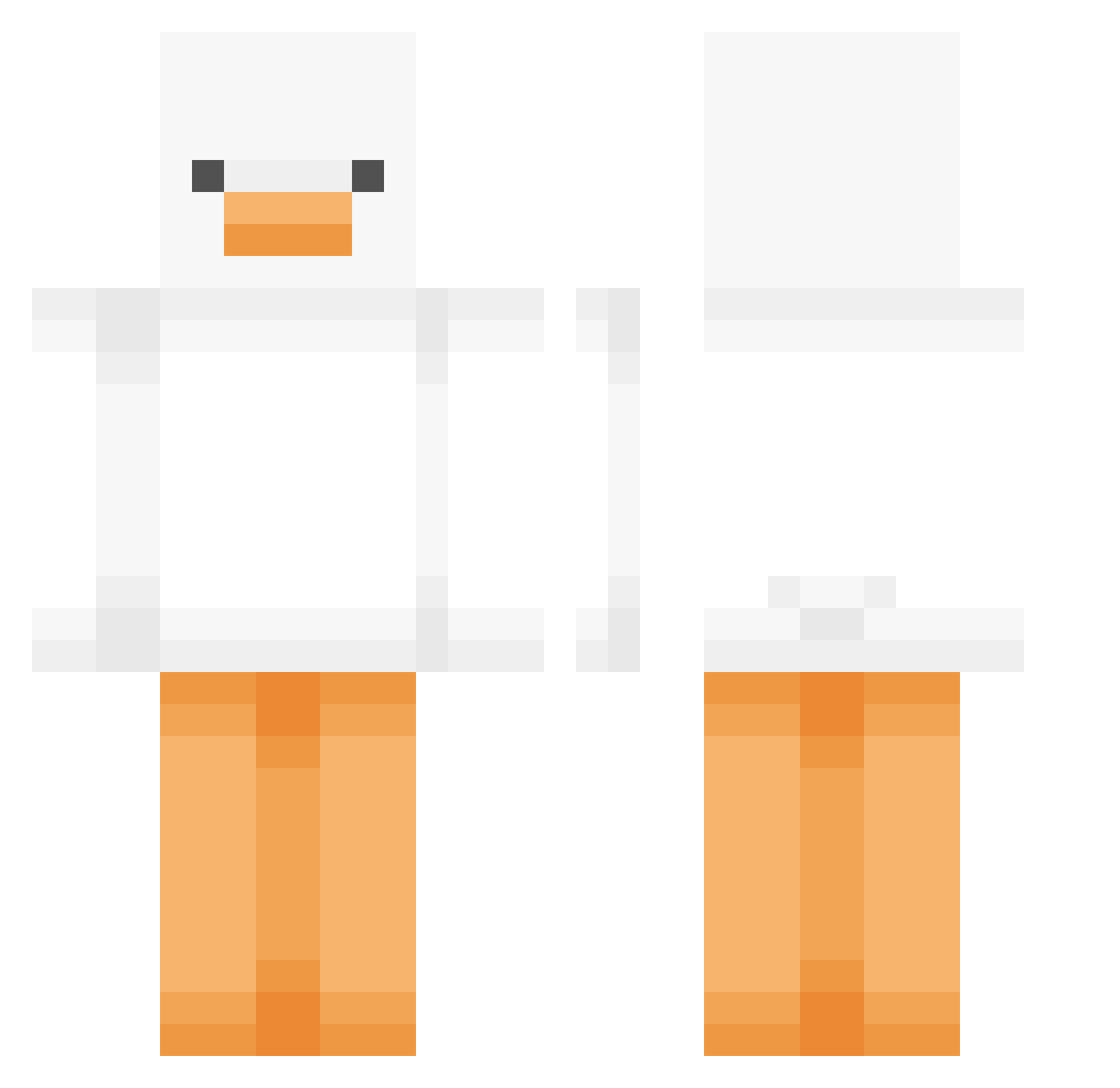
Current Minecraft skin of the player suwan8930, loaded from the official Mojang API. Rotate the 3D model with your mouse or finger, then download the skin as a PNG file and use it in Minecraft: Bedrock Edition or Java Edition for free. When suwan8930 changes their skin, this page updates automatically and the old skin stays in the history below.
Other players with this skin (449)
suwan8930 was the 192nd player we have seen with this skin, first spotted on 02.09.2026. The same skin was seen on these players. Open a nickname to see their current skin and skin history.
 MC_XingMeng King_Woobie DarkCr0w818 TK_U HustlinMonsta JinsanK generalDudi langelo_ Andree_xd parkhanim MinJunnnn KRMS7879 stoatboater SomeRandomMonke Ilikebread__ Eillet HugoTheyCallMe anseongje LazyMur WorryGoose RaWAyaz seventhn sockenboxer PlushGem BOSSM0NSTER MarinateDuck mobeewhite kasevv Costco_FoodCourt u34mutt dotoliii1 c_kids jxx_seo1219 rosalitac Ymisohyped TheMustangDevYT KDW99 Brinkleyyy ThatRando22 rizzycat23 sillygoose1906 mumalng_e Jeon_so swapspace Momothicc hayan00 BBY0NG__ NotOldFrog Energizer0 BIG0SAUSAGE ArashiChan WavexDK Ns_N Barbby ko0or Mincy286 parksein1119 Arixx SelfIndulged Yuuunnn
More Duck Minecraft skins
How to install the suwan8930 skin
- Press the Download button above to save the skin as a PNG file.
- Minecraft: Bedrock Edition (PE): open the Dressing Room from the main menu (or tap your character → Edit Character), go to Classic Skins → Owned, press the + (new skin) button, choose the downloaded PNG and pick the Classic (Steve) model. Works on PC and mobile; consoles cannot import custom skins.
- Minecraft: Java Edition: open the Minecraft Launcher, go to the Skins tab, click New Skin, load the PNG, pick the Classic (Steve) model and press Save & Use. You can also upload it at minecraft.net → Profile → Change Skin.
The skin does not show up after import - what should I do?
Restart Minecraft and open the Dressing Room again - imported skins sometimes appear only after a restart. Also make sure you selected the imported skin and picked the Classic (Steve) model.
Which model should I choose, Classic or Slim?
This skin is designed for the Classic (Steve) model. If you pick the wrong model, the arms of the skin will look stretched or squeezed.
Is the skin of suwan8930 free to download?
Yes. Press Download, save the PNG file and use it in Minecraft: Bedrock Edition or Java Edition - no payment or registration needed. The skin also works on multiplayer servers and Realms.
More skins
Looking for more? Go back to all Minecraft skins and check the top skins of the week, month and all time, or find any player's skin by nickname.