
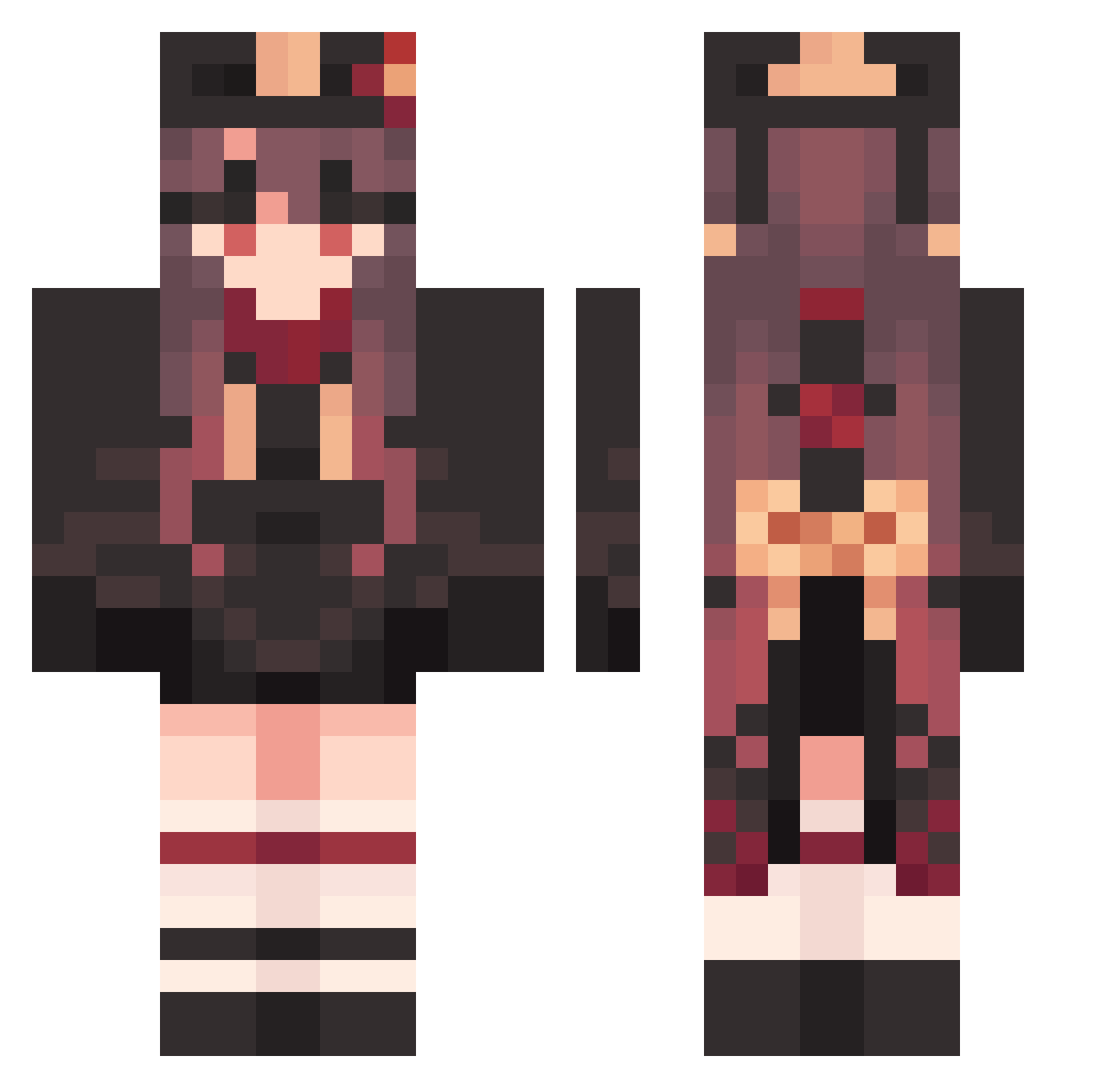
Current Minecraft skin of the player Hutao_BPQxrHM661, loaded from the official Mojang API. Rotate the 3D model with your mouse or finger, then download the skin as a PNG file and use it in Minecraft: Bedrock Edition or Java Edition for free. When Hutao_BPQxrHM661 changes their skin, this page updates automatically and the old skin stays in the history below.
Other players with this skin (1212)
Hutao_BPQxrHM661 was the 575th player we have seen with this skin, first spotted on 04.09.2026. The same skin was seen on these players. Open a nickname to see their current skin and skin history.
 Potaticx Hutao_hxDNMVn544 xMqrcel Hutao_JuYEpRJ829 SpicyCheerful899 AgreeableFree474 NicePeaceful87 Footincho Hutao_vIa726 PxndxDev DeadpanSuperb174 ProbableMany377 Tuf1s BoringPiquant966 ThirstyVersed665 Hutao_SqToyZO205 NaQ234 LittleNasty20 Hutao_IpmvJMd363 StaleJuvenile270 S1mpleGirl NaivePossible152 GiantVengeful339 h0r1z0n7367 NiftyAlluring135 MEX_Bamboo CoherentUpset859 LuxuriantMinor51 SteepImported904 kopepan3939 ShowD1_ck NaturalStingy347 HaltingGifted379 RupYeez CleanPleasant917 MadMel21 Hutao_aSeQJiy809 akiakane514 VacuousLong454 OptimalFeeble665 qefz Hutao_HrHLHvT435 Rizua01 zyaga_bato CalmGuiltless437 joxye LCK616 Taka_180 RaggedNebulous71 Hutao_DIfVoFD389 AlikeExultant600 DiligentBlack378 jerry_Edition HarshOrganic689 fkx105 AmazingGlossy773 Hutao_kCqMyYh750 EvasiveCaring957 AveragePlastic24 hirobo31
More Hu Tao Minecraft skins
How to install the Hutao_BPQxrHM661 skin
- Press the Download button above to save the skin as a PNG file.
- Minecraft: Bedrock Edition (PE): open the Dressing Room from the main menu (or tap your character → Edit Character), go to Classic Skins → Owned, press the + (new skin) button, choose the downloaded PNG and pick the Classic (Steve) model. Works on PC and mobile; consoles cannot import custom skins.
- Minecraft: Java Edition: open the Minecraft Launcher, go to the Skins tab, click New Skin, load the PNG, pick the Classic (Steve) model and press Save & Use. You can also upload it at minecraft.net → Profile → Change Skin.
The skin does not show up after import - what should I do?
Restart Minecraft and open the Dressing Room again - imported skins sometimes appear only after a restart. Also make sure you selected the imported skin and picked the Classic (Steve) model.
Which model should I choose, Classic or Slim?
This skin is designed for the Classic (Steve) model. If you pick the wrong model, the arms of the skin will look stretched or squeezed.
Is the skin of Hutao_BPQxrHM661 free to download?
Yes. Press Download, save the PNG file and use it in Minecraft: Bedrock Edition or Java Edition - no payment or registration needed. The skin also works on multiplayer servers and Realms.
More skins
Looking for more? Go back to all Minecraft skins and check the top skins of the week, month and all time, or find any player's skin by nickname.