
HappiestCloud - Minecraft Skins & Skin History
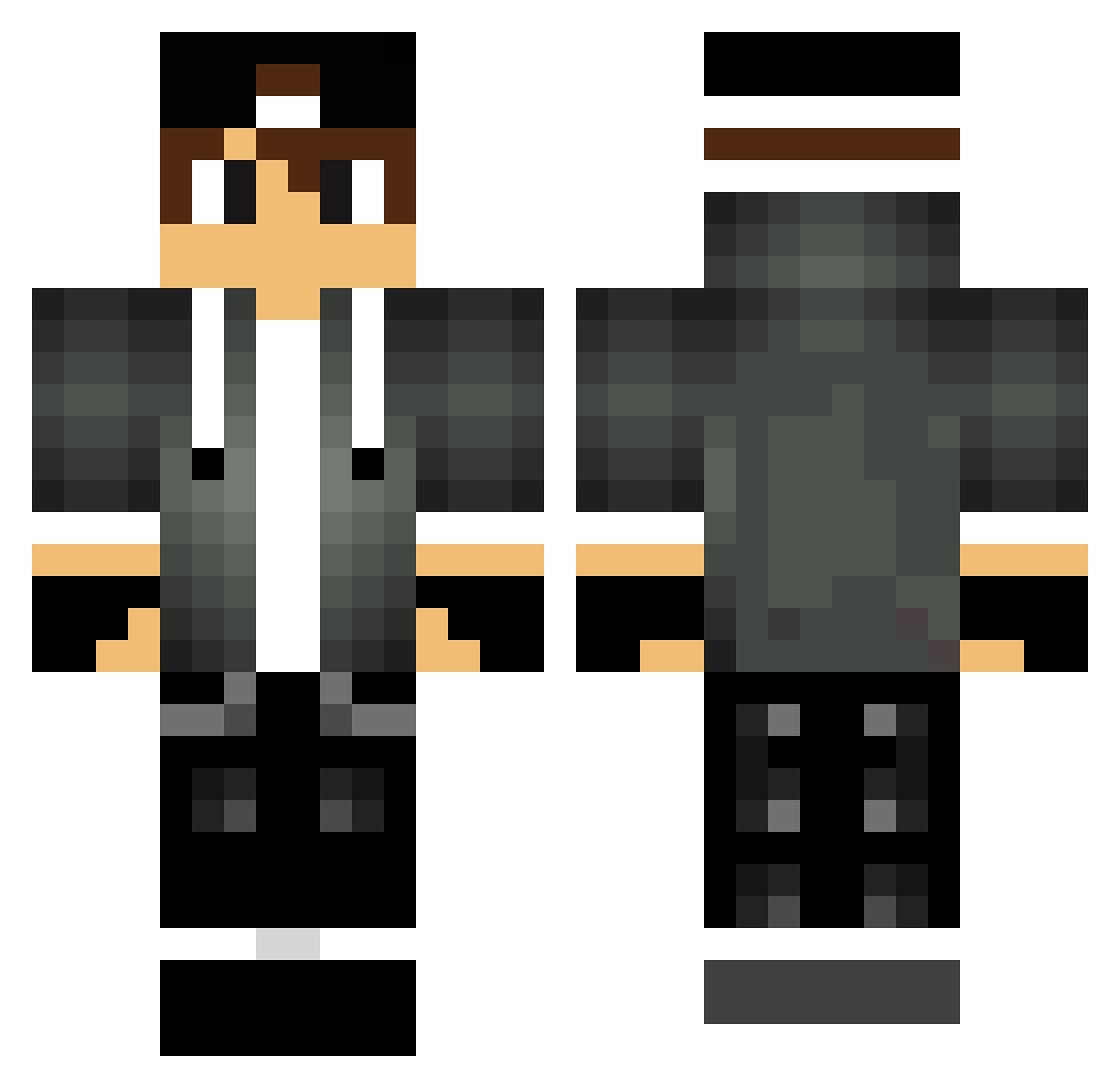
Current Minecraft skin of the player HappiestCloud, loaded from the official Mojang API. Rotate the 3D model with your mouse or finger, then download the skin as a PNG file and use it in Minecraft: Bedrock Edition or Java Edition for free. When HappiestCloud changes their skin, this page updates automatically and the old skin stays in the history below.
Other players with this skin (74)
HappiestCloud was the 33rd player we have seen with this skin, first spotted on 19.08.2026. The same skin was seen on these players. Open a nickname to see their current skin and skin history.
 D3rD3nn1s damianos2000 Peerosaurus TechyKevin MegatonMauler Mahloosk _Alee21_ ratosombrio SyloxV2 Danne_on Wiro93 sniper45yt nest_17 Clarkel
 Torrez3 BROTPLAY CrustyHuH Psy_Tex dudbr RunningFree65 gamefox69 AlaskaFina DeadTuberGaming _GoldenDrone_ Kyriakou13 HeartsNColors Bargomar Borges1201 TripX_ Bidon2571 SkilYaz Boleckman Samuel016 MicaiPs cooldude24612 Xerpentics gravl DrowsierClock EnbozLoveYou ney1474 Stoszek dawsensej filipy123 Mattiixs Orfi1223 Paulohe kastancze ZERO_ML TelirPL Benny_Boy13 FelipeArdilaa loghet sotoKK Shewbeh GreyKibbles1095 ThepouleduZzz middelkamp_ YohannMq Falwack Kcrash85
More Cap Minecraft skins
How to install the HappiestCloud skin
- Press the Download button above to save the skin as a PNG file.
- Minecraft: Bedrock Edition (PE): open the Dressing Room from the main menu (or tap your character → Edit Character), go to Classic Skins → Owned, press the + (new skin) button, choose the downloaded PNG and pick the Classic (Steve) model. Works on PC and mobile; consoles cannot import custom skins.
- Minecraft: Java Edition: open the Minecraft Launcher, go to the Skins tab, click New Skin, load the PNG, pick the Classic (Steve) model and press Save & Use. You can also upload it at minecraft.net → Profile → Change Skin.
The skin does not show up after import - what should I do?
Restart Minecraft and open the Dressing Room again - imported skins sometimes appear only after a restart. Also make sure you selected the imported skin and picked the Classic (Steve) model.
Which model should I choose, Classic or Slim?
This skin is designed for the Classic (Steve) model. If you pick the wrong model, the arms of the skin will look stretched or squeezed.
Is the skin of HappiestCloud free to download?
Yes. Press Download, save the PNG file and use it in Minecraft: Bedrock Edition or Java Edition - no payment or registration needed. The skin also works on multiplayer servers and Realms.
More skins
Looking for more? Go back to all Minecraft skins and check the top skins of the week, month and all time, or find any player's skin by nickname.