
 mrrizeli vanukas22 JJ_Casper YaroslaKa Dark_land OpsSouls1 matvey2009rus LolloPollo9 Perl128 Venicco Swedish_boy02 Crowty_ GZnicecrawler _TyZen_ RTomi123 Ulio3545 Abbyrain1 caraTomm pooperboy AntiPhoenix Der_Besieger_Jr Sagala IzaaEdits Man_Ha NagelYT adr_jze DarkVAC Alan5671 keeperzinho Saedzskm matheusvenom2k ConvictMCFlop Witstylez PRARABDHA Baloj Mateyus RNGMR larslp19 Rxbs majaakPL YT_LoucuraGames hendri214 Dankman553 Bennypir wugui_ER6A0_0117 b2k00 Darkzes_ HynekHoubini XxFirstLovexX andremoreira998 TheLaz rocha_00 Thiago9550 dtzwiggly Osomatsu9x Noclipzz PaulusB speedway1234 cabrac57 Pataugeoire
Minecraft skin of uailucao. Rotate the 3D model with your mouse or finger to view the skin from every angle, then download it as a PNG file and use it in Minecraft: Bedrock Edition or Java Edition for free. Rate the skin with stars to help other players find the best skins in our collection.
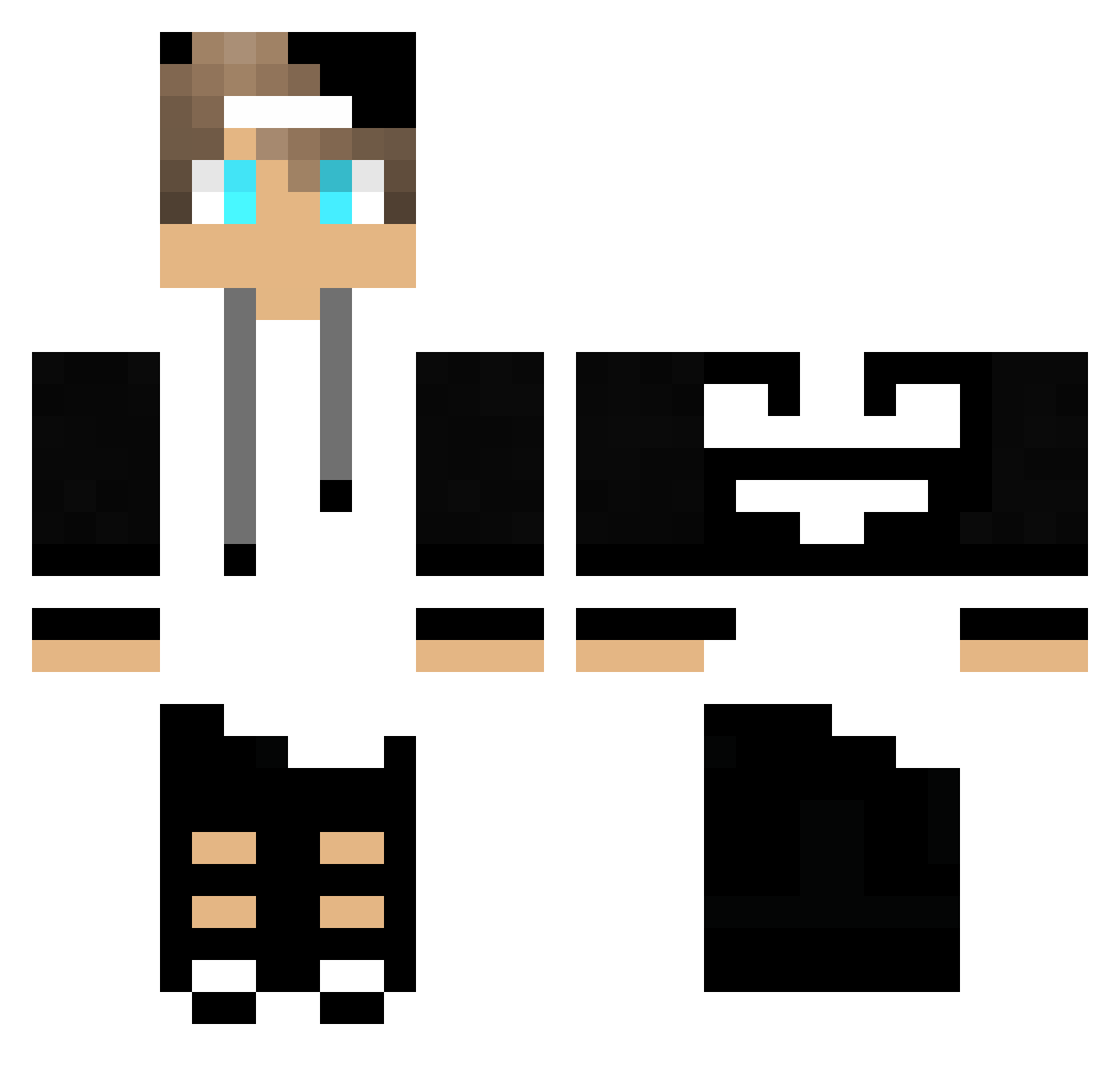
How to install the uailucao skin
- Press the Download button above to save the skin as a PNG file.
- Minecraft: Bedrock Edition (PE): open the Dressing Room from the main menu (or tap your character → Edit Character), go to Classic Skins → Owned, press the + (new skin) button, choose the downloaded PNG and pick the Classic (Steve) model. Works on PC and mobile; consoles cannot import custom skins.
- Minecraft: Java Edition: open the Minecraft Launcher, go to the Skins tab, click New Skin, load the PNG, pick the Classic (Steve) model and press Save & Use. You can also upload it at minecraft.net → Profile → Change Skin.
The skin does not show up after import - what should I do?
Restart Minecraft and open the Dressing Room again - imported skins sometimes appear only after a restart. Also make sure you selected the imported skin and picked the Classic (Steve) model.
Which model should I choose, Classic or Slim?
This skin is designed for the Classic (Steve) model. If you pick the wrong model, the arms of the skin will look stretched or squeezed.
Is this skin free to use?
Yes. Press Download, save the PNG file and use it in Minecraft: Bedrock Edition or Java Edition - no payment or registration needed. The skin also works on multiplayer servers and Realms.
More Cap Minecraft skins
More skins
Looking for more? Go back to all Minecraft skins and check the top skins of the week, month and all time, or find any player's skin by nickname.