
 XxzacxX Sk1ck_ TTC0620 adpressedbambi ItsKrogan royaliste96 melliflousen xSaladass Schalkeee04 YeeetFps AlD3niz zEnderGuy vatee7 Primson_ HsiangQAQ KaprosHH Haifisch222 MOSTWANTEDv900 xaojin _IloveChina_ Lotem2014 Vichoide Coop__12 Ali_Haydar_Polat Hiuzi_ pAl0z kralbenim31 WeiShao0211 GuoLaner loucas1234 JayNoiser WillyPotter nuclaer123 halmega En1mood_Case wadel131 Illusionstyx_ ivxc097 i_not_burak WOLNAN Xiaoyu10_08 Envixity911 Game_Offline choi4864 JackTheSmoker Poipole benjirodo _Moo_095 dreeugaaay Niisa_Tv TickleKripple Mabladel R1ckytan NoSympathy Y4S1NYT Jordan2048 NAHEEMAK2 mottaaan chani0206 ElDobleP
Minecraft skin of CosmicRaze. Rotate the 3D model with your mouse or finger to view the skin from every angle, then download it as a PNG file and use it in Minecraft: Bedrock Edition or Java Edition for free. Rate the skin with stars to help other players find the best skins in our collection.
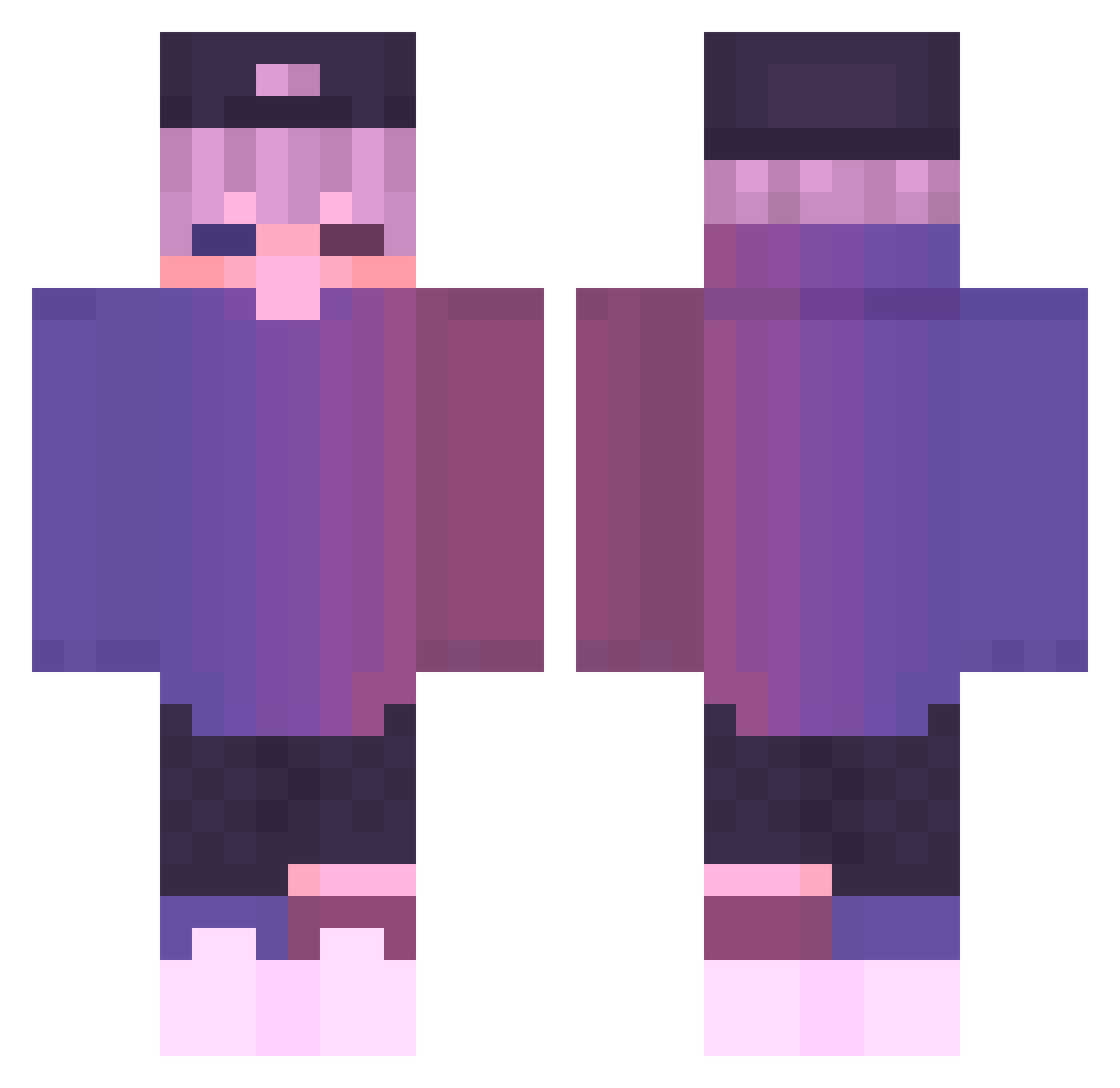
How to install the CosmicRaze skin
- Press the Download button above to save the skin as a PNG file.
- Minecraft: Bedrock Edition (PE): open the Dressing Room from the main menu (or tap your character → Edit Character), go to Classic Skins → Owned, press the + (new skin) button, choose the downloaded PNG and pick the Classic (Steve) model. Works on PC and mobile; consoles cannot import custom skins.
- Minecraft: Java Edition: open the Minecraft Launcher, go to the Skins tab, click New Skin, load the PNG, pick the Classic (Steve) model and press Save & Use. You can also upload it at minecraft.net → Profile → Change Skin.
The skin does not show up after import - what should I do?
Restart Minecraft and open the Dressing Room again - imported skins sometimes appear only after a restart. Also make sure you selected the imported skin and picked the Classic (Steve) model.
Which model should I choose, Classic or Slim?
This skin is designed for the Classic (Steve) model. If you pick the wrong model, the arms of the skin will look stretched or squeezed.
Is this skin free to use?
Yes. Press Download, save the PNG file and use it in Minecraft: Bedrock Edition or Java Edition - no payment or registration needed. The skin also works on multiplayer servers and Realms.
More Cap Minecraft skins
More skins
Looking for more? Go back to all Minecraft skins and check the top skins of the week, month and all time, or find any player's skin by nickname.