
HIPP0O0 - Minecraft Skins & Skin History
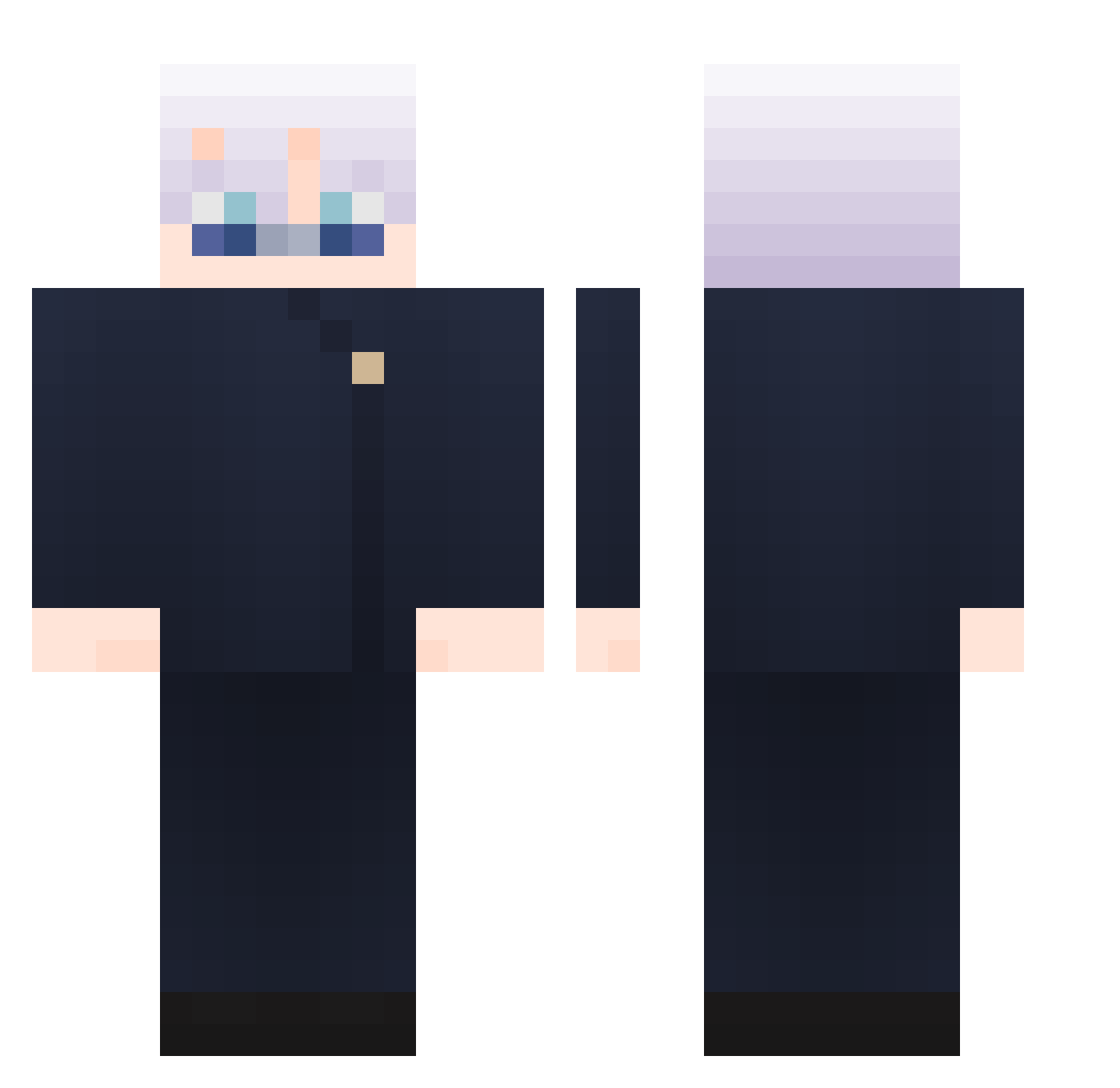
Current Minecraft skin of the player HIPP0O0, loaded from the official Mojang API. Rotate the 3D model with your mouse or finger, then download the skin as a PNG file and use it in Minecraft: Bedrock Edition or Java Edition for free. When HIPP0O0 changes their skin, this page updates automatically and the old skin stays in the history below.
Other players with this skin (1028)
HIPP0O0 was the 738th player we have seen with this skin, first spotted on 12.10.2026. The same skin was seen on these players. Open a nickname to see their current skin and skin history.
 Rlarjsgml1 MangoLyn_ _Shuta_ Voyyboy RYUVIS SqwDilan ssiiuuuu RUFOS1 dahzjs JapSx Akaisumi sora_523 JOGEBYEE nike050209 fujuuu S1moph n0car3 bobiko22 coolwind2023 Get2ee KochiNeuenmuller Bihly 539efe8b48d06d43 duhfack adriicastl Tomcat5000 zbzdsa MickaelOE LEEeeso Mooksfa B1axk J4vieer saiki014 baby_angel0319 Kongkkong firesorra Silbaa Mee_fu BrBrBen DeMarkus120 ChezyDizzy Shan333333333 CrazyCAT245 AE86629 QinZi2468 degabs DemondMatt Hikmetcim Lil_xx yungzerox Brakelight QuadroPants AggMango haoguia NotKuroki1 LennyG03 Chua11 victorxd1515 Damien_0416 Godco
More Satoru Gojo Minecraft skins
See all 1360 Satoru Gojo skins
How to install the HIPP0O0 skin
- Press the Download button above to save the skin as a PNG file.
- Minecraft: Bedrock Edition (PE): open the Dressing Room from the main menu (or tap your character → Edit Character), go to Classic Skins → Owned, press the + (new skin) button, choose the downloaded PNG and pick the Classic (Steve) model. Works on PC and mobile; consoles cannot import custom skins.
- Minecraft: Java Edition: open the Minecraft Launcher, go to the Skins tab, click New Skin, load the PNG, pick the Classic (Steve) model and press Save & Use. You can also upload it at minecraft.net → Profile → Change Skin.
The skin does not show up after import - what should I do?
Restart Minecraft and open the Dressing Room again - imported skins sometimes appear only after a restart. Also make sure you selected the imported skin and picked the Classic (Steve) model.
Which model should I choose, Classic or Slim?
This skin is designed for the Classic (Steve) model. If you pick the wrong model, the arms of the skin will look stretched or squeezed.
Is the skin of HIPP0O0 free to download?
Yes. Press Download, save the PNG file and use it in Minecraft: Bedrock Edition or Java Edition - no payment or registration needed. The skin also works on multiplayer servers and Realms.
More skins
Looking for more? Go back to all Minecraft skins and check the top skins of the week, month and all time, or find any player's skin by nickname.