
H0llowH6ncho - Minecraft Skins & Skin History
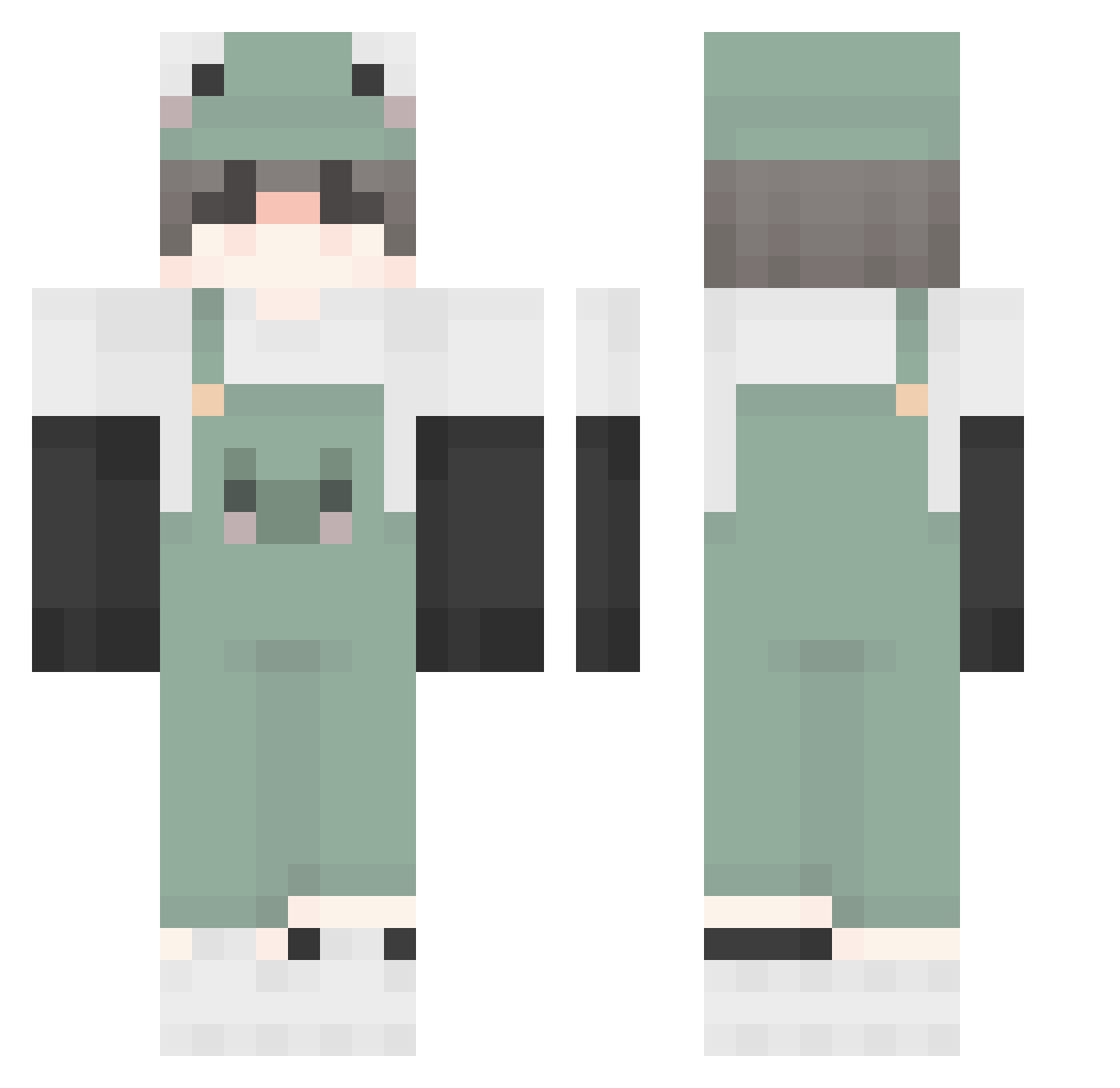
Current Minecraft skin of the player H0llowH6ncho, loaded from the official Mojang API. Rotate the 3D model with your mouse or finger, then download the skin as a PNG file and use it in Minecraft: Bedrock Edition or Java Edition for free. When H0llowH6ncho changes their skin, this page updates automatically and the old skin stays in the history below.
Other players with this skin (390)
H0llowH6ncho was the 110th player we have seen with this skin, first spotted on 20.08.2026. The same skin was seen on these players. Open a nickname to see their current skin and skin history.
 ithurt18 chosunje Zhdashing hommelunite NoLegsBunny Froggy_15522 FallSakura XXXHadesxx that_extra pedrohss114 Stylosofios SylarGabriel yrtt_t Rhennyl xcocoxxa rang2494 xixlmaoo W4LDENX 7amza_homse Yukin_ Lorain9 TheReal_Frog VeJoy Tetramosse Jetowo Skeletalk23 java1422 asdd1 beehuy rybamichal666666 NANATO4649 Cyra98 0_Froggy_0 AlvaW defreign soof__084 KeroKenma mountaindew4food pogga21 reve1121 XenoLP JustBDA Sidor3k THEBEST2112 Son_of_Apollo what2093482 kimgaru00 xxCherry_Cat CPsyduck trashjohnson willian131211 golden_smile Froggyboyxx rotuss10 ItzAnael Nissy997 outling loadingo01 SnMars monworld
More Frog Minecraft skins
How to install the H0llowH6ncho skin
- Press the Download button above to save the skin as a PNG file.
- Minecraft: Bedrock Edition (PE): open the Dressing Room from the main menu (or tap your character → Edit Character), go to Classic Skins → Owned, press the + (new skin) button, choose the downloaded PNG and pick the Classic (Steve) model. Works on PC and mobile; consoles cannot import custom skins.
- Minecraft: Java Edition: open the Minecraft Launcher, go to the Skins tab, click New Skin, load the PNG, pick the Classic (Steve) model and press Save & Use. You can also upload it at minecraft.net → Profile → Change Skin.
The skin does not show up after import - what should I do?
Restart Minecraft and open the Dressing Room again - imported skins sometimes appear only after a restart. Also make sure you selected the imported skin and picked the Classic (Steve) model.
Which model should I choose, Classic or Slim?
This skin is designed for the Classic (Steve) model. If you pick the wrong model, the arms of the skin will look stretched or squeezed.
Is the skin of H0llowH6ncho free to download?
Yes. Press Download, save the PNG file and use it in Minecraft: Bedrock Edition or Java Edition - no payment or registration needed. The skin also works on multiplayer servers and Realms.
More skins
Looking for more? Go back to all Minecraft skins and check the top skins of the week, month and all time, or find any player's skin by nickname.