
 Minel__ Yang1104 qp_s sh1dza Dedaveatron novel_bug PandaFight3r WHYCHEATMAN Anld cableservice N_ormalUser portemito test_1337 Toksae puszek2023 GPoro Teleles reasonates NGH0111 X_Rana kyoko20206 DatCarrotBoi DannyLikeRice CybeSlade Zigilou Pohzz_ PabloDelNorte castleeee aDaaniii Leon_rl rlagusals1226 kangsan0814 613613 liaoniaoxx Jeboide ywae Sapase Toastfy yellowflower_xgp Blackksh Heiterz AlPatonet cmnq Craiiz xdxdxda1 MineSchob Emehh Lei_LeMon Tamikoko riple4126 TheMerk_ xiaoxiaoli_ Winter_Candy H_yeoney OvO05 HwaN0328 PandaPC1 IXGraystone Amongus7476 park0808
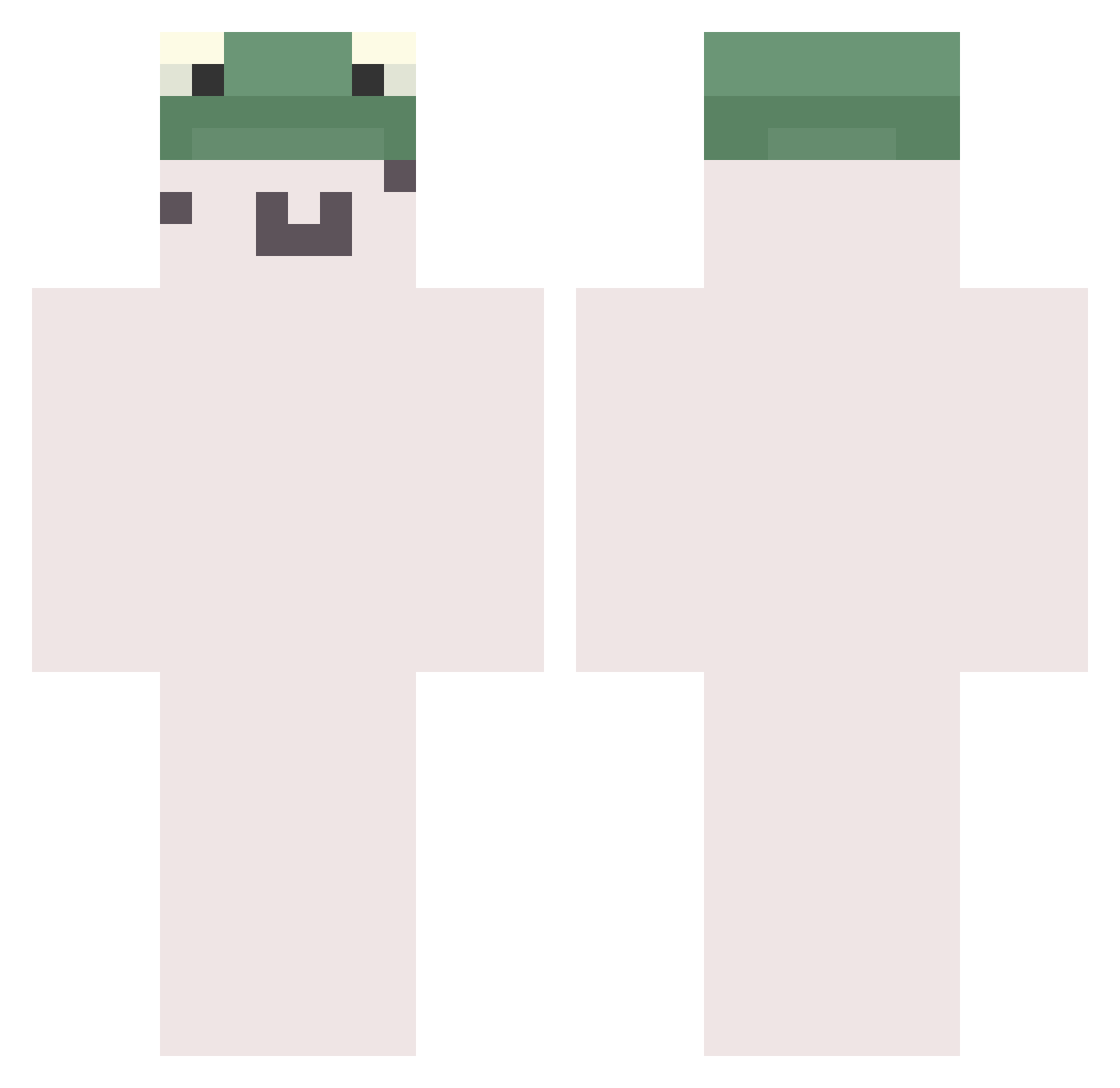
Minecraft skin of Dorucha. Rotate the 3D model with your mouse or finger to view the skin from every angle, then download it as a PNG file and use it in Minecraft: Bedrock Edition or Java Edition for free. Rate the skin with stars to help other players find the best skins in our collection.
How to install the Dorucha skin
- Press the Download button above to save the skin as a PNG file.
- Minecraft: Bedrock Edition (PE): open the Dressing Room from the main menu (or tap your character → Edit Character), go to Classic Skins → Owned, press the + (new skin) button, choose the downloaded PNG and pick the Classic (Steve) model. Works on PC and mobile; consoles cannot import custom skins.
- Minecraft: Java Edition: open the Minecraft Launcher, go to the Skins tab, click New Skin, load the PNG, pick the Classic (Steve) model and press Save & Use. You can also upload it at minecraft.net → Profile → Change Skin.
The skin does not show up after import - what should I do?
Restart Minecraft and open the Dressing Room again - imported skins sometimes appear only after a restart. Also make sure you selected the imported skin and picked the Classic (Steve) model.
Which model should I choose, Classic or Slim?
This skin is designed for the Classic (Steve) model. If you pick the wrong model, the arms of the skin will look stretched or squeezed.
Is this skin free to use?
Yes. Press Download, save the PNG file and use it in Minecraft: Bedrock Edition or Java Edition - no payment or registration needed. The skin also works on multiplayer servers and Realms.
More Kermit The Frog Minecraft skins
See all 436 Kermit The Frog skins
More skins
Looking for more? Go back to all Minecraft skins and check the top skins of the week, month and all time, or find any player's skin by nickname.