
Goodeveningg - Minecraft Skins & Skin History
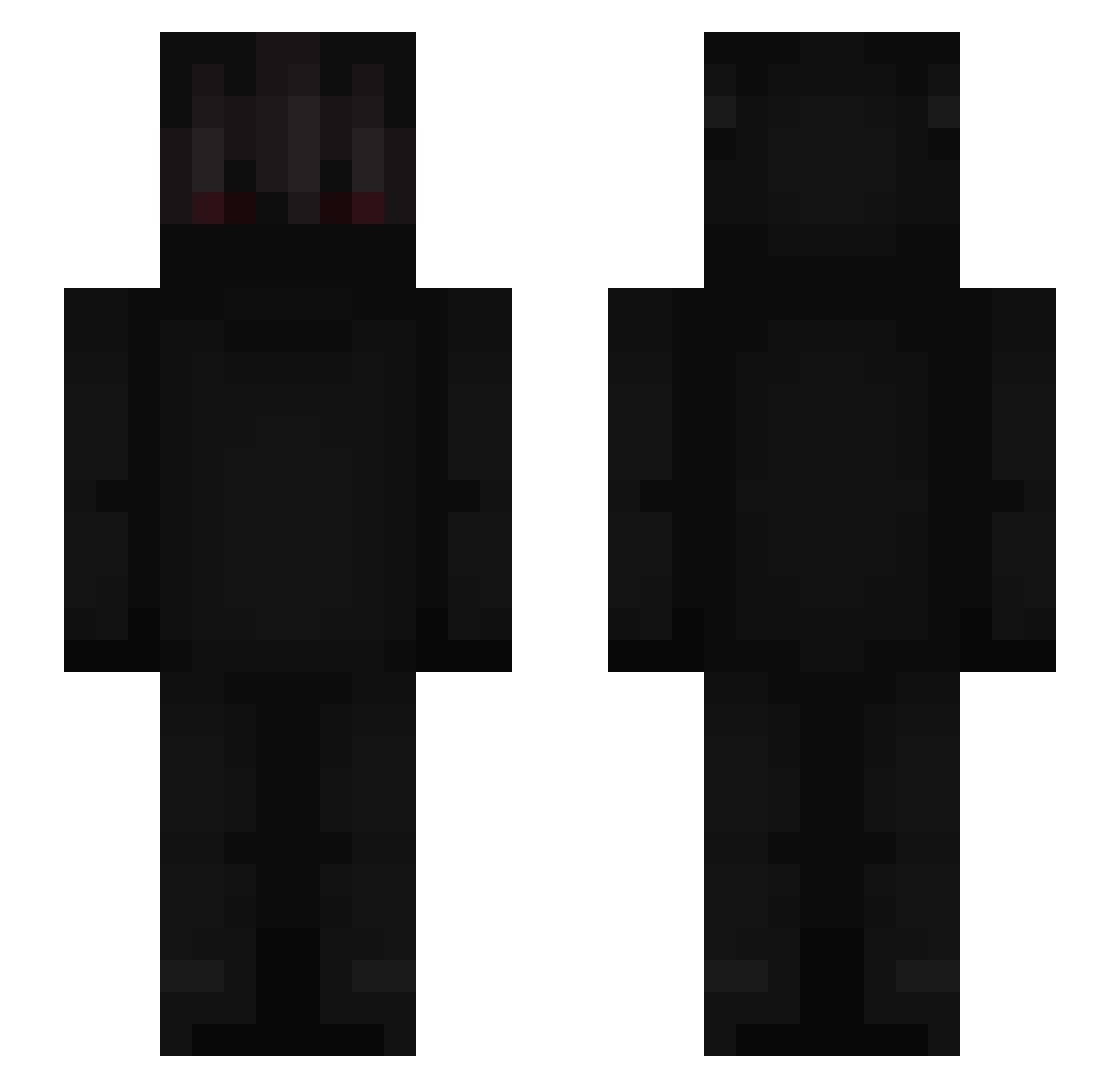
Current Minecraft skin of the player Goodeveningg, loaded from the official Mojang API. Rotate the 3D model with your mouse or finger, then download the skin as a PNG file and use it in Minecraft: Bedrock Edition or Java Edition for free. When Goodeveningg changes their skin, this page updates automatically and the old skin stays in the history below.
Other players with this skin (667)
Goodeveningg was the 116th player we have seen with this skin, first spotted on 13.08.2026. The same skin was seen on these players. Open a nickname to see their current skin and skin history.
 Juttiin
 Ab3l_PvP BigF00t18 Drenkyx ghebra nonggeno Papa_SmurF237 ConeKxion Sikania HiroHaunted 53tk Borisnerf17 Rarzac Operativnik444 Denis47s Trippiinn S2imle100kill TeamNegan Ling_Ling0705 limosno_Ttv Natxx1805 Ruan_13 Xarnage
 dmnk041 3oL1v 3lloyMalhicel gazzaLP ColtPvPz
 shunkofr Baby_Fisch
 Jeffey_Epstein RedHill24 trvcs maSiiQ
 ZenIt_Ace proxyking DuleQQ SlayRay T0bb3R Gugduf BlazingBeast1063 DariusSix DevMind Ghebra99 caosWT Odizek gdsks constructive ulisch UnLecitBurak ghosthunter_69 Kralyx
 MartiniEats gazan HATLAR2 Vlexzin s3lve GxSwervo Roxxo77 WhiteZinN
More Shadow Minecraft skins
How to install the Goodeveningg skin
- Press the Download button above to save the skin as a PNG file.
- Minecraft: Bedrock Edition (PE): open the Dressing Room from the main menu (or tap your character → Edit Character), go to Classic Skins → Owned, press the + (new skin) button, choose the downloaded PNG and pick the Slim (Alex) model. Works on PC and mobile; consoles cannot import custom skins.
- Minecraft: Java Edition: open the Minecraft Launcher, go to the Skins tab, click New Skin, load the PNG, pick the Slim (Alex) model and press Save & Use. You can also upload it at minecraft.net → Profile → Change Skin.
The skin does not show up after import - what should I do?
Restart Minecraft and open the Dressing Room again - imported skins sometimes appear only after a restart. Also make sure you selected the imported skin and picked the Slim (Alex) model.
Which model should I choose, Classic or Slim?
This skin is designed for the Slim (Alex) model. If you pick the wrong model, the arms of the skin will look stretched or squeezed.
Is the skin of Goodeveningg free to download?
Yes. Press Download, save the PNG file and use it in Minecraft: Bedrock Edition or Java Edition - no payment or registration needed. The skin also works on multiplayer servers and Realms.
More skins
Looking for more? Go back to all Minecraft skins and check the top skins of the week, month and all time, or find any player's skin by nickname.