
GhostlyBlookster - Minecraft Skins & Skin History
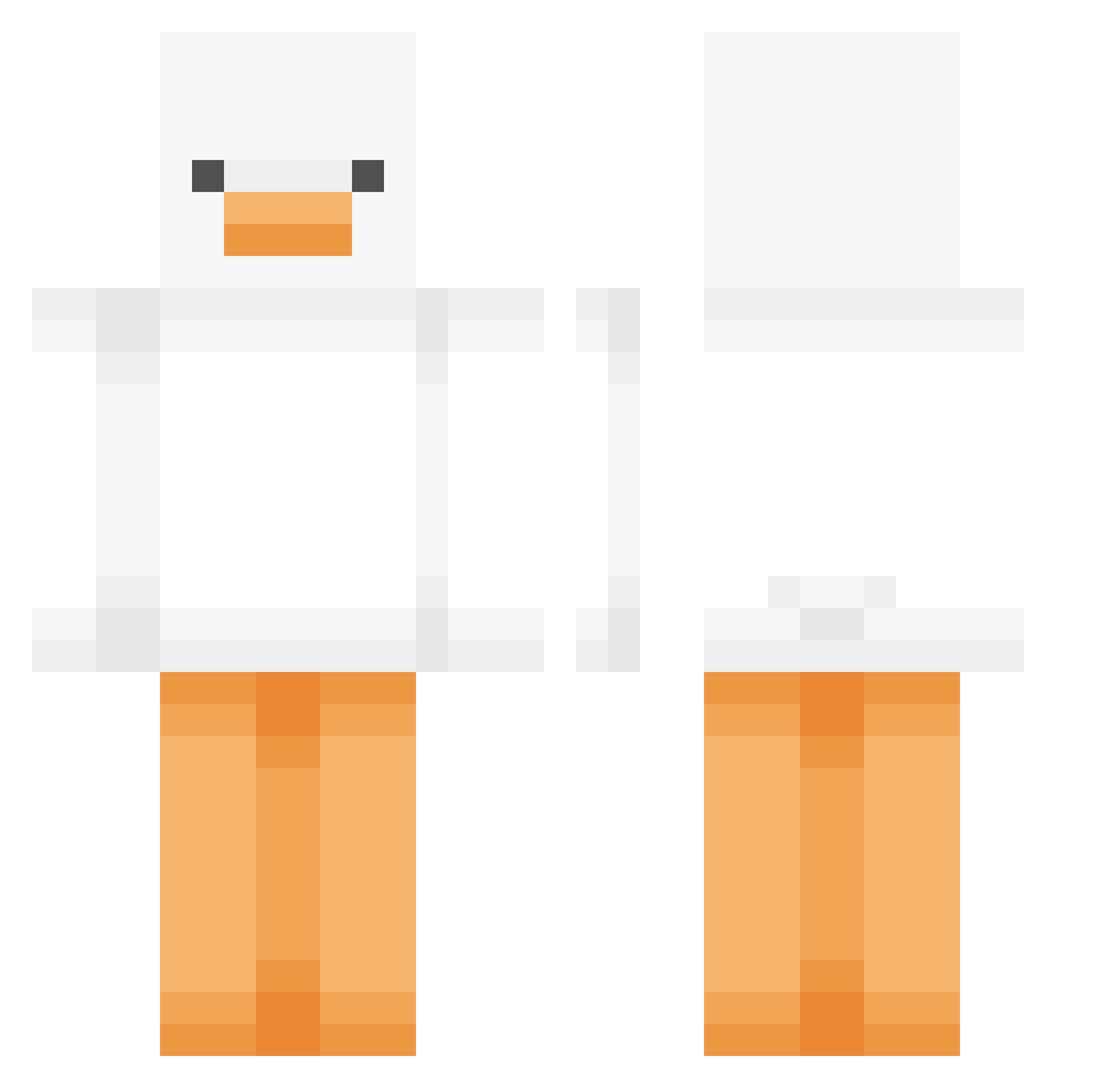
Current Minecraft skin of the player GhostlyBlookster, loaded from the official Mojang API. Rotate the 3D model with your mouse or finger, then download the skin as a PNG file and use it in Minecraft: Bedrock Edition or Java Edition for free. When GhostlyBlookster changes their skin, this page updates automatically and the old skin stays in the history below.
Other players with this skin (543)
GhostlyBlookster was the 459th player we have seen with this skin, first spotted on 28.10.2026. The same skin was seen on these players. Open a nickname to see their current skin and skin history.
 salmosalar999 yyoungha female_husband rlaehqnd Abingo0912 SpaceCadet0702 UnrealUnearthly queuepeed jjh080324 seeestir KGnav Hyun_0405 kindmonkey PacifiqSound3003 OchaUni XenonMew kiiraduse isasmell69 jiavawo YLYLCC peachpitfrog gunpur guchan0525 B1GDINOSAUR smelinda2 taylzr Kr1yy k4so_dayo NANAMIN4358 juhaeng jeongjun1124 HJHJDA uniko8282 Catasphoristic IAMLANEIGE MoisesMata junefoundme chaeun22 ElMaxe BlackFire_26 WetCrust i_iherr HURTm4 Rocketr00 uUuhiph YSB0423 croomdoom WindowPlants MistaHonk doyuuni pearlxie EmBaNaKaK Jobsdone_ Ellawaite Lenionun babygrogurt YunZhan swim_min Ix_szn sentnce
More Duck Minecraft skins
How to install the GhostlyBlookster skin
- Press the Download button above to save the skin as a PNG file.
- Minecraft: Bedrock Edition (PE): open the Dressing Room from the main menu (or tap your character → Edit Character), go to Classic Skins → Owned, press the + (new skin) button, choose the downloaded PNG and pick the Classic (Steve) model. Works on PC and mobile; consoles cannot import custom skins.
- Minecraft: Java Edition: open the Minecraft Launcher, go to the Skins tab, click New Skin, load the PNG, pick the Classic (Steve) model and press Save & Use. You can also upload it at minecraft.net → Profile → Change Skin.
The skin does not show up after import - what should I do?
Restart Minecraft and open the Dressing Room again - imported skins sometimes appear only after a restart. Also make sure you selected the imported skin and picked the Classic (Steve) model.
Which model should I choose, Classic or Slim?
This skin is designed for the Classic (Steve) model. If you pick the wrong model, the arms of the skin will look stretched or squeezed.
Is the skin of GhostlyBlookster free to download?
Yes. Press Download, save the PNG file and use it in Minecraft: Bedrock Edition or Java Edition - no payment or registration needed. The skin also works on multiplayer servers and Realms.
More skins
Looking for more? Go back to all Minecraft skins and check the top skins of the week, month and all time, or find any player's skin by nickname.