
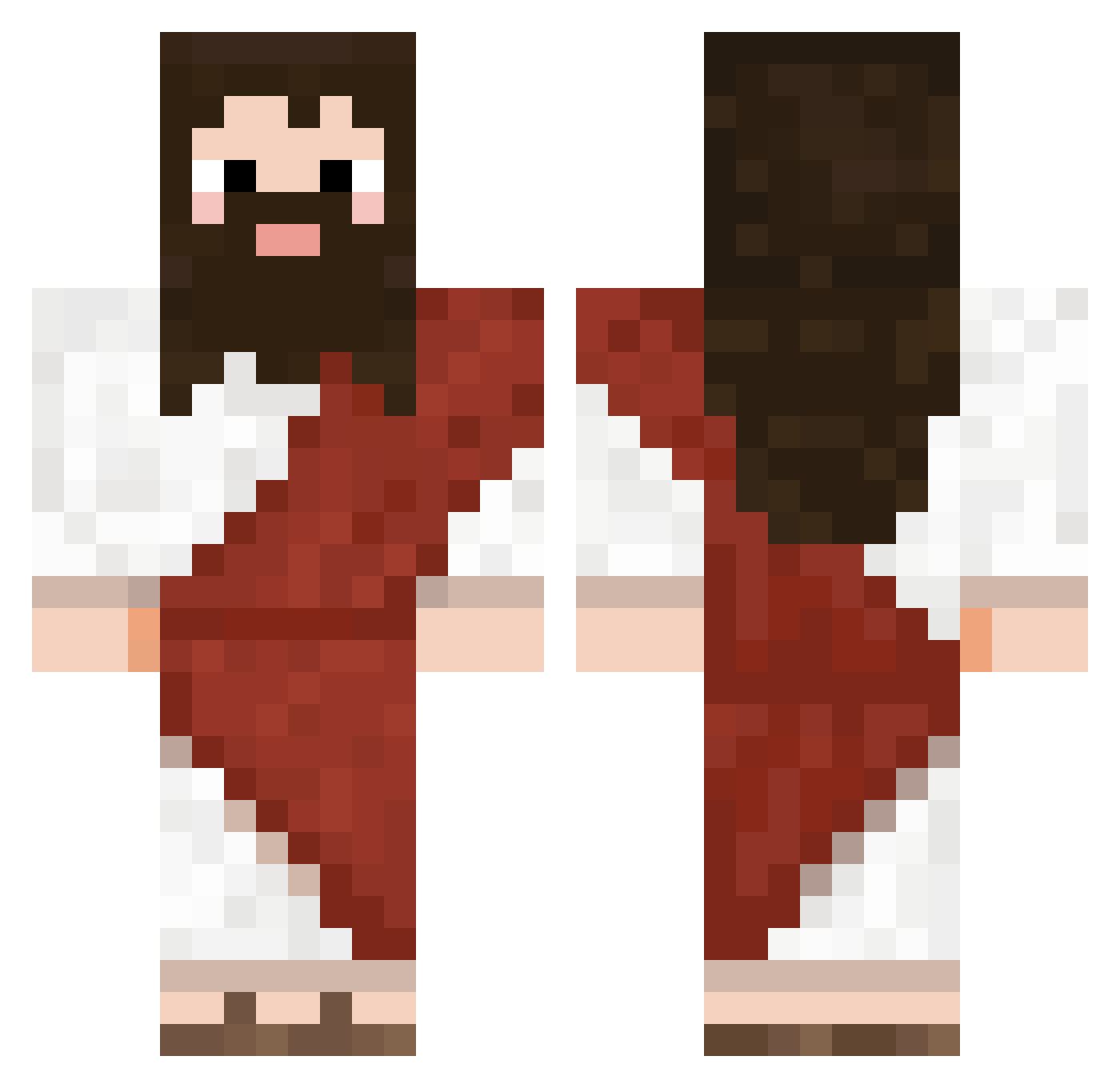
Current Minecraft skin of the player GattoMago, loaded from the official Mojang API. Rotate the 3D model with your mouse or finger, then download the skin as a PNG file and use it in Minecraft: Bedrock Edition or Java Edition for free. When GattoMago changes their skin, this page updates automatically and the old skin stays in the history below.
Other players with this skin (565)
GattoMago was the 198th player we have seen with this skin, first spotted on 22.08.2026. The same skin was seen on these players. Open a nickname to see their current skin and skin history.
 Traxterx COCOCRAFT666 eix100 tkarshi Biel_Gaymer abdallaxkiller88 Noobalott Sonjar Chaos_Azrael edo322 Gabilonef7 Ruylow Bastifari SteboBoss FSDFSDSF ayooBrzy JosDruiventros SteezusHChrist meltedice1101 DispariAndParo fatbilly34 Kenny_kappa HanMMY Souleater204 Slawarth NavyMallard diq350 Petoria Piska_sensei kamikazenico MadsAndersen911 _WET_RACC00N_ chileansisi BuSHmAn_88 Shuto76 x0Nando RaboTheGoat Sussy_Baka69_ BigDope Zinfin1 Kaedev nohlan9571
 dj754 pandol975 JosiahTheOnly kevin20071109 BillDClinton Windx97 Shizarino0 paluszkirybne Zauzyy brittaminecraft kazek1ng
 MissXed Kytje_100
 Enceledus Quidax DontbeConfused ReelGloblin WAvyTeX
More Biblical Minecraft skins
How to install the GattoMago skin
- Press the Download button above to save the skin as a PNG file.
- Minecraft: Bedrock Edition (PE): open the Dressing Room from the main menu (or tap your character → Edit Character), go to Classic Skins → Owned, press the + (new skin) button, choose the downloaded PNG and pick the Classic (Steve) model. Works on PC and mobile; consoles cannot import custom skins.
- Minecraft: Java Edition: open the Minecraft Launcher, go to the Skins tab, click New Skin, load the PNG, pick the Classic (Steve) model and press Save & Use. You can also upload it at minecraft.net → Profile → Change Skin.
The skin does not show up after import - what should I do?
Restart Minecraft and open the Dressing Room again - imported skins sometimes appear only after a restart. Also make sure you selected the imported skin and picked the Classic (Steve) model.
Which model should I choose, Classic or Slim?
This skin is designed for the Classic (Steve) model. If you pick the wrong model, the arms of the skin will look stretched or squeezed.
Is the skin of GattoMago free to download?
Yes. Press Download, save the PNG file and use it in Minecraft: Bedrock Edition or Java Edition - no payment or registration needed. The skin also works on multiplayer servers and Realms.
More skins
Looking for more? Go back to all Minecraft skins and check the top skins of the week, month and all time, or find any player's skin by nickname.