
GamerDemon666 - Minecraft Skins & Skin History
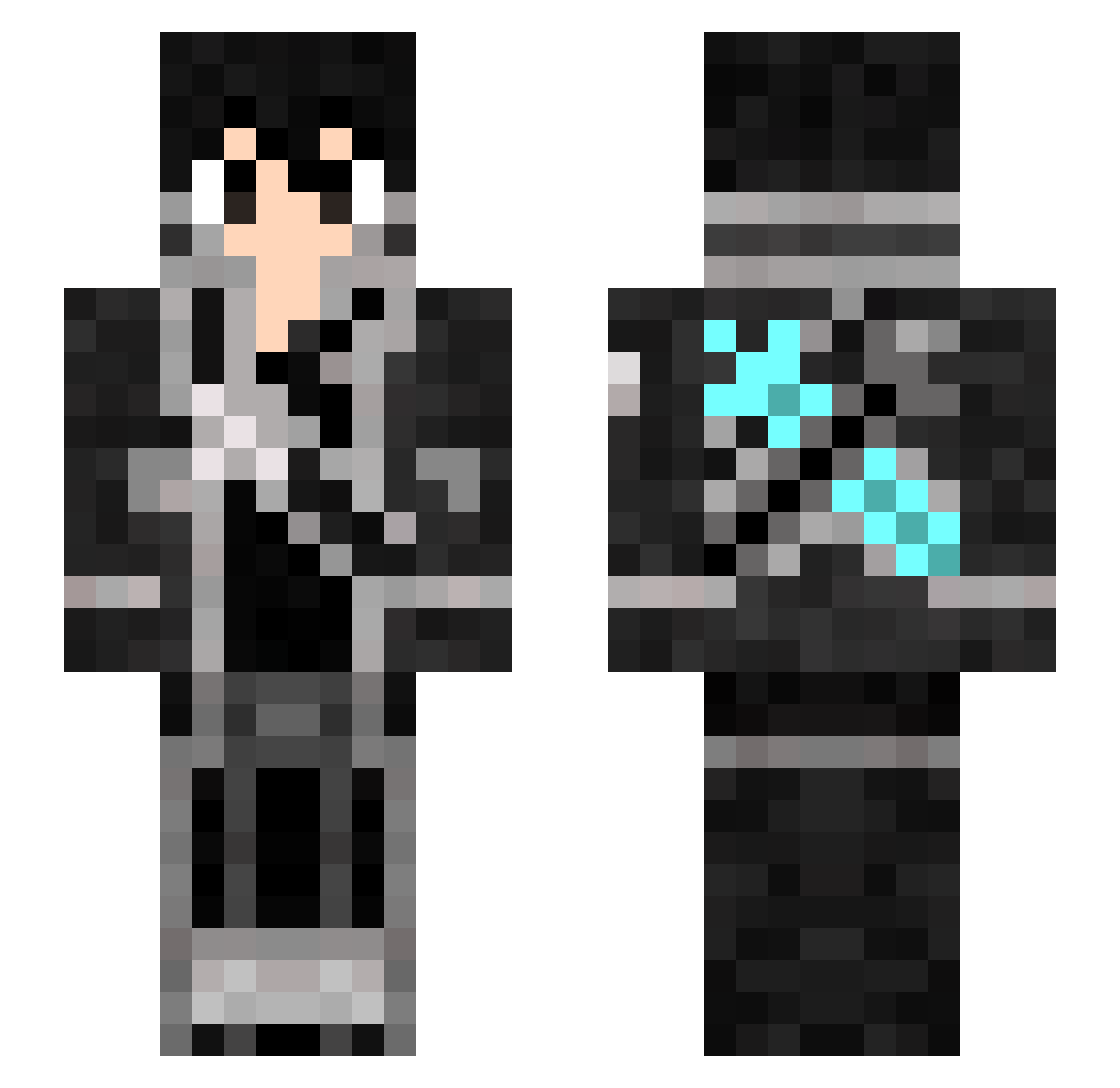
Current Minecraft skin of the player GamerDemon666, loaded from the official Mojang API. Rotate the 3D model with your mouse or finger, then download the skin as a PNG file and use it in Minecraft: Bedrock Edition or Java Edition for free. When GamerDemon666 changes their skin, this page updates automatically and the old skin stays in the history below.
Other players with this skin (317)
GamerDemon666 was the 202nd player we have seen with this skin, first spotted on 04.10.2026. The same skin was seen on these players. Open a nickname to see their current skin and skin history.
 ImpatientPollo Backlight_Angel NaruuuN gagalei BiggWood Balle_argente tasuna5278 victorgtt guigolost KamaruBoo numaber Paradoxnabox BrAKY__ TheReal_BigPanda _X3R0E_ nathlolxd EILoIBooX KIRITOxAMV Piernikx KIRIN212 CraftyGamer47 Twitch_4rKiro AdrianBogado Solo__Solo SUNRISEsoul Kirito1904 KasultoTTV DAIKI0808 Kenik3 ASra2 RKdeb Orange_YK Xtirat Axio_S kiritoyang Cjotasz tender329 Maykon KiritoTW Kailyuuu JsineD todinho1227 Angel_from_Void Hazuki1129 Nerku Pifen67 Pedroxhm TsukiYoMIRyu sniperscout_1 Chinyo BadAndytaker _EgaGe_ A_rinpq 7414ok123 Sean_Lee_7777 RayDsteven Olegeogr EnEn0821 tatoao217 YEEMIAN
More Kirito Minecraft skins
How to install the GamerDemon666 skin
- Press the Download button above to save the skin as a PNG file.
- Minecraft: Bedrock Edition (PE): open the Dressing Room from the main menu (or tap your character → Edit Character), go to Classic Skins → Owned, press the + (new skin) button, choose the downloaded PNG and pick the Slim (Alex) model. Works on PC and mobile; consoles cannot import custom skins.
- Minecraft: Java Edition: open the Minecraft Launcher, go to the Skins tab, click New Skin, load the PNG, pick the Slim (Alex) model and press Save & Use. You can also upload it at minecraft.net → Profile → Change Skin.
The skin does not show up after import - what should I do?
Restart Minecraft and open the Dressing Room again - imported skins sometimes appear only after a restart. Also make sure you selected the imported skin and picked the Slim (Alex) model.
Which model should I choose, Classic or Slim?
This skin is designed for the Slim (Alex) model. If you pick the wrong model, the arms of the skin will look stretched or squeezed.
Is the skin of GamerDemon666 free to download?
Yes. Press Download, save the PNG file and use it in Minecraft: Bedrock Edition or Java Edition - no payment or registration needed. The skin also works on multiplayer servers and Realms.
More skins
Looking for more? Go back to all Minecraft skins and check the top skins of the week, month and all time, or find any player's skin by nickname.