
GGattsuu - Minecraft Skins & Skin History
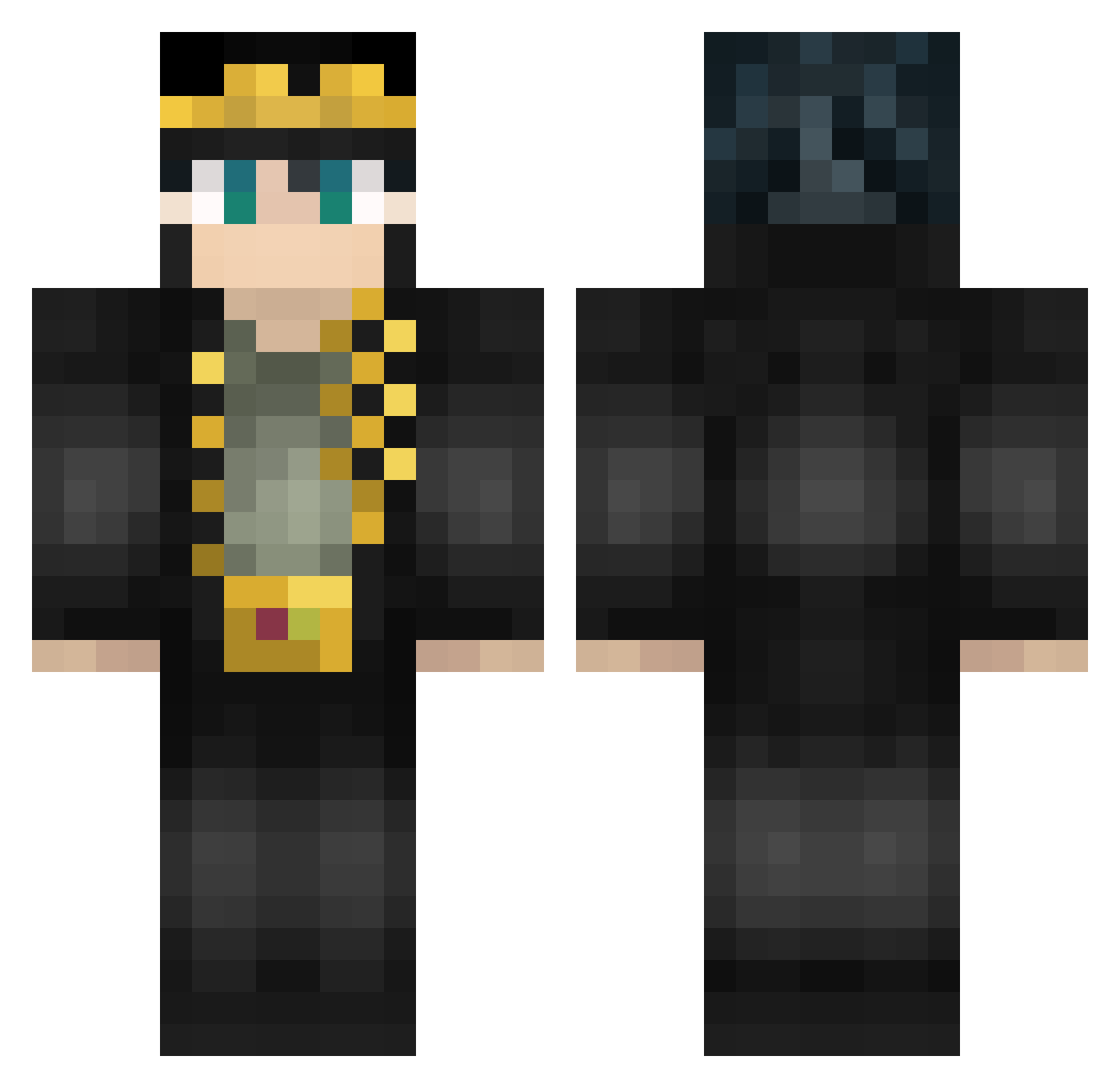
Current Minecraft skin of the player GGattsuu, loaded from the official Mojang API. Rotate the 3D model with your mouse or finger, then download the skin as a PNG file and use it in Minecraft: Bedrock Edition or Java Edition for free. When GGattsuu changes their skin, this page updates automatically and the old skin stays in the history below.
Other players with this skin (462)
GGattsuu was the 309th player we have seen with this skin, first spotted on 24.09.2026. The same skin was seen on these players. Open a nickname to see their current skin and skin history.
 thkirito FallenHx Jotaro228 PaoDurmido pafank JojoPvEverything Nakemi_ REEEGOR Evan456852 phx1985 artungul jakobsen___ Tomosch OctavianJe ProfRiverSong gab852 TNT_apple Xelaced G_0_D__ opiri_man Zdrasteet ChooseW1sely SarahJamieson FrostShader66 ekkelo oleg_britva Beach401 chiki623 LucusFavelas Maxb959 Moga123 saltandvinny muriloX61 J29H Kosonoob228 Luxier915 EMINA666 LeoTMNT Kina_OuO AliesTwo Petkaaalun byakuya1994 artico03 HungDog360 Lutra3 TTT_BasCastGame soupbucket Joyjoy2 CrispyHungry LaidoLestofante MeKunsta Norikl NalycWolf Cagadamortal37 PupusaDeQueso LatiumZ IAMJOTARO meinantz romozlomo iBanya
More Jotaro Kujo Minecraft skins
How to install the GGattsuu skin
- Press the Download button above to save the skin as a PNG file.
- Minecraft: Bedrock Edition (PE): open the Dressing Room from the main menu (or tap your character → Edit Character), go to Classic Skins → Owned, press the + (new skin) button, choose the downloaded PNG and pick the Classic (Steve) model. Works on PC and mobile; consoles cannot import custom skins.
- Minecraft: Java Edition: open the Minecraft Launcher, go to the Skins tab, click New Skin, load the PNG, pick the Classic (Steve) model and press Save & Use. You can also upload it at minecraft.net → Profile → Change Skin.
The skin does not show up after import - what should I do?
Restart Minecraft and open the Dressing Room again - imported skins sometimes appear only after a restart. Also make sure you selected the imported skin and picked the Classic (Steve) model.
Which model should I choose, Classic or Slim?
This skin is designed for the Classic (Steve) model. If you pick the wrong model, the arms of the skin will look stretched or squeezed.
Is the skin of GGattsuu free to download?
Yes. Press Download, save the PNG file and use it in Minecraft: Bedrock Edition or Java Edition - no payment or registration needed. The skin also works on multiplayer servers and Realms.
More skins
Looking for more? Go back to all Minecraft skins and check the top skins of the week, month and all time, or find any player's skin by nickname.